


Explore this content with AI:
The quality of work of your admin staff is as good as the appointment reminder system you use for your business. Unfortunately, a lot of things can and do go wrong in an appointment-based business:
- backlogs don’t clear,
- open slots go unused,
- your schedule turns unpredictable,
- front desk teams burn time chasing confirmations, and
- missed sessions might disrupt customer care and increase follow-up work later.
These problems can negatively affect the quality of your service your customers get. This is where SMS-based appointment reminders can help manage the front desk chaos that no-shows, missed confirmations, etc., can cause.
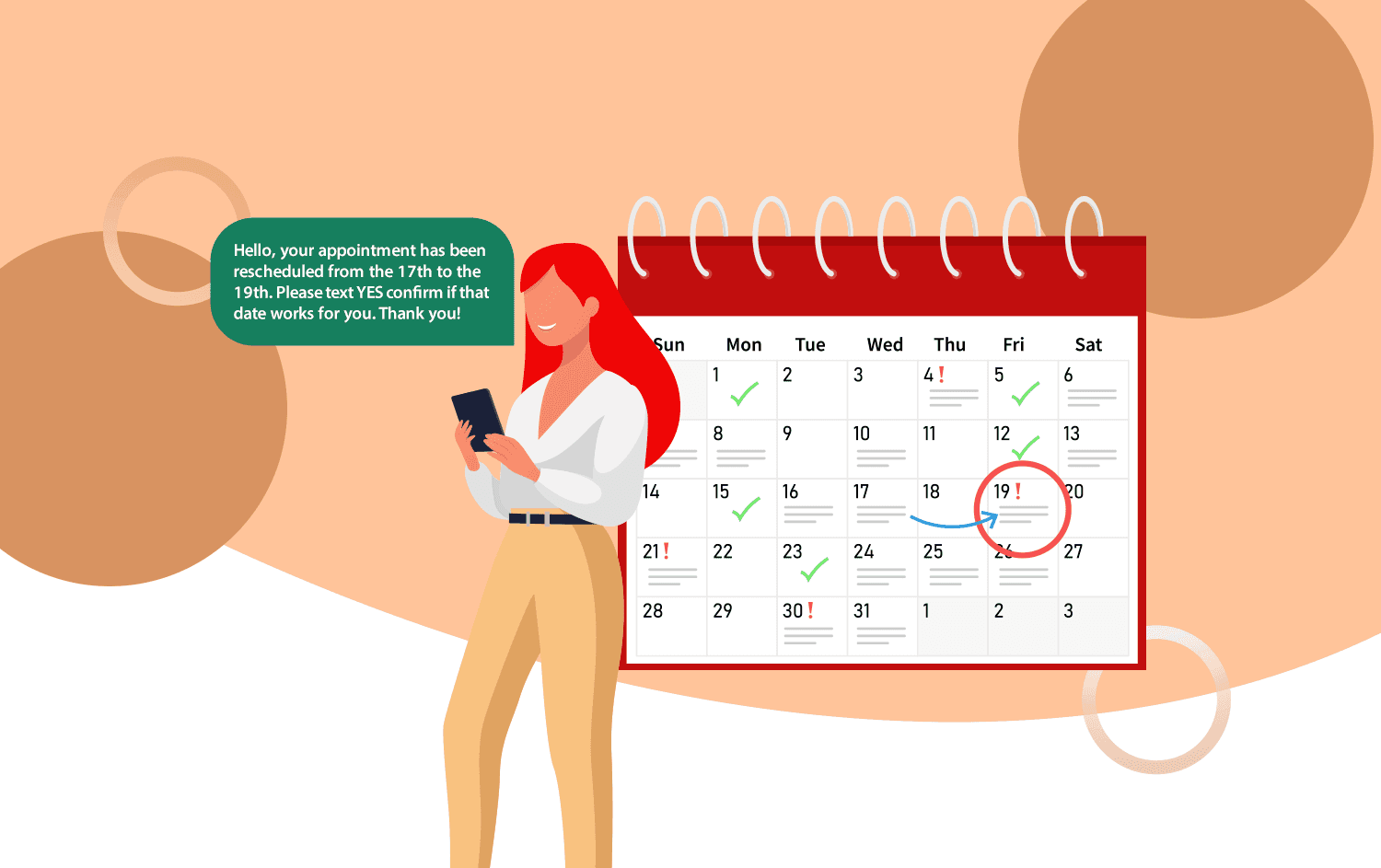
An automated SMS reminder is a short, text-only SMS that your appointment setting system sends automatically to your customers to inform and confirm their appointments.
You can also set up this SMS-based communication system to provide extended service functions to your customers on regular intervals. This effectively takes a load off your admin staff when your appointment workflows run more or less effortlessly.
And it’s good for the cash flow of your business too.
For example, if you prevent 7–8 missed appointments per week, then at a $50 per session fee, you add an estimated $350 to $400 per week ($18.2K to $20.8K per year) to your current profits.
This guide helps you choose the right SMS provider for appointment reminders where we’ll look at:
- localization and multi-lingual SMS support, international SMS delivery
- two-way texting and customer support features (reply options for clients, shared inbox, smart SMS with AI, etc.)
- integration with your existing systems (calendar, CRM, payments, API),
- alignment with your compliance and security needs (for industries with strong regulations),
- pricing model type, overage charges and carrier fees, costs after growth, surprise costs, and
- suitability for types of businesses.
Feature-level comparison of appointment reminder tools
| Tool | Multiple reminder types (SMS, email, voice) | 2-way messaging | Customizable message templates | Localization | Calendar and CRM pairing |
|---|---|---|---|---|---|
| Mobile Text Alerts | SMS focused; email requires integrations (main product is SMS) | Yes: two-way SMS fully supported, and shared inbox | Yes: use of keywords, custom templates and automated messaging journeys + SmartSMS AI tool | MMS and number-based regional support, international SMS also supported | Yes: Zapier, API, calendar tools via integrations |
| AppointmentReminder.com | Yes: SMS, email, voice (reminders + confirmations) | Yes: SMS replies tracked | Yes: fully customizable templates with dynamic fields | Limited: not suitable for international messaging | Yes: Google Calendar, Office 365, CSV import, Redtail CRM |
| Apptoto | Yes: SMS, email, voice | Yes: full two-way SMS | Yes: rule-based templates | Limited: international support depends on SMS provider | Yes: Google, Outlook, iCloud, Zapier |
| Call Loop | Yes: SMS, voice, ringless voicemail (email depends on toolkit) | Yes: two-way SMS engagement supported | Yes: templates and automated responses | Primarily for the U.S./Canada; limited international support | Yes: CRM and third-party integrations (Zapier, API) |
| WellnessLiving | Yes: SMS and email; not designed for advanced SMS marketing or voice reminders | Yes: confirm, cancel, reschedule via SMS | Yes: editable templates | Limited: basic number support, no advanced localization or multi-language SMS features | Built-in calendar and scheduling tied to client records |
| YouCanBook.me | Yes: SMS and email reminders (SMS credits needed) | Limited: booking-related confirmations only | Yes: rules and templates for messaging | Strong: local phone numbers and multi-language booking pages | Yes: calendars, Zapier, third-party tools |
| SimplyBook.me | Yes: email by default; SMS available with credits or gateway | Limited; booking-related confirmations and reschedules | Yes: notification templates | Flexible international SMS via credits or gateways | Yes: calendars, SMS gateways, Zapier |
| Square Assistant | Yes: bundled SMS and email reminders | Limited; basic confirmations and outreach only | Limited customization within Square settings | SMS limited to select countries; email used globally | native Square scheduling, POS, and and customer records integration |
| Keap | Yes: SMS and email (voice via integrations) | Yes: full two-way CRM messaging | Yes: advanced automation templates | Limited international and multilingual SMS support | Deep CRM-native integrations |
| Textmagic | No: SMS only (no native email or voice) | Yes: free-text SMS replies | Yes: simple templates | Strong international SMS support | API-first; integrations required for calendar/booking workflows |
How to use this table: Eliminate tools that lack a feature you need. Then compare the remaining options on setup effort, pricing, and how closely they match your existing scheduling or CRM setup.
Why choose SMS appointment reminders over email and WhatsApp
For appointment‑based businesses, reaching customers quickly and getting clear replies matters more than using multiple channels.
Consider this scenario: A physiotherapy clinic sends an SMS reminder 24 hours before each appointment. Texts usually appear on the customer’s lock screen within minutes and replies often come back quickly, allowing customers to confirm, cancel, or reschedule without additional calls. This kind of timely exchange can reduce missed bookings and free staff from manual follow‑up calls.
Out of common contact channels like WhatsApp, email, and SMS, SMS works best when the message needs attention soon because customers tend to see it much faster and more consistently than email.
Sending SMS reminders before appointments boosts attendance and cuts no-shows. The evidence for this is well documented:
-
Clear lift vs. no reminders: A meta-analysis showed attendance of ~78.6% with SMS reminders vs. ~67.8% without, with SMS performing as well as phone calls at lower cost.
-
Large real-world impact: A UK hospital outpatient study reported 38% fewer missed appointments after introducing SMS reminders.
In comparisons between SMS and email for urgent updates, SMS shows a higher open rate (~55%) and essentially a 100% view rate because messages appear directly on a user’s device, while email open rates are lower (about 35.9%) [source].
When the message requires attention within a short window (e.g., a day before or a few hours before an appointment), SMS is better suited because SMS reminders are simple, timely, and easier for your customers to act on.
Focused (speed-to-launch and replies) comparison of SMS-first appointment reminder tools
| Feature | Mobile Text Alerts | Appointment Reminder | Apptoto | Textmagic |
|---|---|---|---|---|
| Setup time (practical) | Fast: sign up, import contacts, and send or schedule messages within minutes. | Moderate: link your calendar or upload appointment list, then set message timing. | Moderate: connect calendar and configure messages/rules. | Fast: sign up, add credits, upload contacts/send texts. |
| Calendar required to start | No: you can start with uploaded contacts and scheduled SMS. | Yes: for automated reminders based on dates; can also upload CSV. | Yes: reminders are triggered from connected calendars. | No: calendar integration is not native; automation requires third-party tools. |
| Manual import option | Yes: import contacts via spreadsheet or opt-in lists. | Yes: upload CSV or Excel with appointment data. | Limited: calendar integration is the main source; bulk lists typically via address book or API (not simple upload). | Yes: upload contacts to send messages. |
| Automated SMS reminders | Yes: schedule SMS messages to go out automatically. | Yes: automatically sends based on calendar or upload timing. | Yes: automated reminders based on calendar rules. | Yes: schedule messages for later automatic delivery. |
| Two-way SMS replies | Yes: a two-way messaging inbox is included for replies. | Yes: clients can reply with confirmations or questions. | Yes: two-way SMS and email conversations tied to appointments. | Yes: two-way SMS chat in inbox. |
| Reply handling effort | Basic: replies are collected in an inbox for manual or automatic follow-up. | Low: replies show up in the dashboard; you can respond there. | Moderate: inbox/outbox with rules and notifications. | Moderate: shared inbox and auto-response rules can help manage replies. |
| Reply use cases supported | General two-way replies (conversations after messages). | Confirmations, cancellations, reschedules, custom responses. | Confirm, reschedule, message, payment-related replies. | Open two-way conversations; supports auto-reply rules. |
| Extra configuration needed for replies | No: replies appear in the inbox without extra setup. | No: basic reply handling works once reminders are sent. | Yes: inbox and notification settings should be configured. | Yes: auto-reply rules must be set up for automatic responses. |
| Best fit for fast launch | Best: SMS scheduling and replies ready with minimal setup. | Good: quick if calendar or upload is ready. | Fair: calendar sync and rule setup take time. | Best: fast launch for cost-controlled, high-volume SMS (not booking-led). |
Mobile Text Alerts: Best overall SMS provider for service-based businesses or enterprises
Mobile Text Alerts is a low-hassle SMS-based growth engine for businesses, bridging the gap between simple texting and complex enterprise automation. It is built for businesses that rely on SMS appointment reminders for reducing appointment no-shows and for faster, more efficient coordination with their clients.
Mobile Text Alerts is a practical, affordable, and user-friendly SMS provider designed specifically for businesses that require real-time, reliable appointment reminders.
It offers:
- automated appointment reminders (teams can set up reminder workflows for different timing needs),
- two-way SMS messaging (so customers can respond over a text), and
- programmatic access via API (to integrate with your booking system)
- native support for international and multilingual SMS (copy-paste translations) so businesses with global customers can send reminders without third-party tools or country-specific setups.
What makes Mobile Text Alerts an outstanding SMS provider alternative for service-based businesses
Send iMessage for business and become a part of your customers’ ecosystem: Mobile Text Alerts is one of the few platforms offering mass iMessage capabilities. This allows brands to send multimedia messages with images and higher file limits that appear as a natural part of the Apple ecosystem. Your business benefits from the trust Apple already has with its customers.
Rely on highly responsive 1-on-1 human support: Unlike some other providers, Mobile Text Alerts does not leave you to figure it out all on your own when you start, helping teams move workflows without disruption. Mobile Text Alerts provides live US-based support and complimentary 1-on-1 video coaching to help businesses switching from another SMS provider to rebuild their SMS operations from day one. (Read about more features here.)
Pay using transparent pricing: Mobile Text Alerts offers a rare combination of rollover credits (on annual plans) and transparent pricing with no surprise fees, ensuring businesses don't lose the budget they've already allocated. (Explore pricing.)
Use advanced ways to enroll new customers: Beyond keywords, they provide built-in QR code generators and web sign-up forms to enroll new customers at physical locations or online. (Explore how to use QR codes.)
Go beyond basic functions: Mobile Text Alerts lets you combine SMS with your existing business tools through integrations (including Zapier) so appointment-based businesses can adapt their business communication needs. It also provides robust developer support on Professional and Enterprise plans so they can build custom applications and workflows directly on its API.
What kind of businesses is Mobile Text Alerts suitable for?
Mobile Text Alerts is most suitable for fast-growing service businesses and enterprises that send high volumes of reminders and need a system that grows with them, without adding operational complexity or the team needing a technical background. Here is how different industries use it to get results.
Recurring, appointment-based businesses
- Doctors, physical therapy professionals, and other health experts: Automatic text reminders can help patients and their families stay on top of their care and quickly confirm or reschedule if needed. This way professionals also prevent any missed revenue (read more about appointment reminders work).
- Schools, coaches, and training providers/institutes: Timely reminders helps ensure students keep regular classes prioritized within their busy lives by sending reminder alerts through integrations with tools like Zoom.
- Personal care and wellness studios: Salons, spas, fitness studios, and nutritionists can use Mobile Text Alerts to keep recurring appointments on track with quick text reminders that help fill schedules and avoid last-minute gaps.
- Professional and periodic consulting services: Lawyers, financial advisors, and tax consultants can use Mobile Text Alerts to remind clients about scheduled sessions, deadlines, and missed invoices via SMS, making confirmations faster and reducing missed consultations and improving cashflow.
- Home and local services with scheduled visits: Cleaning services, pest control, home care providers, and maintenance teams can use Mobile Text Alerts to confirm or reschedule recurring service visits ahead of time. It helps clients ensure they manage their schedule better and stay prepared while also informing field teams of any changes in customer schedules.
- Pet care and animal services: Veterinary clinics, groomers, and pet trainers can use Mobile Text Alerts to remind pet parents about recurring visits and sessions. This ensures timely care for pets and makes schedules easier to manage for both staff and clients.
Other industries and one-time or event-based use cases
- Real estate: Capture leads instantly by letting buyers text a code (like “HOUSE123”) to receive pricing and photos on their phone. (Explore Mobile Text Alerts’s tools for real estate agents.)
- Stores and ecommerce: Drive sales with limited-time offers and automatic cart-reminder texts when shoppers leave items behind.
- Churches and nonprofits: Share event updates and donation links by text to keep members and volunteers engaged.
- Field teams and offices: Send urgent text alerts about weather, schedule changes, or closures so staff gets the message right away.
Core features of Mobile Text Alerts to consider before buying
- Easy setup with a real free trial:
- Allows quick onboarding and smooth switching from other SMS tools to recreate workflows and reduce onboarding friction
- Also offers a free 14-day trial during which businesses can send (max) 50 messages to see how confirmations, cancellations, and reschedules work in practice within the Mobile Text Alerts interface (the trial may not cover programmatic access through API, short link subdomain using your brand’s name, and customized reports)
- Built for fast-moving teams
- Works across desktop and the Mobile Text Alerts mobile app
- Most practical for distributed teams, field staff, or operations that are not tied to a single front desk or shared computer
- Reliable delivery without surprise costs: Mobile Text Alerts covers messaging fees, which helps growing businesses avoid unpredictable SMS costs as reminder volume increases
- Messages are positioned for rapid, “near-instant” delivery
- Entry-level plans are more budget-friendly than industry leaders (starting at $20/month for 500 messages)
- All prices are inclusive of carrier fees (check example carrier rates here)
- Mobile Text Alerts provides dedicated toll-free numbers and maintenance for free, as well as 10DLC maintenance at their “at-cost fee” ($15/month) for lower tiers and for free on most standard plans.
- Non-financially-prohibitive custom enterprise plans for high-volume messaging, with costs as low as $0.0039 per message.
- Other useful SMS features for service-based businesses:
- International SMS is supported using Unicode without geographic restrictions, so businesses can send multilingual messages without external translation or routing tools
- Custom workflow development possible using the Mobile Text Alerts API for high-volume custom messaging needs
- AI chatbots, AI-assisted smart SMS generation, and a shared SMS inbox (limited to only SMS) can be used to support customer communication workflows
Why Mobile Text Alerts may not be suitable for you
- For multi-channel messaging or priority-based delivery, Mobile Text Alerts handles SMS only, though voice is possible via 3rd-party integrations
- Mobile Text Alerts is not a full booking system or CRM but can integrate with existing tools via Zapier or API
- For low-volume, cost-sensitive messaging, Mobile Text Alerts may be more complex than simple pay-as-you-go options
Call Loop: Multi-channel appointment reminders with follow-up and compliance controls
Call Loop is a multi-channel campaign management platform for businesses that need to reach clients through multiple channels, either by business need or where a single reminder is often insufficient (by customer need). It is commonly used by healthcare providers, financial services, and service businesses that require structured follow-ups and compliance controls.
It’s important to note that Call Loop is not optimized for SMS-only or long-form campaign management. While the Call Loop mobile app is not available, the platform is accessible via mobile web.
Reminder channels
- SMS reminders
- Email reminders
- Automated voice calls
- Ringless voicemail
Notably, support for Apple iMessage is absent.
Automated follow-ups
- Lets you set up SMS reminders and broadcasts, largely suitable for event marketing-style campaign
- Helps maximize attendee participation and follow-up calls
The platform is not designed for complex SMS-only marketing or sales campaign management workflows.
CRM integrations
- Works with popular CRM tools and Zapier
- Triggers reminders from existing workflows
- Cuts down on duplicate data entry
The integrations focus on triggering reminders and alerts rather than supporting deeper customer support workflows or community-style engagement-based messaging.
HIPAA-compliant option
- Plan available for regulated industries (healthcare, finance)
- Ensures secure messaging while meeting compliance requirements
It is a practical option for regulated U.S. and Canada–based businesses that need compliance controls alongside multi-channel campaign delivery and basic SMS blasts.
Plans and pricing
- Credit-based model: different message types use credits at different rates
- Advanced automation and compliance features available on Pro/Business tiers
- Basic reminder needs do not require higher tiers; high-volume or regulated teams likely will
Summary: pros and cons
Pros
- Suits U.S. and Canada businesses, especially in regulated industries
- Good for multi-channel reminders and basic SMS broadcasts to reduce missed follow-ups and compliance risk
Cons
- Less ideal for SMS-first campaigns
- Less ideal for international messaging
- Less ideal for ongoing engagement workflows
YouCanBookMe: Scheduling-first tool with SMS reminders and localization
YouCanBookMe focuses on online scheduling, with SMS and email reminders added to reduce missed appointments. It covers basic operational benefits of SMS reminders (confirmations and follow-ups) without voice or chatbot-based communication. It is best suited for solo professionals and small teams who want booking and reminders in one place without juggling separate tools.
Booking setup & workflow
- Create a booking page linked to your calendar
- Clients select available times and the system sends appointment reminders automatically or new reminders once you set additional rules (e.g., hours or days before appointments)
- Does not include customer support chatbots, with or without AI
- Supports straightforward transitions from other scheduling tools, with guided assistance to move existing bookings and workflows
SMS reminders & pricing
- Available on all plans, including the free plan (SMS credits required per message)
- Basic SMS service sends messages globally through limited shared regional phone numbers that automatically match the client’s location, without setup fees
- Enhanced SMS plan offers a dedicated business number and bundled messages, but this option currently applies only to U.S. and Canada–based businesses
- Example impact: one user reduced cancellations from ~20% to under 1% after enabling text reminders (from their testimonials)
Large teams can use the highest-tier plan for quick internal scheduling or notifications, but pricing scales by team size rather than SMS volume, which may reduce cost efficiency for low-volume teams.
Integrations & automation
- Connects with calendars and services to automate reminders
- SMS reminders work natively, but Apple Messages, WhatsApp, and other messaging apps rely on integrations
- No direct support for automated voice calls or ringless voicemail workflows
- Works with Zapier to link bookings to third-party SMS services if needed
- Supports automatic, personalized reminders triggered by bookings, reschedules, or cancellations
- Developer API is available only on Enterprise (most expensive) plans
- No native mobile app, but mobile web interface available
- Does not include customer support chatbots, with or without AI
Localization & multi-language support
- Uses local phone numbers to match client regions
- Supports 40+ languages for booking pages and reminders
- Localization means adapting pages, reminders, and numbers to clients’ region and language
Summary: pros and cons
Pros
- Automates booking-led SMS and email reminders in one place, cutting manual follow-ups
- Works best for solo professionals and small teams that need simple, global SMS tied to bookings
Cons
- Not suitable for teams that want voice automation
- Not suitable for teams that want chatbots
- Not suitable for teams that prefer volume-based SMS pricing
- Not suitable for teams that want deep API access
Textmagic: Pay-as-you-go SMS reminders with clear costs and basic scheduling
Textmagic is a simple business texting tool with transparent, usage-based pricing, best for small teams that want tight cost control. It supports basic SMS reminders, email, MMS, and mixed campaigns through a shared inbox, without long-term contracts or complex setup.
Pricing and cost structure
- Prepaid credit system: sending SMS costs credits and incoming pre-set replies do not cost extra (credits do not expire and unused credits can be refunded)
- No required monthly contract (optional monthly plans available)
- SMS messages in the U.S.: about $0.049 per standard SMS
- Local or toll-free number: about $10/month if needed
Pricing scales by message usage rather than team size, which suits growing businesses.
SMS sending and scheduling
- Send one-time or scheduled SMS messages from the web app; messages send automatically once schedules are set
- Suitable for basic reminders, confirmations, and follow-ups (no automated voice calls or ringless voicemail workflows
- Supports contact imports and bulk messaging
- Supports native international SMS (without third-party provider); multilingual messages require Unicode characters
Two-way messaging and auto-replies
- Customers can reply directly to SMS messages
- Simple auto-replies can be configured using preset responses
- Handles basic reply management without advanced workflows
- Offers a shared inbox and AI-assisted chat features for customer service conversations (however, automation is not as advanced as enterprise marketing platforms)
Use case and limitations
- No built-in booking system or CRM
- Can send ad-hoc SMS alerts to staff, but is not suitable as an internal communication platform, especially for large organizations
- Designed for straightforward texting rather than automated, multi-step reminder flows
- Advanced reporting and multi-step drip automation remain limited compared to dedicated enterprise marketing suites
- No iMessage support
Developer access & mobile use
- Teams thus build custom apps or workflows on top of Textmagic API (broad API access available on most pay-as-you-go plans)
- Most core SMS features are available through a mobile app, though email campaigns and advanced reporting require desktop access.
Summary: pros and cons
Pros
- Offers cost-controlled SMS reminders, broadcasts, and replies
- Requires minimal setup
- Suits small or growing teams that need high-volume, international SMS with API access
Cons
- Not suitable for booking-led workflows
- Not suitable for voice automation
- Not suitable for complex campaign orchestration
SimplyBook: Flexible online scheduling with optional SMS reminders
SimplyBook(dot)me is a client-facing booking and scheduling tool that lets clients self-book appointments and receive basic reminders without a full CRM. It works best for high-ticket, appointment-led services run by solo founders or small teams.
Scheduling and core features
- Hosts your booking page for clients to book appointments 24/7
- Services can be set with different durations, staff, and availability
- Clients can cancel or reschedule bookings on their own
- But Client mobile app available on paid plans; admin app available on all plans, including free
- Supports recurring appointments through scheduling settings
- Syncs with Google Calendar and Outlook
- Developer API available for custom extensions on booking and scheduling functions
Reminder workflow
- Supports mixed reminder campaigns across email, SMS, WhatsApp, Telegram, and push notifications
- SMS reminders are optional and must be enabled separately
- Once configured, it sends reminders automatically after booking and before appointments
- Supports multilingual reminders natively via Unicode or manual language mapping files
SMS setup and limitations
- SMS reminders work through purchased SMS credits or a connected SMS gateway
- You can connect a provider like Twilio to send messages from your own number
- Also provides integrated SMS credit system for international messaging
- SMS setup requires extra configuration and sits outside the core functionality
- iMessage, automated voice calls, or ringless voicemail not supported natively
Pricing and plans
- Free plan has limited bookings and basic scheduling
- Paid plans increase booking limits and available features (such as detailed analytics and reporting)
- Premium plan is around £45.8/month (~$49) and supports up to 30 providers
- Email reminders are included; SMS credits are always billed separately
Cost considerations
- SMS costs scale with usage and are added on top of the plan price
- Push notifications via Client app (fixed monthly cost) reduce reliance on SMS for international audiences
- Credit bundles vary by region and volume
- Total cost depends on how often you send SMS reminders and whether you manage your own gateway
Use case fit
- Best suited for client-facing service businesses that want booking and reminders in one system
- Commonly used by solo professionals and small teams
- Not designed for internal team communications
- Less ideal for teams that want SMS reminders bundled into a flat monthly price
- Lacks native customer support inbox; requires integrations for shared support workflows
Summary: pros and cons
Pros
- Reduces manual booking work by letting clients self-schedule
- Allows clients to receive automated reminders across multiple channels
- Fits client-facing, high-ticket service businesses that need booking-first workflows and flexible international messaging
Cons
- Less suitable for internal communications
- Less suitable for those looking for flat, all-inclusive SMS pricing
Square Assistant: Built-in appointment reminders for Square bookings
Square Assistant is the reminder and messaging layer inside Square Appointments. It’s best suited for businesses already using Square for bookings and payments who want reminders handled in the same system, without adding another tool.
Reminder features
- Supports automated SMS and email beyond confirmations and reminders (allows basic marketing and review collection)
- Sends messages automatically based on the timing rules you set
- Timing and channels need one-time configuration in the Square Dashboard
- SMS availability limited to US, Canada, UK, Australia
- MMS is available only within US & Canada
- No separate reminder tool needed if you already use Square Appointments
- Not suitable for internal team communications
Scheduling and payment integration
- Works directly with Square’s online booking pages and POS
- Creates appointments through Square and stored in the same calendar
- Reminders pull the appointment time automatically from the booking system
- Payments and appointment records sit together in one place in Square’s all-in-one commerce + engagement setup, which is optimized for high-frequency local businesses
Setup and workflow
- Reminders are automatic after you enable them; message timing and delivery method need manually configuration in settings
- Borrows client contact details from the booking flow (not manual entry)
- Handles replies and 1:1 messages inside Square POS/Dashboard
- Square mobile app supports replies and single messages only; it’s not built for full campaign management
- Provides unified inbox shared across team
- But has no support key features such as non-sequence emails, limited threading on forwarded emails, manual BCC requirement, and access restrictions
API and extensibility
- Payments, inventory, and customer APIs are extensive
- Email and SMS marketing tools remain closed inside Square Dashboard
- Needs external tools (Mailchimp, Zapier) for advanced or international outreach
Channels and limitations
- Supports Apple iMessage via integrations / Apple Messages for Business
- No voice calls or ringless voicemail support
- Requires email to interface with customers outside supported SMS regions
Pricing and plan limits
- Square Appointments plans include reminder features
- Free and lower tiers include automated SMS reminders
- Marketing SMS follows usage-based pricing tiers
- Higher tiers add more customization and confirmation options
- Long messages, MMS, and UTF-16 languages reduce character limits and thus cost more due to message size
- Total cost depends on the Square Appointments plan you choose, not messaging alone
Summary: pros and cons
Pros
- Reduces manual follow-ups by linking reminders, basic SMS/email outreach, and payments directly to Square bookings
- Fits high-frequency, local businesses already using Square that want simple, compliant messaging
Cons
- Not directly suitable for international SMS
- Not directly suitable for advanced campaigns
- Not directly suitable for voice calls
- Not directly suitable for internal team workflows
Keap: CRM-first system with automated SMS reminders and follow-ups
Keap is a CRM-first platform and supports automated marketing, sales, and business ops workflows that run on top of its CRM using built-in SMS and email marketing tools. It’s best suited for North American mid-sized to large businesses that want to tie reminders to customer history and are comfortable setting up structured workflows.
Reminder and follow-up features
- Supports automated SMS and email reminders linked to appointments and customer activity
- Supports SMS and MMS natively, iMessage requires Apple Messages for Business integration
- Messages trigger automatically from CRM data, not manual sends
- Supports follow-up sequences support a series of messages after specific actions, such as:
- Booking an appointment
- Missing an appointment
- Replying to a message
- One-to-one SMS is supported in the U.S. and Canada, while automated SMS campaigns are limited to the U.S.
Automation and CRM integration
- Reminders connect to contact records, notes, and past interactions, so personalization ties to your CRM
- But Keap does not provide in-app multilingual SMS marketing beyond basic character-set support
- Tracks replies and outcomes inside the CRM
- Next steps can trigger automatically based on customer responses
- Developers can expand on this CRM-triggered messaging using Keap’s REST-based API to connect external applications where they build custom workflows
Setup and workflow nuance
- Message sending and sequences run automatically once configured
- Initial setup is manual and requires defining rules, timing, and triggers; more control requires more configuration time and a steeper learning curve
- Designed for customer-facing automation rather than quick internal team communications.
Pricing and learning curve
- Plans typically start around $159/month for Pro and $229/month for Max (billed annually for 1-2 users/1500 contacts)
- Extra users costing around $39/month each
- Higher tiers add deeper automation and customization, but also cost much more as each plan can add only usually two to three users
- The learning curve is higher than standalone reminder tools plus there may be a potential one-time setup fee
- So pricing scales up significantly for larger contact lists
Use case fit
- Works well for businesses that want to manage repeat appointments and ongoing client relationships
- Works well for high-growth businesses that want an all-in-one CRM, marketing, and lifecycle management tool rather than a lightweight reminder-only tool
- Is more complex if you only need a simple, one-off SMS reminder tool
- Is less suitable for international SMS-heavy use cases or multilingual messaging
Summary: pros and cons
Pros
- Reduces manual follow-ups by automating reminders, sequences, and next steps directly from customer records, which creates consistent, history-aware communication
- Benefits already established businesses that want CRM-driven automation across marketing and appointments
Cons
- Less suitable for simple SMS-only reminders
- Less suitable for internal team messaging
- Less suitable for international and multilingual SMS workflows
Apptoto: Flexible 2-way appointment reminders and scheduling for service businesses
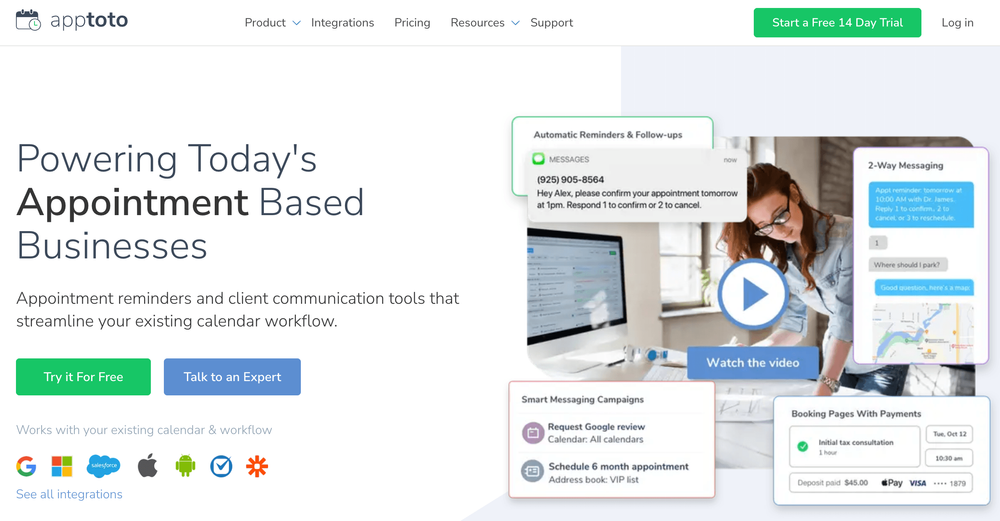
Apptoto is a calendar-driven reminder and scheduling tool for clinics and professional services, letting clients book, pay, and manage appointments while businesses run rule-based confirmations and follow-ups. It suits teams that need precise control over timing and replies without adopting a full CRM.
Core features
- Supports automated reminders via SMS, email, and voice calls set up across web and mobile
- iMessage and other messaging apps are supported only through integrations
- No support ringless voicemail or automated voice drop campaigns
- Two-way messaging so clients can confirm, cancel, or request reschedules
- Supports appointment-related conversations
- But no support for AI-driven chatbots
- Updates sync back to connected calendars automatically
Scheduling and automation workflow
- Pulls appointment directly from connected calendars (Google, Outlook, iCloud)
- Supports repeated automated campaigns for recurring or follow-up appointments
- Offers built-in locale settings handle time zone differences and provide automatic message translation for international clients
- Reminder timing and channels need one-time configuration, then run automatically
- Client replies trigger updates; edge cases may still need staff review
Integrations
- Google Calendar, Outlook/Office 365, iCloud
- Zapier for CRM and internal tools
- Basic Zapier webhooks on all plans
- Full developer API access and advanced webhooks only on Enterprise plans
- Stripe and Square for deposits or co-pay collection
Customization and tracking
- Adjustable reminder timing (e.g., 24h, 2h before)
- Custom message templates by appointment type
- Rule-based messaging for different services
- Delivery and confirmation status visible in reporting views
- Reporting and automation setup accessible through the web dashboard (rather than the mobile app)
Typical use cases
- Clinics and medical practices
- Salons, spas, and wellness providers
- Consultants and legal services with scheduled sessions
- For quick internal scheduling and coordination messages, teams need to buy a plan for six or more users
Pricing and setup
- Plans start around $39/month for basic reminders and scheduling
- Pricing scales by user seats, calendars, and appointment-related message volume rather than number of contacts
- Extra messages are billed per use unless limits are adjusted
Summary: pros and cons
Pros
- Cuts manual follow-ups by syncing reminders, replies, payments, and scheduling with calendars
- Lets clients confirm or reschedule on their terms
- Fits appointment-heavy clinics and professional services that need precise timing and rule-based automation
Cons
- Not a great fit for CRM-led workflows
- Not a great fit for businesses looking for AI chatbots
- Not a great fit for businesses looking for ringless voicemail
Appointment Reminder: Simple reminders with calendar support
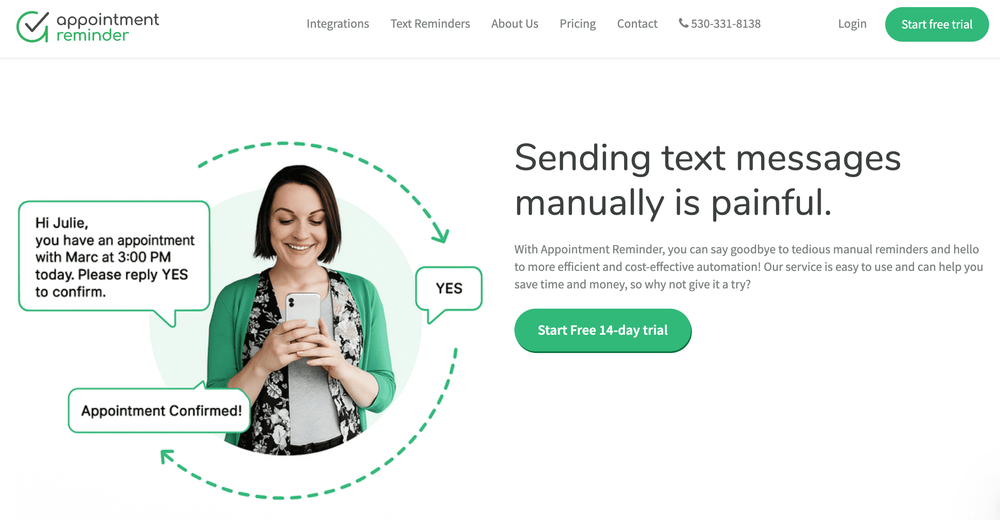
AppointmentReminder(dot)com provides simple, calendar-based SMS, email, and voice reminders. It fits small teams that want plug-and-play reminders without a full scheduling system or CRM.
Automated reminders and replies
- Sends SMS, email, and voice reminders automatically based on calendar data (system sends reminders automatically once users configure it)
- SMS delivery is supported only in the US, UK, Canada, Australia, the Netherlands, and New Zealand
- Voice reminders include text-to-speech, uploaded audio files, and call-if-SMS-undelivered logic
- No native support for ringless voicemail, iMessage, international SMS, time zone handling, or automatic message translation
- Also sends confirmations, announcements, follow-ups, and simple automated campaigns for recurring appointments or review collection
- Despite its simple setup, larger organizations can use the platform for quick internal reminders or notifications across teams
- Clients can reply to SMS reminders to confirm or cancel
- Two-way messaging functions primarily as reply management and staff can monitor the replies in a shared message log (not a full shared customer support inbox)
Calendar integrations
- Direct integration with Google Calendar, Outlook, iCloud, and Office 365
- No manual entry needed when using supported calendars
- CSV or Excel upload available for teams without a supported calendar
API access is available which can be connected to Zapier via webhooks, although the setup can be fairly complicated and the API itself is, as of writing, hosted on an unsecure website.
Plans, trial, and pricing
- 14-day free trial available
- Paid plans start at $29/month (includes SMS, email, and voice reminders, basic two-way replies, and a booking calendar)
- Pricing is tiered and primarily based on reminder volume and the number of connected calendars (rather than the number of users); teams with low appointment volume but many staff may see limited return compared to usage-based needs
- Higher tiers increase reminder volume and add features such as HIPAA compliance
Summary: pros and cons
Pros
- Centralizes calendar-based SMS, email, and voice reminders for small, appointment-driven teams
- Suits businesses that want simple, volume-based reminders without a CRM
Cons
- Does not suit businesses needing international messaging
- Does not suit businesses needing app-based conversations
- Does not suit businesses needing API-led integrations
WellnessLiving: Scheduling and SMS reminders
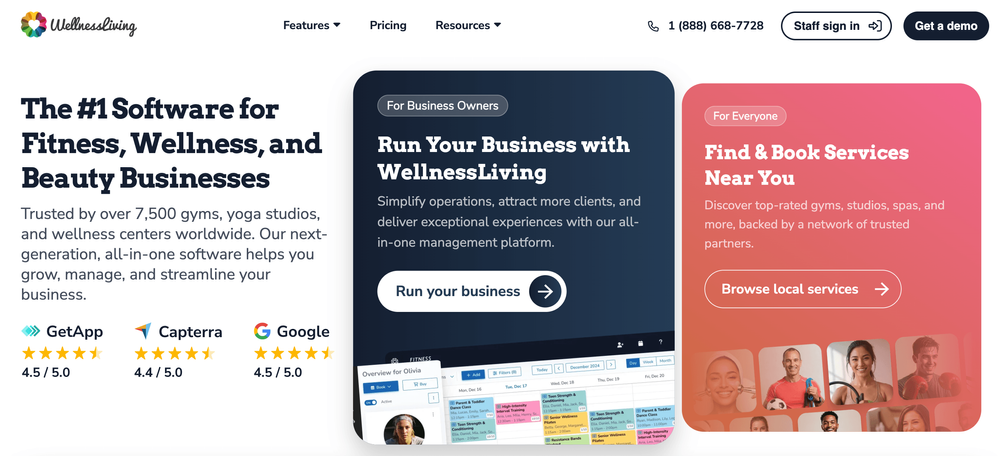
WellnessLiving is an all-in-one scheduling and client management platform for fitness and wellness businesses, with built-in SMS reminders to reduce missed appointments. It also supports staff management, payments, reporting, and client engagement through a branded app ecosystem.
Two-way SMS reminders (as a paid add-on)
- Clients can confirm, cancel, or reschedule appointments via text
- Transactional SMS is included by default, while interactive two-way SMS configuration is available as a paid add-on
- Native support is limited to SMS and email; iMessage is only accessible via Apple Messages for Business
- Conversations are stored in a Message Center for easy monitoring; staff can provide customer support within the platform through a basic shared team inbox rather than AI-based chat or automated support assistants
Self-scheduling & automated reminders
- Clients book appointments online through self-scheduling tools
- Also includes WellnessLiving’s mobile ecosystem, including
- Achieve app for client bookings and loyalty
- Elevate app for staff management and mobile POS
- Check-In app for tablet-based self-service kiosks
- Clients get SMS reminders automatically based on the business’s configured schedule
- Supporting app ecosystem helps reduce no-shows and maintain staff productivity levels
SMS alerts and reminders are primarily supported in the U.S., U.K., Canada, and Australia, with email and app-based push notifications recommended for businesses with clients in other regions.
Developer API is available on higher-tier plans (starting at $349) but requires a formal vetting process and signed agreement.
Impact of reducing missed appointments
- Text reminders are described as the simplest, fastest way to reduce missed appointments
- Increases business efficiency and reduces revenue loss
This platform is better suited for client-facing scheduling and reminders than for rapid internal communications or enterprise-scale team messaging.
Summary: pros and cons
Pros
- Helps studios manage client communication and reduce no-shows through automated reminders and centralized messaging
- Fits appointment-driven wellness businesses best
Cons
- Less suited for enterprises
- Less suited for high-volume internal messaging
- Less suited for advanced SMS and voice campaigns
How to choose the right SMS appointment reminder solution
Choosing an SMS appointment reminder tool depends on three main factors:
- the size of your business,
- the type of appointments you run, and
- how you need customers to respond.
A solo practitioner with a simple calendar has very different needs from a clinic, studio, or multi-staff operation. There is no single “best” tool; only a best fit for how your appointments, staff, and customers must all interact together.
When evaluating SMS appointment reminder tools, a practical way to choose is to focus on features that reduce staff effort, make it easy for customers to respond, and consistently lower missed appointments.
Key features to prioritize
The features below have the most direct impact on improving customer and staff experience alongside higher efficiency in day-to-day operations for appointment-based businesses.
Multi-channel reminders (SMS, email, voice): Depending on the type of business and the role and role of the message in customers’ life, multi-channel reminders can either:
- improve the chance the message is seen and acted on or
- make your reminders feel like spam.
These are especially useful when customers differ in how they check messages or when a single reminder channel is not reliable. They may backfire if the nature of the reminder is transient/temporary.
Two-way messaging: Two-way messaging allows customers to reply to reminders to confirm, cancel, or request a change simply by replying to their text reminder. It reduces the friction of making a separate call from both ends: your staff and your customers.
Automation based on appointment timing: Automation ensures reminders are sent automatically based on the appointment schedule, such as 24 hours or a few hours before. Some tools also support follow-ups when there is no response. It is important to check whether these workflows are ready to use or require manual setup.
Customizable message templates: Custom templates let businesses quickly set up their automation workflows without having to write from scratch. A nice addition here could be AI-assisted authoring of new reminders. If the tool lets you save your repeatedly-used customized texts as fresh templates, it lets you keep your reminders clear and consistent for your customers, their setup workflow minimal for your staff, and their delivery automatic.
Localization support: Localization features such as using phone numbers local to customers' region or sending messages in the client’s preferred language can:
- improve response rates,
- reduce confusion for businesses serving diverse audiences, and
- Increase trust with the customer.
Calendar and CRM integrations: Direct integration with calendars or CRMs allows the system to trigger reminders from real appointment data. This removes the need for manual entry from your staff and keeps bookings, reminders, and responses in sync.
Compliance and security considerations
It is a matter of peace of mind knowing you are not only providing excellent customer service but also remain in full compliance with local laws. SMS reminders may seem simple, but they still handle personal information, which means the system sending them must follow appropriate data protection rules.
For businesses that handle sensitive customer data, especially in healthcare, finance, or legal services, compliance and data security are not optional.
Tools built for healthcare often document their HIPAA compliance and list the security standards they follow, such as encrypted data storage and role-based access controls.
A HIPAA-compliant appointment reminder is one that uses secure systems, limits who can access patient data, and avoids exposing health details in plain text messages. In practice, this usually means messages are generic (for example, “You have an appointment tomorrow at 10 AM”) and detailed information stays inside a secure portal.
Businesses should also check for clear opt-in and opt-out handling, since customers must explicitly agree to receive text messages.
A visible privacy policy and message consent logs are basic safeguards, not advanced features and are therefore essentials in the system.
If your reminders include medical, financial, or identity-related details, choosing a tool with documented compliance and third-party security practices is key.
Pricing models and budgeting
SMS appointment reminder tools usually follow a few common pricing models. The right fit depends mostly on how many messages you send each month and whether SMS is included by default or sold as an add-on.
- The most basic option is pay-as-you-go pricing where you pay per message sent. Rates are often around $0.04–$0.06 per SMS, which works well for small teams or clinics with low and irregular appointment volume. For them, costs stay predictable as long as usage stays low, but they can add up quickly if reminders, follow-ups, and confirmations are sent frequently.
- Some platforms offer monthly bundled plans, such as $25–$40 per month for a fixed number of messages. These plans suit businesses with steady appointment traffic (like salons) because they make monthly costs easier to forecast. However, several scheduling tools charge extra for SMS on top of their core booking fee, which can be a source of surprise costs.
- A third option is per-appointment or volume-based packages, where pricing is tied to the number of reminders or bookings rather than individual messages. This model can work for higher-volume operations, but businesses should check how many messages are included per appointment and what happens when limits are exceeded.
In general, low-volume users tend to get better value from per-message pricing, while businesses sending reminders daily across multiple staff members usually benefit from bundled or bulk plans.
Integration with calendars and payment systems
When reminders are linked directly to scheduling and billing systems, businesses reduce admin work, lower the risk of missed messages, and keep appointment data consistent across tools. So, integration with existing calendars and payment tools is what turns SMS reminders from a manual task into an automated workflow which enables this ease of use.
At a minimum, an SMS appointment reminder solution should connect with common calendars such as Google Calendar, Office 365, Outlook, and iCloud. These integrations allow the system to automatically detect new bookings, cancellations, or reschedules and trigger the right reminder without staff involvement.
For businesses that manage client relationships in tools like a CRM, direct integration helps keep contact details and appointment history in sync.
Look for Zapier-based integrations if direct integrations are not available. Zapier is the de-facto web standard for cross-platform integrations in many markets.
Payment system integration is equally important for businesses that collect fees in advance or charge no-show penalties. When reminders are linked to payment tools, messages can include payment links, deposit requests, or balance reminders, reducing follow-up work for staff.
A typical setup flow may look like this:
- Connect the calendar or CRM where appointments are created.
- Map appointment fields such as date, time, client name, and phone number.
- Choose or customize reminder messages and timing.
- Link payment systems if deposits or prepayments are required.
- Test the flow with a sample booking to confirm messages sent correctly.
Before choosing a provider, businesses should confirm that the platform or API supports the exact calendar and payment tools they already use, as not all integrations are available by default.
Two-way messaging and automated intake benefits
Two-way SMS allows clients to respond directly to reminder messages. And automated intake refers to digital workflows that collect confirmations, changes, or required details before an appointment without staff involvement. Together, these features reduce front-desk work and shorten response times for customers.
With two-way messaging, clients can take action from the reminder itself instead of calling or emailing. This keeps schedules accurate and reduces the friction from back-and-forth calling. Automated intake builds on this by capturing appointment-specific information in a structured way and updating it in the system automatically.
Common two-way SMS exchanges may include:
- “Reply C to confirm your appointment.”
- “Reply R to reschedule.”
- “Reply X to cancel.”
- “Reply Y to confirm and complete your intake form.”
For staff, this means fewer calls to chase confirmations and less manual data entry. For customers, it means faster responses and fewer steps to manage their appointments.
Get a free trial account with Mobile Text Alerts now to start sending appointment reminders for yourself!
Frequently Asked Questions
How do SMS appointment reminders help reduce no-shows?
What features make an SMS reminder solution effective for businesses?
How can businesses ensure compliance when sending SMS appointment reminders?
What pricing structures are common for SMS appointment reminder platforms?
Which business types benefit most from SMS appointment reminders?
Author Bio
Navin Israni is a content strategist, copywriter, systems thinker, and an evangelist of quality-of-life software. He aims to bring operational clarity to customers of great hassle-free products and technologies - including SMS marketing - to enable sound buying decisions. Personally, he's a tennis fan with an undying love for all aspects of the sport!