


An AI SMS Chatbot is a virtual “assistant” that automatically and intelligently responds to messages sent via text message.
A chatbot like this uses the technology of AI to simulate the capabilities of a real human agent for sales, customer support, or marketing inquiries.
This makes it more useful than a “traditional” SMS bot that can only send canned, preset responses.
In contrast, an AI SMS chatbot can formulate intelligent responses based on training documentation you provide to them. The chatbot will analyze the training documentation and use it to answer questions or provide helpful feedback.
For example, if a prospective customer texts, “Hey, what is your pricing?,” an AI SMS chatbot can:
- Recognize that this is a pricing inquiry
- Access knowledge from the training documentation you provided about your company’s pricing tiers
- Formulate a natural-sounding response like, “Our pricing tiers start at $35/month for 10 users.”
And all of this happens in seconds, providing the customer with a seamless interaction (theoretically).
How Does an AI SMS Chatbot Work?
With an AI SMS chatbot, you set up the bot using a third-party SMS provider (such as Mobile Text Alerts).
In the process of setup, you’ll give instructions for what you’d like the chatbot to do, and you’ll also provide the chatbot with documentation to give it the information it needs to respond to your intended recipients.
The chatbot will be affiliated with a particular phone number, so whenever someone sends a text message to that designated phone number, it will trigger an interaction with the documentation-informed chatbot.
The user should be able to interact with the chatbot the same way he or she would with a real human, as long as the inquiries and discussion are within the scope of the documentation you provided to the chatbot upon setup.
The chatbot will therefore be able to give informed responses to any relevant messages or inquiries it receives from your audience.
How Do You Get Started with an AI SMS Chatbot? (No Coding)
If you have developer resources, you could think about investing in creating your own AI text message bot.
However, keep in mind that this may involve multiple tools and the developer know-how to effectively put something together. If you’re exploring how to build an AI app, an easier solution would be to take advantage of AI SMS chatbot tools that already exist.
(Alternatively, you could use the Mobile Text Alerts AI SMS Chatbot API.)
Mobile Text Alerts offers a no-code AI chatbot tool that you can use.
Here’s how you’d get started…
1. Create an Account
AI SMS chatbots are available to add-on to any Mobile Text Alerts account. (The cost is $5/month in addition to the regular subscription fees.)
To create an account, you fill out the sign-up form to get the new account up and running and pay the appropriate fee (minimum of $20/month billed annually or $25 billed monthly for the regular subscription fee + $5/month for a chatbot).
2. Navigate to the “Add a Chatbot” Page
Once your Mobile Text Alerts account is created, you can log in to the online dashboard.
From within that online dashboard, you’ll navigate to the “Growth→Chatbots” section.
3. Click “Add Chatbot”
While on the “Chatbots” page, you’ll be able to see and edit any existing chatbots (once you have at least one set up).
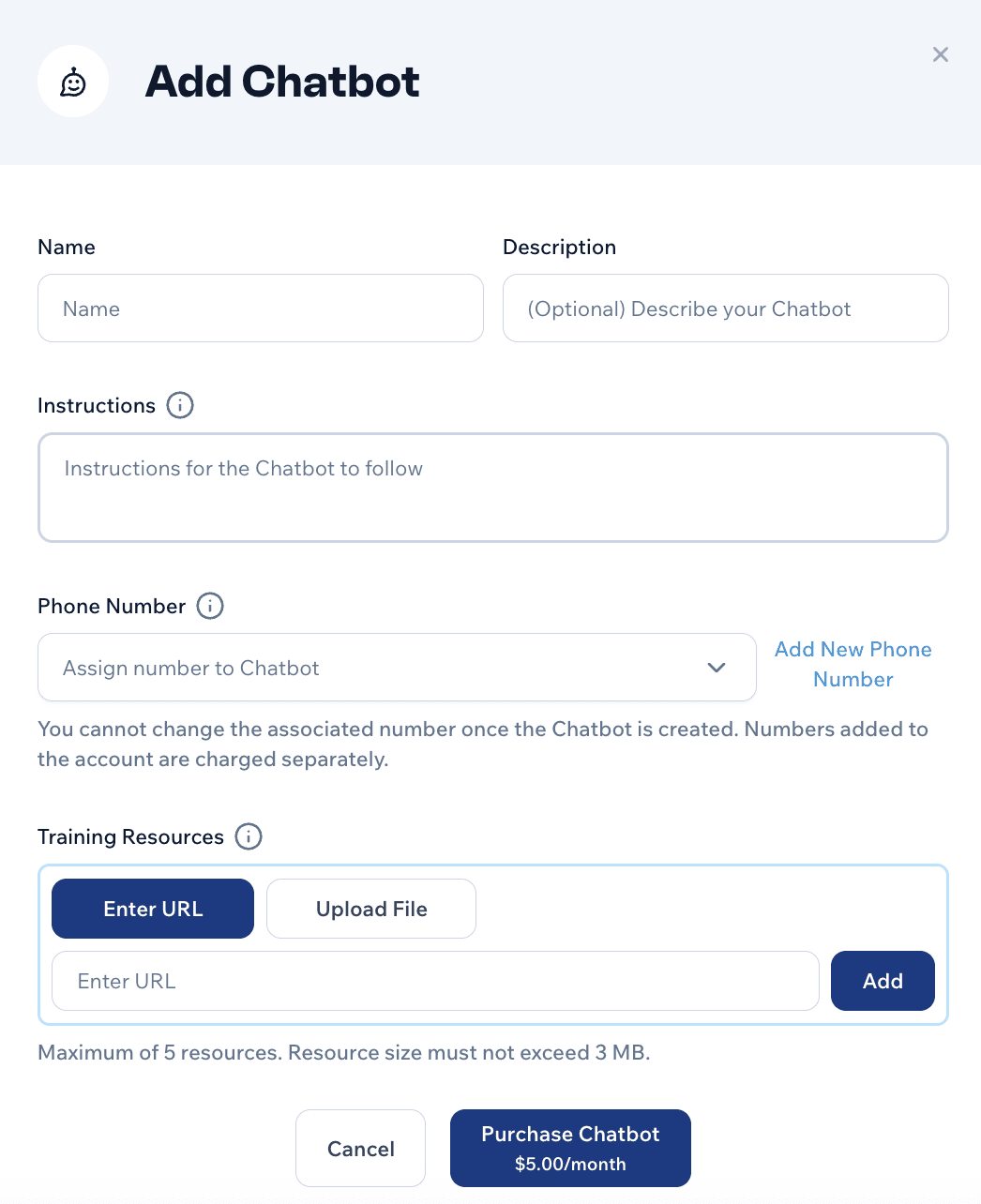
To create your first chatbot, click the “Add Chatbot” button and a form will appear allowing you to enter information about your new chatbot.
4. Enter Info for Your Chatbot
Fill out the form to provide the necessary information to set up your chatbot:
- You can name your chatbot and give it a description that helps you remember its purpose.
- You can also give your new chatbot specific instructions for how you’d like it to operate. For example, you could tell it to answer customer inquiries about common service issues.
- From here you’ll also pick which phone number in your Mobile Text Alerts account that you would like to be affiliated with the chatbot.
- Importantly, you can enter URLs or upload documents that have the information your chatbot needs in order to operate (for example, support documentation, sales documentation, or general information about your business) - you can enter up to 5 documents or URLs to train your chatbot, and each training file must not exceed ~500KB
- Click “Purchase Chatbot” when you’re ready to add your new chatbot, and your chatbot will be all ready to go!
5. Promote Your Chatbot
The only step remaining is to promote your chatbot so that your audience can start interacting with it.
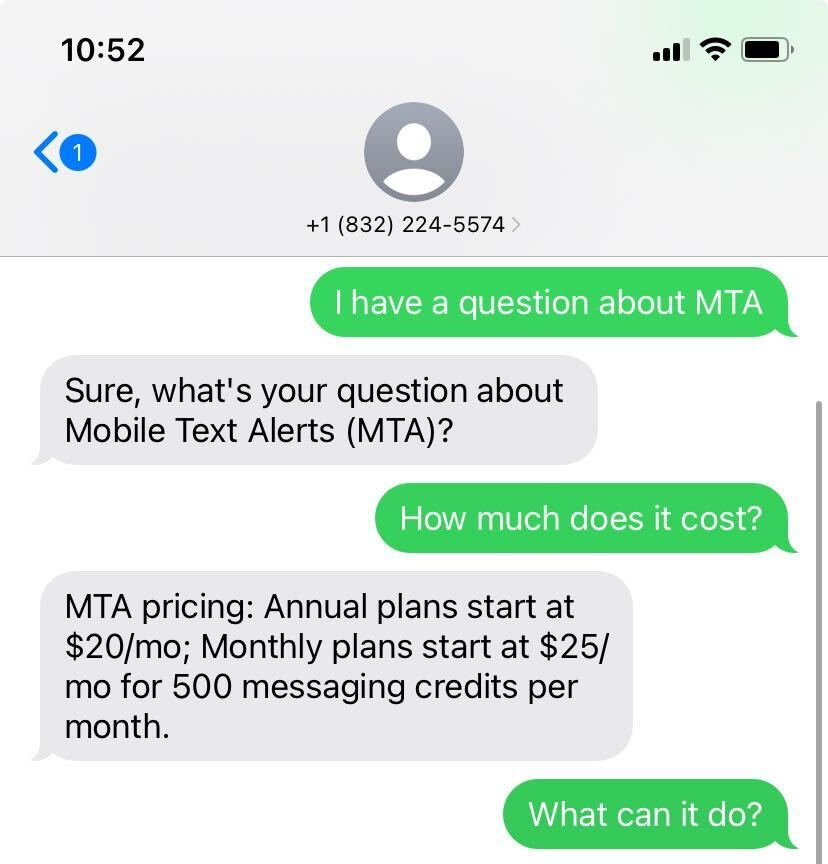
As long as your chatbot is “Enabled” within your Mobile Text Alerts dashboard, whenever anyone sends a text message to your designated phone number, it will trigger a conversation with the chatbot:
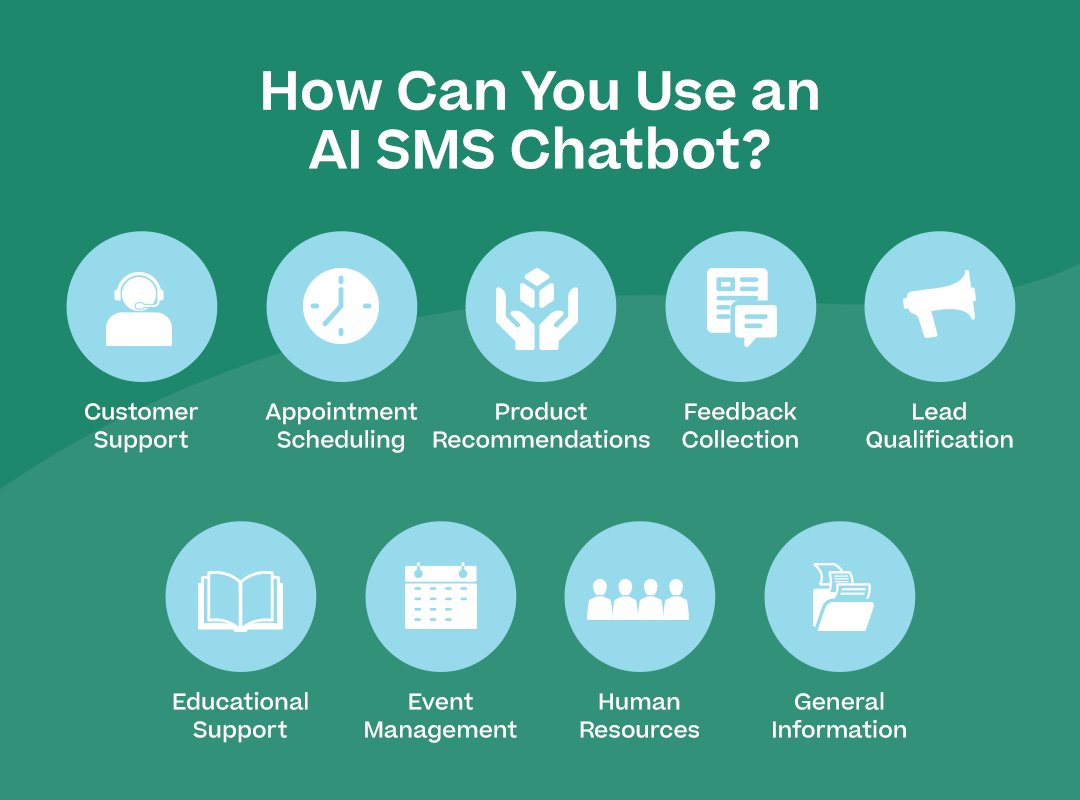
How Can You Use an AI SMS Chatbot? (Use Cases with Examples)
When would using an AI SMS chatbot be beneficial?
Here are a few examples to illustrate.
Customer Support
Example: A telecommunications company could use an AI SMS chatbot to handle common customer queries. When a customer texts "My internet is slow," the chatbot could offer troubleshooting steps and can even send a link to schedule a technician visit if needed.
Appointment Scheduling
Example: A dental clinic could use an AI SMS chatbot to manage appointments. Patients could text to schedule, reschedule, or cancel appointments, and the chatbot could respond with the appropriate links.
Product Recommendations
Example: A fashion retailer could employ an AI SMS chatbot to provide personalized product recommendations. A customer might text "I need an outfit for a summer wedding," and the chatbot could respond with options.
Feedback Collection
Example: A restaurant chain could use an AI SMS chatbot to gather customer feedback. After a meal, customers receive a text asking about their experience. The chatbot could ask follow-up questions based on the responses, providing valuable insights to management.
Lead Qualification
Example: A real estate agency could use an AI SMS chatbot to qualify leads. When potential buyers send a text inquiring about properties, the chatbot could ask key questions about budget and desired location.
Educational Support
Example: An online learning platform could use an AI SMS chatbot to support students. Students could text question about course content or ask about assignment deadlines.
Event Management
Example: A conference organizer could use an AI SMS chatbot for event communication, using AI to improve attendee experience by providing schedules, speaker information, and directions to specific sessions (as requested).
Human Resources
Example: A large corporation could implement an AI SMS chatbot for internal HR queries. Employees could text to get information about company information or policies.
General Information
Example: Any business could use an AI SMS chatbot to answer general questions about their business. An AI chatbot could be equipped to answer basic questions regarding pricing, business hours, company history, and product or service information.
What Are the Pros and Cons of AI SMS Chatbot?
There are a lot of positives and negatives about implementing an AI SMS chatbot.
Pros
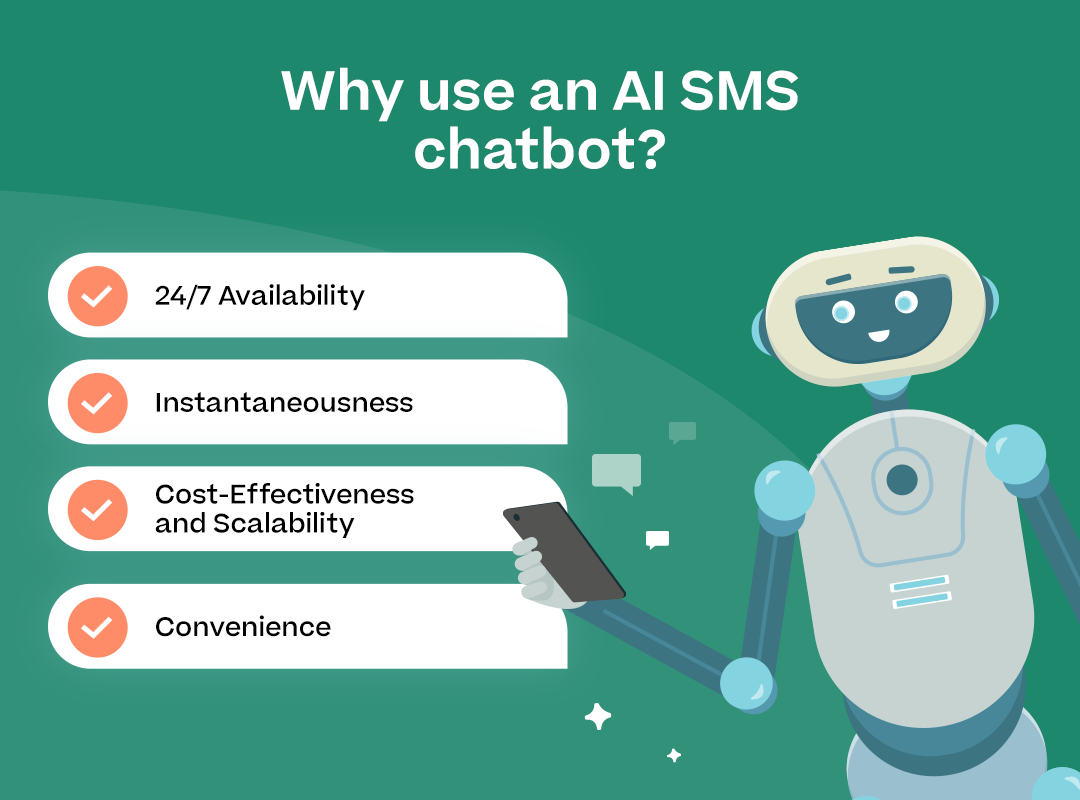
Some of the pros of an AI text message chatbot are:
- 24/7 availability to answer your audience’s questions and concerns
- Instantaneous responses so that your audience doesn’t need to wait
- Cost-effectiveness, since AI chatbots will help mitigate your need for live agents
- Convenience for your audience, since they’ll be able to get the help they need just by submitting a text message
Cons
Some of the potential cons of an AI SMS chatbot would include the following:
- Potentially inaccurate responses—AI is certainly not foolproof (then again, neither are live representatives!) and it can make (sometimes egregious) errors.
- Lack of human nuance—despite the usefulness of AI, it can never quite replace a real human being and the nuance of real human interactions; some customers may therefore feel frustrated when interacting with AI, especially for complex or sensitive issues.
- Potentially higher-than-expected costs—since the messages that the AI chatbot sends out to your audience count against your SMS platform messaging allotment, these message credits could add up if your audience ends up using your chatbot often.
- Dependence on technology—as with any technology, there’s always a possibility of things not working as expected, which can obviously cause problems if it disrupts your regular operations.
How to Mitigate the Cons
The cons of using an AI SMS chatbot are real but are not insurmountable.
The key would be to use the SMS chatbot as a tool but not as a replacement for your normal human interactions.
In other words, don’t over-rely on it.
You may also consider making it clear upfront to your audience that while your SMS chatbot is there for convenience, it may have errors. And you may want to give them an easy way to get in touch with a real human in case the chatbot isn’t satisfactory for them.
How to Maintain the Human Touch
While an AI chatbot can be a useful tool, many people still want a human touch.
So how do you keep that human touch while still taking advantage of the benefits an SMS chatbot provides?
- Make it clear that people are chatting with an AI chatbot—you won’t fool anybody by pretending like it’s a real person (nor would you want to)
- Give options for interacting with a real human—even if it’s after hours, they can leave a message and a real person will get back to them
- Have humans monitor the conversations and be ready to jump in if needed
What Should You Know Before You Get Started with an AI SMS Chatbot?
Before you get started with an AI SMS chatbot, there are a few things you should know:
The Work It Takes to Get Set Up
If you want to get started with an SMS chatbot that requires very minimal setup through a third party, you can follow the steps above to get an SMS chatbot set up with minimal work.
Through this method, the only work you need to do is (1) create an account, (2) input a few fields in a form, and (3) promote your chatbot.
(If you want to develop your own SMS chatbot solution, the work will be substantially more involved.)
How Pricing Works
You’ll want to make sure you have a clear understanding of how pricing works for whatever AI SMS solution you use.
To have access to the Mobile Text Alerts SMS chatbot option, you can purchase any Mobile Text Alerts subscription plan (starting at $20/month for 500 messages/month) and then add an SMS chatbot for $5/month.
From that point, each text message that your chatbot sends will count as 3 messaging credits. But you won’t be billed anything further unless you choose to purchase additional messaging credits (or if you select to automatically top up messaging credits when you run out).
What AI Is (and Isn’t) Capable Of
AI is capable of surprising things...
But it’s nowhere near perfect.
AI will be able to answer basic questions for your audience, but if things get too complex or outside the scope of the training documentation, it may not give the info your audience is looking for.
So just keep in mind that your AI SMS chatbot, while a useful tool, will have some weaknesses that you’ll need to be wary of.
Other Tips for Getting an AI SMS Chatbot Implemented
Here are a few other tips you can consider when thinking about implementing an AI SMS chatbot…
Give Your Chatbot Good Documentation
Your chatbot will be better equipped to handle messages and inquiries if you give it good training documentation.
Hopefully your business has a good central knowledge base to draw from that you can provide to your AI chatbot.
(If not, perhaps this is a good impetus to initiate creating one!)
Test
Once you have your AI SMS chatbot set up, try to carry on a few test conversations with it and see how it fares.
You may find in this process some obvious issues that you can easily address by providing the bot with more specific direction.
Start Small and Ramp Up
It’s probably best not to release your SMS chatbot into the wild in full force right away.
Instead, start small, see how it goes, and then ramp up.
Perhaps release it first to a subset of your audience and see how they respond to it (and how it responds to them).
If all goes well, you can then release it to a bigger segment of the audience, or to the audience at large.
How Could You Use an AI SMS Chatbot for Your Own Business?
What about you?
How could you use an SMS chatbot powered by AI for your own business?
Could you use it to help give your customers better support? To capture leads and prospects while their interest is hot? To give your employees quick answers to their questions?
You can take the first step in exploring an AI SMS chatbot solution for yourself. Try a free SMS platform trial today and you’ll be able to try an SMS chatbot if you decide to upgrade.
AI SMS Chatbot FAQ
What is an SMS chatbot?
Can AI send text messages?
What if the AI SMS chatbot gives wrong information?
Is an AI SMS chatbot free?
Will this replace human customer support via SMS?
Author bio

Sam Pelton is the content director for Mobile Text Alerts, an SMS service that gives businesses an easier way to reach customers and audiences. He has 12 years of experience working with the texting platform in the areas of customer support, quality assurance testing, content creation, copywriting, and marketing strategy. He’s also a father of 7 and loves a good (bad) dad joke. Connect with him on LinkedIn.