


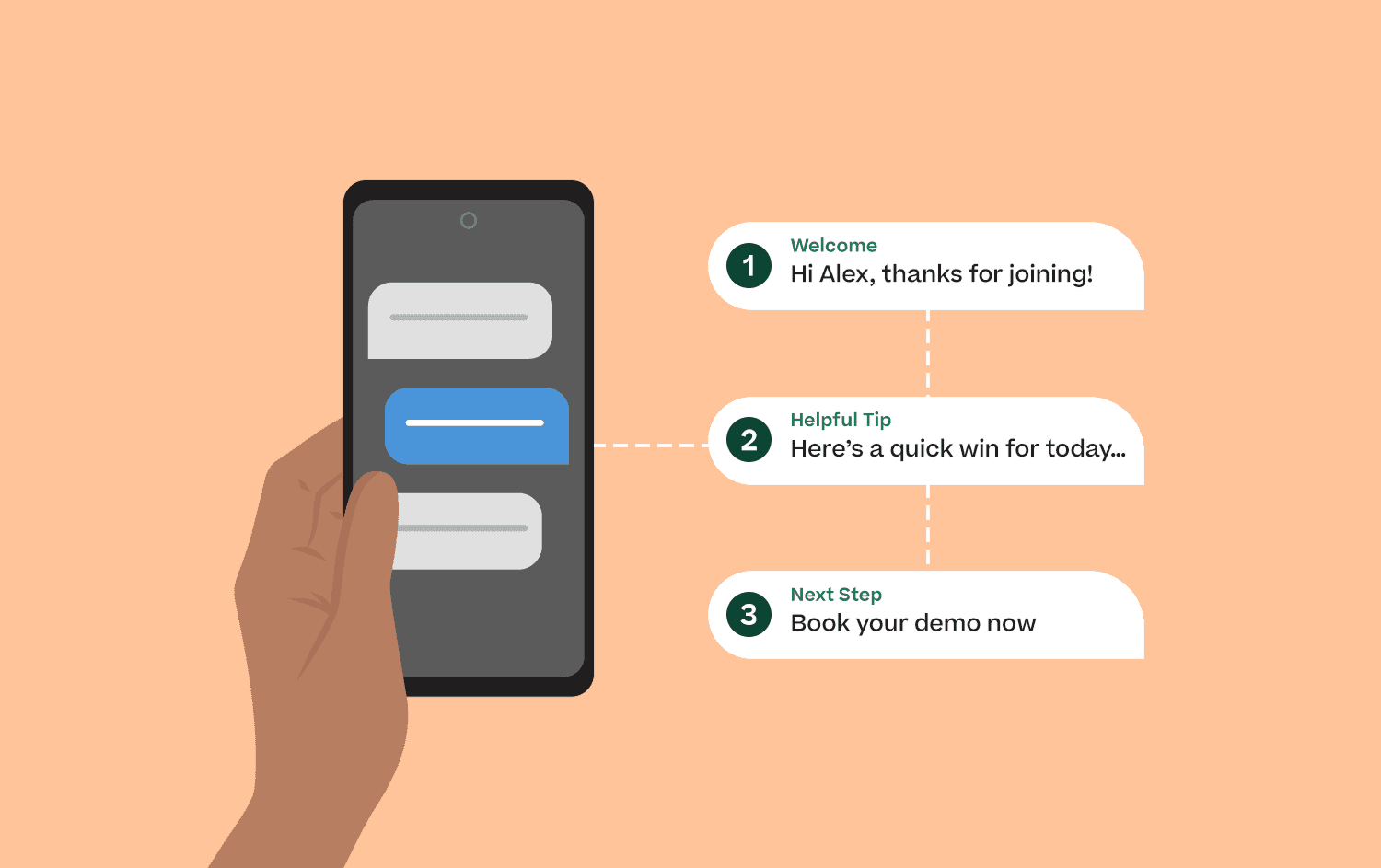
Just like any business, the biggest challenge for business mentors is steady lead gen.
Most business mentors default to email, social media, or YouTube for lead gen. But emails get buried, DMs get messy, and algorithms change faster than your clients’ attention spans.
That’s why SMS marketing is such a powerful (and underrated) lead gen alternative. It’s immediate and feels personal in a way other channels don’t.
In this guide, we’ll break down how to use SMS marketing for lead gen for business mentors, complete with compliance basics, opt-in methods, a 10-day SMS sequence template, and an API quickstart for using Mobile Text Alerts.
Key Takeaways
-
SMS is a high-impact, underused channel for lead gen for business mentors — with faster visibility and higher engagement than email or social platforms.
-
Compliance is non-negotiable: get explicit consent, support STOP/HELP, honor revocations, and register 10DLC to ensure deliverability.
-
Use low-friction opt-ins like keywords, web forms, and QR codes to build a clean list of qualified, permission-based leads.
-
A 10-day SMS drip can reliably convert leads into booked calls using short messages, menu replies, social proof, and clear CTAs.
-
Mobile Text Alerts handles the heavy lifting — opt-ins, automation, inbox replies, API sending, personalization, deliverability, and compliance — so business mentors can launch quickly without technical overhead.
Why SMS marketing works for lead gen for business mentors
Like any business, business mentors live or die on consistent lead generation. You need a channel that feels personal, reduces friction, and actually gets seen.
SMS checks every box. Text messages have a whopping 100% view rate and a 55% read rate. For business mentors like you who’re juggling leads, clients, groups, and funnels, this is going to be a life saver.
But because SMS is so direct and personal, you can’t just blast messages to any list you find. It’s a form of “permission marketing,” and there are real compliance rules you need to follow.
So before you dive in, let’s break down how to use SMS the right way, and stay compliant while doing so.
Compliance for business mentor lead gen explained simply (rules for 2026 and beyond)
Seth Godin, the marketing guru and accomplished entrepreneur, says about permission marketing: “Real permission is different from presumed or legalistic permission. Just because you somehow get my email address doesn’t mean you have permission. Just because I don’t complain doesn’t mean you have permission.”
SMS is even more personal than email. So if you get it wrong, people won’t just ignore you, they’ll resent you. And that reaction is real. Just look at what happens any time someone asks online whether SMS marketing is “worth the hassle”:
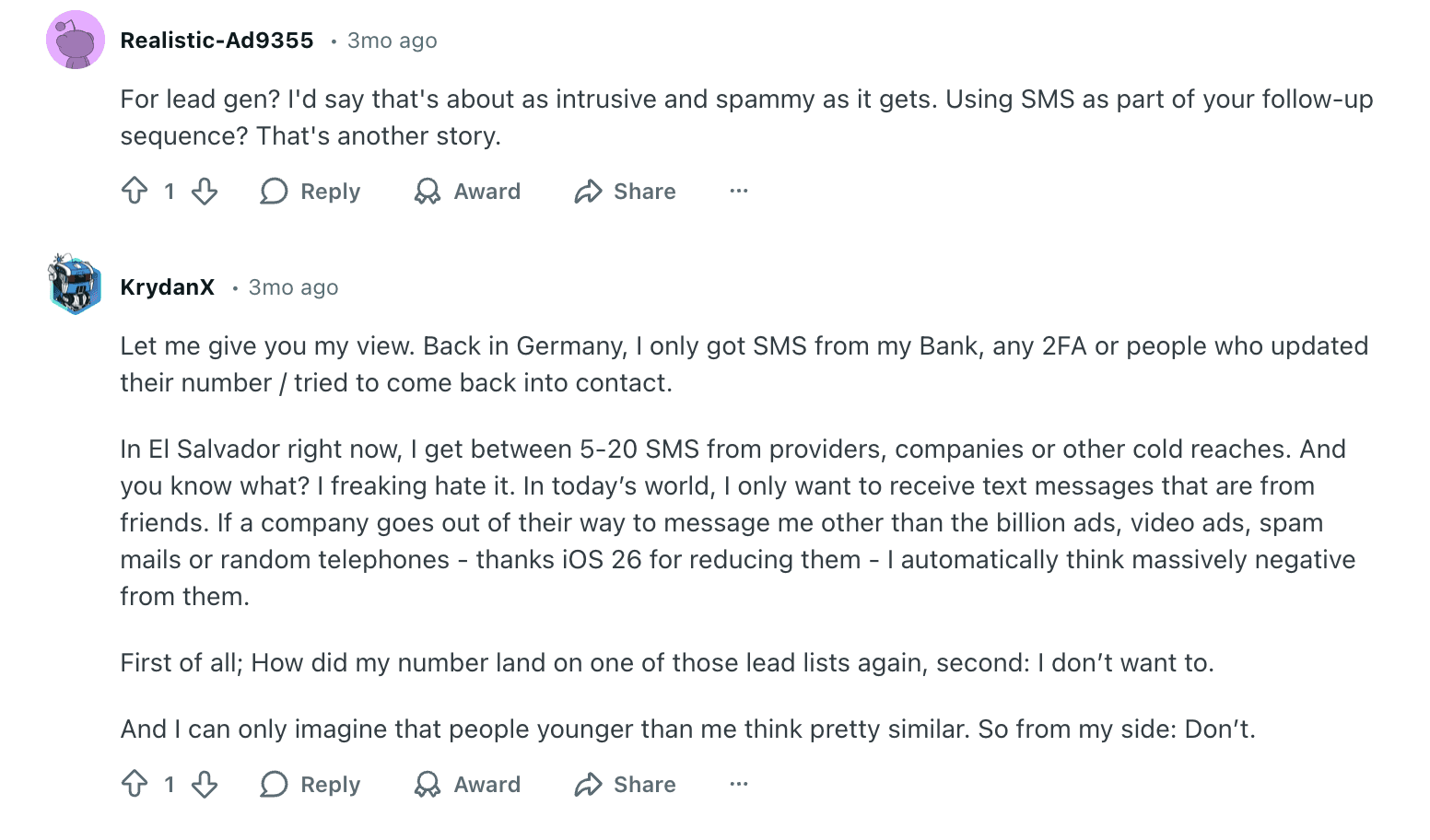
To avoid being perceived as “intrusive and spammy,” particularly when it comes to lead gen, you need clear “consent.” Let’s discuss what that means practically.
Obtain consent
Consent means someone explicitly agrees to receive your texts. In 2026, that matters more than ever, as many rules around SMS marketing are tighter now. You need to clearly explain what they’re signing up for. If your messages feel unwanted or spammy, they may not even reach the customer.
This is especially true for iPhone users. iOS 26 expands Apple’s message-filtering controls, giving users more power over which texts appear and which trigger notifications. That increases the risk of your messages being filtered out entirely.
You can collect consent through keyword opt-ins (e.g., “Text COACH to 12345 to join my SMS list”), which automatically capture consent when the keyword is sent. You can also use QR codes on social posts, presentations, or business cards that lead to a simple mobile signup form. Both methods are quick, low-friction, and legally valid while still providing trackable consent.
Make unsubscribing easy
In addition to opting in, subscribers must be able to unsubscribe at any time. That means you must support STOP/HELP keywords. If someone texts “STOP” (or similar terms like “QUIT” or “END”), you’re required to stop sending messages. A “HELP” message should return instructions on how to get assistance or opt out.
SMS platforms, such as Mobile Text Alerts, automatically remove subscribers from your SMS list so you don’t have to worry about it.
A major 2025 update to the FCC’s TCPA rules allows people to revoke consent “in any reasonable manner,” as long as they clearly indicate they want the messages to stop. Once they do, you must stop texting them within 10 business days, down from the previous 30-day allowance.
Register your toll-free number or 10DLC
Phone number registration is the process of registering your business’s 10-digit texting number (whether that’s a toll-free number or a 10-digit long code) and your message “campaign” with The Campaign Registry (TCR), which U.S. carriers use to verify legitimate senders. When you register, carriers recognize you as a trusted sender, so your texts are far less likely to be filtered or blocked.
For business mentors, this won’t just help you with lead gen. Later on, this will directly improve deliverability for reminders, launch promotions, webinar notifications, and nurture messages.
It will also protect your account from carrier violations, keep your sending reputation clean, and ensure your SMS strategy stays fully compliant as you scale. So it’s better to get this done in the earliest stages of setting up your SMS marketing.
A short compliance checklist
Here’s a quick checklist you need for SMS marketing compliance as a business mentor trying to use SMS for lead generation:
- Make sure your opt-in page or form clearly discloses that you’ll text, how often, and that “msg & data rates may apply.”
- Include a note on every message (or in your signup disclosures) that recipients can reply “STOP” to opt out, or “HELP” for assistance.
- Honor opt-out requests immediately, and fully remove people who reply “STOP.” (This is handled automatically with Mobile Text Alerts.)
- Register your 10DLC number and campaign with TCR before sending marketing or bulk texts.
- Keep records of consent (who opted in, when, and how) to stay audit-ready.
Setting up your opt-in system
Now that you understand SMS compliance, the next step is setting up a strong opt-in system so you can legally collect prospects’ phone numbers.
Keyword (text-to-join) opt-ins are the fastest and lowest-friction option. You choose a simple keyword (“COACH,” “GROW,” etc.) and ask people to text it to your number during webinars, lives, or posts. When they send it, they’re instantly subscribed — and because they initiated it, consent is clear and compliant.
Web-form opt-ins let people join through your site or landing page. They enter their number, check a consent box, and submit. As long as you include message frequency, opt-out instructions (“Reply STOP”), and required disclosures, this method provides clean, documented consent.
QR code opt-ins are perfect for in-person events. Scanning the code opens a prefilled text or mobile form, allowing attendees to subscribe in seconds. This method is ideal for real-time signups during workshops or talks.
Most opt-in methods work best when integrated with your existing marketing or events. As coaching marketer Paula Sexton-Hickey notes: “SMS marketing doesn’t have to stand alone. You can use it alongside your other marketing efforts. It can be a quick and easy way to connect your customers to your business.”
Mobile Text Alerts supports all of these opt-in methods, and you can try them yourself with a free 14-day trial.
The 10-day lead gen SMS template for business mentors
Once someone opts in, your next step is to launch an SMS campaign that captures attention, delivers value, and ultimately gets them to book a call with you.
Here’s a simple example of a 10-day drip sequence:
Day 1 – Instant Confirmation
Hey [Name]! Thanks for joining—quick question: what’s your #1 goal right now?
(Tag based on reply.)
Day 2 – Value Drop + Soft CTA
Here’s a quick 2-minute tip that helped one of my clients double their productivity: [link]. Want a cheat sheet?
Day 3 – Menu Reply #1
Which best describes you? 1- Just starting out. 2- Growing but stuck. 3- Ready to scale.
Day 4 – Social Proof + CTA
A client of mine just booked 6 new calls using what I’ll show you on Thursday. Wanna see how? [Link]
Day 5 – Personal Touch
Curious—how are you currently getting clients? Reply with one word: FB / IG / Referral / Other.
Day 6 – Mini Training Invite
Hosting a private 10-min breakdown today on how coaches get booked by text. Want the link?
Day 7 – Scarcity Reminder
Last chance for the breakdown—3 spots left. Want me to save you one?
Day 8 – Direct Booking CTA
Let’s map out your funnel together. Book a quick strategy call here: [link]
Day 9 – Nudge + FAQ Style
Still thinking about it? Most people ask: ‘Is this beginner-friendly?’ Yes. ‘Will it work if I hate selling?’ Also yes.
Day 10 – Final “Breakup” Text
Totally okay if now’s not the right time. Want me to stop texting you about coaching stuff? Reply STOP anytime. If you do want help, jump in here: [link]
Turning replies into booked calls
Once prospects start replying, your goal is to move them into scheduled calls quickly and smoothly. Route all inbound replies to a central inbox where you or your team can respond in real time.
Use short, trackable links for calendar booking pages so you can see who clicked, who booked, and who didn’t. For no-shows, send a quick follow-up text (e.g., “Still want to chat? Here’s a new time slot”) instead of relying on email.
Track key funnel metrics — click-to-book, booked-to-show, and show-to-close — so you can identify drop-offs and optimize.
Advanced tactics
To go beyond basic broadcasts, automation is where SMS really scales. Use drip sequences to handle multi-day follow-up without manual effort, and Smart Replies to automatically answer common questions or route leads into the right flows.
Segment subscribers by funnel stage, niche, or revenue band to send more relevant messages. Add link tracking to measure which texts drive clicks and calls, and use automations to tag “hot” leads when they engage. All of this can be done directly inside Mobile Text Alerts — no complicated tech stack required.
Real world wins
Here are a few real examples of SMS marketing success for coaching and consulting businesses:
Leah Miller, Marketing Strategist – Versys Media
Leah used SMS as part of a multi-channel campaign for an executive coaching brand. By sending time-sensitive session invites with personalized messaging, they drove a 15% increase in sign-ups in just one week. The immediacy and relevance of SMS made it their highest-performing channel for engagement and conversions.
Caleb Johnstone, SEO Director – Paperstack
Caleb’s team ran a text campaign to founders and executives and booked 47 consultations in 72 hours, a result that would have taken two weeks via email. Short texts under 90 characters with a single CTA (“Reply YES…”) produced 18% response rates vs. only 2% over email. SMS became their fastest and most predictable way to turn leads into booked calls.
Damilola, Digital Marketer – Campaign Universe
Damilola layered SMS onto existing email funnels for business coaches and immediately revived cold leads. A simple 3-text sequence — personal intro, short audit video, light CTA — took one client from 1–2 to 5–6 weekly sales calls, just by re-engaging old workshop attendees. Their biggest unlock was making the outreach contextual, slow, and clearly opt-out friendly so it never felt spammy.
What your developer needs to know
If you’re ready to implement your SMS marketing strategy, you can use the self-service Mobile Text Alerts platform, or you can customize and automate via API. The online platform is very intuitive and easy to use, and here’s a quick overview of the technical details for getting started with the Mobile Text Alerts API:
Sending a text via Mobile Text Alerts API
To send a text message, make a POST request to the Mobile Text Alerts API’s send endpoint (for example, https://api.mobile-text-alerts.com/v3/send).
You’ll include your account’s API key in an Authorization: Bearer header (this tells the system which account is sending the message) and in the request body they will specify who should get the text and what it says.
In practice, the request body needs at least: a list of recipient phone number(s) (in a subscribers field) and the text of the message (in a message field). The documentation here shows a sample cURL command that puts the API key and these fields together in one request.
Personalizing your messages
You can personalize messages by using liquid template placeholders in the message text. For example, if your message body is “Hello {{firstName}}!”, then each person will see their own name in the text.
To do this, you include a special properties section in the API request that maps each subscriber’s phone number to their personal data (like their first name). The Developer Center explains that by inserting variables into your message and using the properties field, you can send a unique, customized text to each subscriber in one API call.
In other words, you tell the API “for number 12345, firstName is Alice, and for 67890, firstName is Bob,” and the system replaces {{firstName}} with “Alice” or “Bob” accordingly.
Launch your first SMS lead gen sequence in minutes
As you can see by now, SMS is still one of the most underused but highest-leverage channels for business mentors.
With Mobile Text Alerts, you can launch compliant, personalized client-acquisition sequences in minutes — not days or weeks. Try it, test it, and watch your calendar get booked!
Get your free trial account now.
Glossary (quick definitions for business mentors)
A2P (Application-to-Person): Business texting sent from a software platform to an individual, not from one phone to another.
10DLC (10-Digit Long Code): The U.S. system for registering business SMS traffic sent over standard local phone numbers to improve deliverability and reduce spam.
CTIA (Cellular Telecommunications and Internet Association): The wireless industry association that publishes texting best practices like supporting STOP and HELP.
TCPA (Telephone Consumer Protection Act): The main U.S. law regulating marketing texts, requiring proper consent and honoring opt-outs.
Revocation: A subscriber’s right to withdraw consent (e.g., replying STOP), which must be honored promptly.
MMS: A message that includes media like images or video instead of plain text.
Drip Campaign: A scheduled sequence of automated messages sent over time to nurture leads.
Smart Reply: An automated response triggered when a subscriber texts a specific word or phrase like “YES” or “HOURS.”
FAQ
Is SMS marketing legal for business mentors?
Yes, as long as you get clear consent, follow TCPA rules, and respect STOP/HELP requests. Make sure to disclose that messaging rates may apply.
Do I need 10DLC?
No, you can use a toll-free phone number, 10DLC, or short code. With any option, phone number registration improves deliverability and helps avoid carrier filtering.
How often should I text prospects?
Aim for 2–4 texts in the first week (especially during a launch or lead magnet) and then 1–2 per week depending on engagement and consent.
What must my opt-in say?
It must clearly state that the person is agreeing to receive texts from you, include who the sender is, note “msg & data rates may apply,” and explain how to opt out (e.g., “Reply STOP to unsubscribe”).