


Explore this content with AI:
Emails often end up in spam.
App alerts fail or are ignored.
And when timing matters, those gaps can quickly turn into lost money, broken trust, or safety risks.
In comparison, SMS messages reportedly have 55% open rates and 100% view rates, making SMS a reliable SMS alert solution for urgent event notifications.
But what SMS alert solutions are reliable? Which one should you choose?
To help you decide, we’ve put together a breakdown of the top SMS alert solutions, organized by key factors such as:
- Delivery speed
- Uptime
- Automation
- Compliance
- Analytics, and
- Support
Top Reliable SMS Alerts for Urgent Event Notifications: TL;DR
| Service | Best for | Pricing | Notable strengths | Main drawbacks | Automation + integrations / API | |
|---|---|---|---|---|---|---|
Mobile Text Alerts | Best overall for urgent business alerts with strong onboarding + support | $20/mo for 500 msgs; extra msgs ~$0.04; custom plans as low as $.0039/msg | Human-led support + 1:1 Zoom onboarding, scalable pricing, global reach, high-volume sending (1M+/day), segmentation, analytics, rollover credits | Limited email functionality | Zapier 5,000+, custom API; workflows/automation; reliable routing | |
SlickText | High-volume business texting (leans marketing, usable for alerts) | $29/mo for 500 credits | No cap on texts, fast/helpful support, two-way messaging, direct Shopify/HubSpot sync, shared inbox workflows | Confusing UI/steep learning curve; pricing tiers scale quickly | Automated workflows; direct Shopify/HubSpot sync; API | |
Textmagic | Flexible bulk + scheduled alerts for small teams (pay-as-you-go) | Pay-as-you-go; ~$34.5/500 to $4010/200k (toll-free) | Mixed support reviews; no MMS; can get expensive for smaller teams | Email-to-SMS; scheduling; sub-accounts; 2FA tools | Email-to-SMS; scheduling; sub-accounts; 2FA tools; API | |
EZ Texting | Time-sensitive updates + reminders for SMBs (speed over complex automation) | $20 per month for 6,000 yearly SMS credits (average of 500 per month). | Strong MMS, compliance guardrails, polls/surveys, QR opt-ins, mobile access | Delayed reviews/authentication; poor customer support | Some automation (polling/surveys); API | |
Twilio | Developer-built, event-driven alerting systems at scale | Pay-as-you-go as low as $0.0083/SMS + number rental (~$1.15/mo) + pass-through fees | Powerful APIs/webhooks, global carrier reach, delivery callbacks, multi-channel (SMS/voice/WhatsApp/email), verification/2FA | Steep learning curve; costs can rise at scale; docs can overwhelm | Strong APIs + webhooks + status callbacks | |
Textedly | Budget-friendly bulk texting + basic omnichannel messaging | $29/mo for 600 credits | Low per-message pricing, longer 300-char messages, AI drafting assistant, omnichannel inbox, keywords for list building | Limited keywords on low tiers; MMS costs multiple credits; basic segmentation; fewer native integrations (often needs Zapier); not API-heavy | Drips + auto-replies; some native integrations | |
SimpleTexting | “Middle ground” bulk + light automation, easy for non-technical teams | $29/mo for 500 credits; +$10 local number; one-time carrier fee $4 | Easy setup, shared inbox, keyword automation, segmentation, link tracking, CRM integrations | Reporting is high-level; limited complex logic; fewer integrations than larger platforms | If/then automation; native CRM integrations | |
ClickSend | Multi-channel messaging (SMS/voice/email) for manual + API-triggered alerts | Pay-as-you-go; SMS from ~$0.024/text | Multi-channel, global delivery visibility, email-to-SMS gateway, text-to-speech voice calls, SMPP, strong API docs | Busy UI; automation is functional (not polished); support can vary at peak | API + integrations; email-to-SMS; SMPP | |
Klaviyo | Ecommerce marketing platform (SMS + email), not ops alerts | $60/mo for 15,000 emails + 1,250 SMS credits | Deep segmentation, event triggers, predictive analytics, A/B testing, revenue attribution | Costs rise fast as lists grow; SMS less central than email; setup can be heavy | Strong automation tied to commerce events/data | |
Postscript | Shopify-native SMS (commerce workflows) | $0.009/SMS, $0.045/MMS + carrier fees | Shopify-native triggers, subscriber collection, safe-send logic, built-in compliance | Shopify-only; credits add up at scale; reporting more basic | Automation flows tied to Shopify events |
1. Mobile Text Alerts - Best Overall
Sending urgent event notifications needs to be easy, and that’s exactly what Mobile Text Alerts offers. It balances ease of use with a feature-rich, intuitive interface, making it a dependable business texting service that just works.
Here’s how simple it is to send your first SMS alert through Mobile Text Alerts:
Step 1: Sign up using your email and automatically get access to a 14-day trial (no credit cards required!)
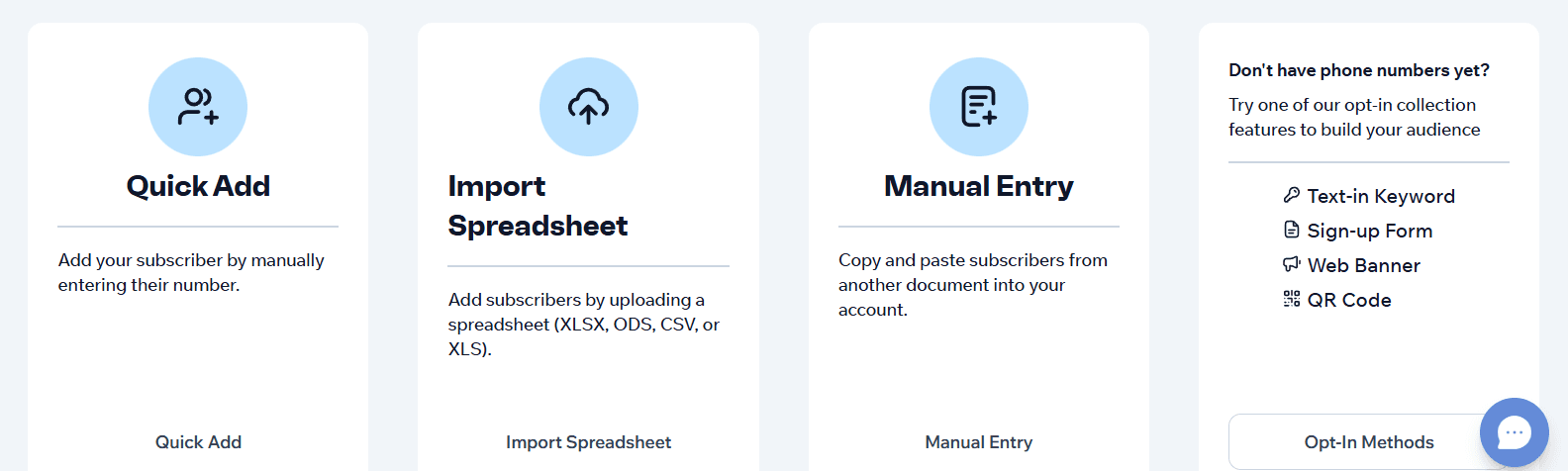
Step 2: Add your first phone number by either manually entering it or importing from a spreadsheet.
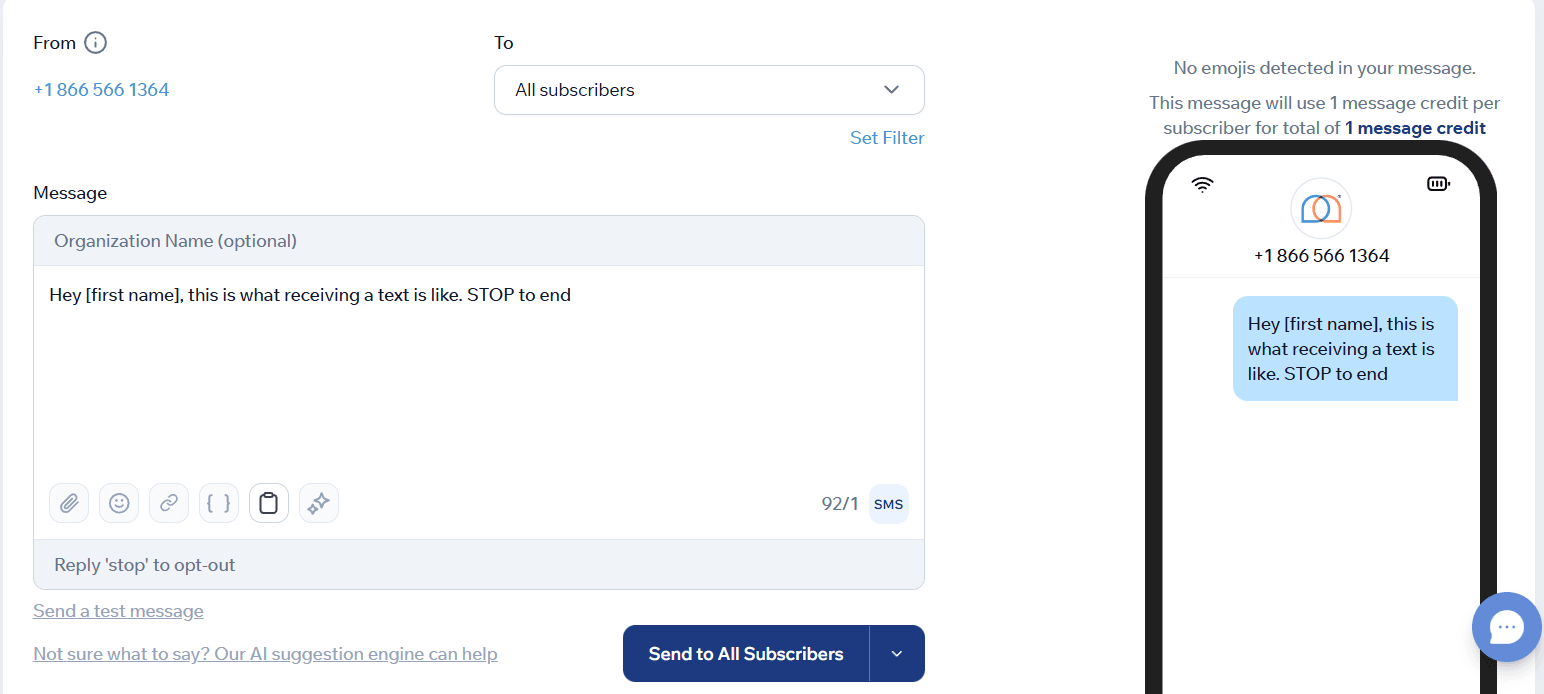
Step 3: Type your message and hit ‘Send to All Subscribers.’
That’s it.
Once onboarded, you get a one-to-one onboarding session over Zoom to familiarize yourself with the platform.
Pricing is straightforward and scales well for businesses of different sizes, starting at $20 for 500 SMS credits.
Pros
- Strong human-led customer support
- Scalable pricing model
- Mobile-app access
- Over 5000 integrations via Zapier and a custom-built API
Cons
- Longer messages or MMS use more credits, which can raise costs
Features
- Global Reach: Send messages virtually anywhere
- Bulk SMS & MMS at Scale: Send over 1 million SMS per day, including MMS
- Keyword Opt-ins & Auto-replies: Let users join by texting a keyword and trigger automatic responses
- Workflow Automation: Set up message flows for alerts, follow-ups, and system-based triggers
- Audience Segmentation: Group contacts by opt-in source, behavior, tags, or custom fields
- Contact & Subscriber Management: Add, update, remove, and organize subscribers without technical setup
- Opt-in And Opt-out Compliance: Built-in unsubscribe handling, keyword opt-ins, and scrub lists to meet carrier and TCPA rules
- Rollover Credits: Unused message credits roll over month to month
- Reporting and Analytics: Track delivery, engagement, opt-ins, opt-outs, and campaign performance
- Zapier Integrations: Connect with 5,000+ apps to link SMS with CRMs and business tools
- Multi-User Access: Give multiple team members permission to manage contacts and send messages
- Reliable Delivery: Messages are routed to maximize successful delivery
- Support and Onboarding: Get setup help and ongoing support via phone, chat, or email
Pricing
Starts at $20/month plus for 500 messages, all features, and a 1-on-1 Zoom setup call. If you run out of credits, additional messages are roughly $0.04 each. Their Professional Plan ($500/mo) is where you get priority engineering support—which can be vital for high-volume emergency alerts.
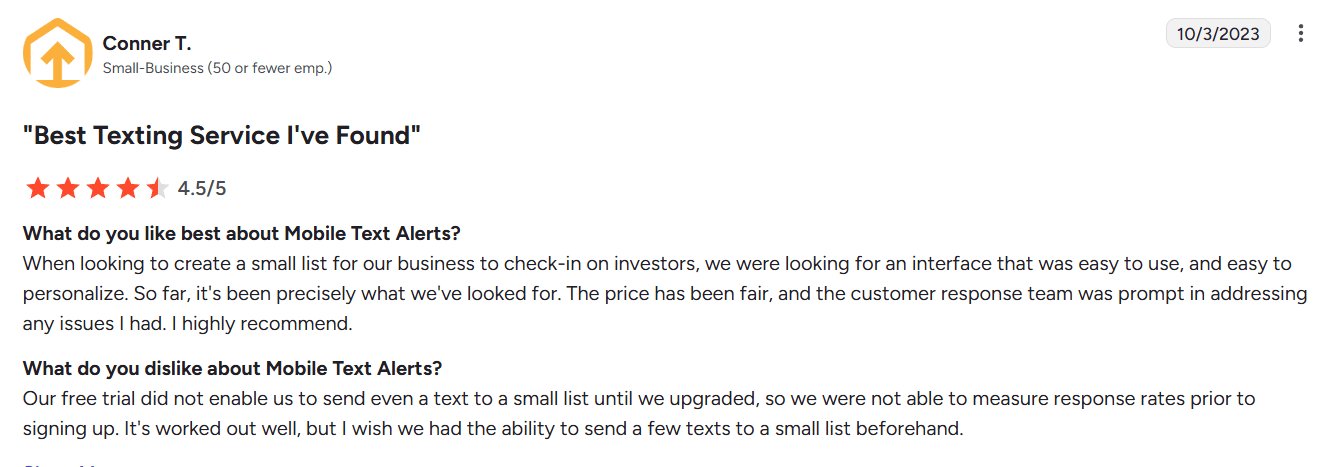
Reviews
2. SlickText
SlickText is a decade-old SMS platform designed for high-volume business messaging. The platform’s core features lean more towards proactive marketing campaigns. However, it does offer real-time bulk text delivery and two-way messaging, which you can use for time-sensitive alerts and customer notifications.
Built around simplicity and scale, it fits teams that need reliable mass messaging without a complex setup.
Pros
- No cap on the number of texts you can send
- Quick and helpful customer support
- Straightforward message management and updates
Cons
- Confusing interface with a steep learning curve
- Pricing tiers scale quickly for a growing contact list or advanced features
Features
- Advanced Segmentation: You can group people not just by factors such as ‘City,’ but by how they’ve interacted with previous alerts
- Automated Workflows: Useful for ‘set and forget’ emergency protocols (e.g., if a user texts ‘STATUS,’ the system automatically pulls data from your API to reply)
- Direct Shopify/HubSpot Sync: Because SlickText plugs directly into your database, rather than relying on a middleman like Zapier, alerts are triggered in milliseconds
- Shared Inbox: You can tag a message as ‘urgent’ and assign it to any team member
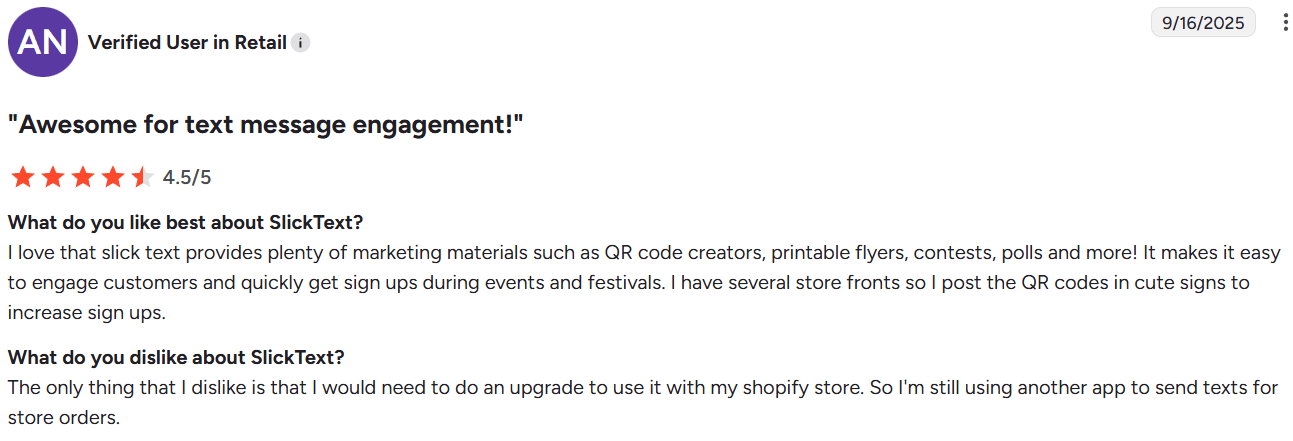
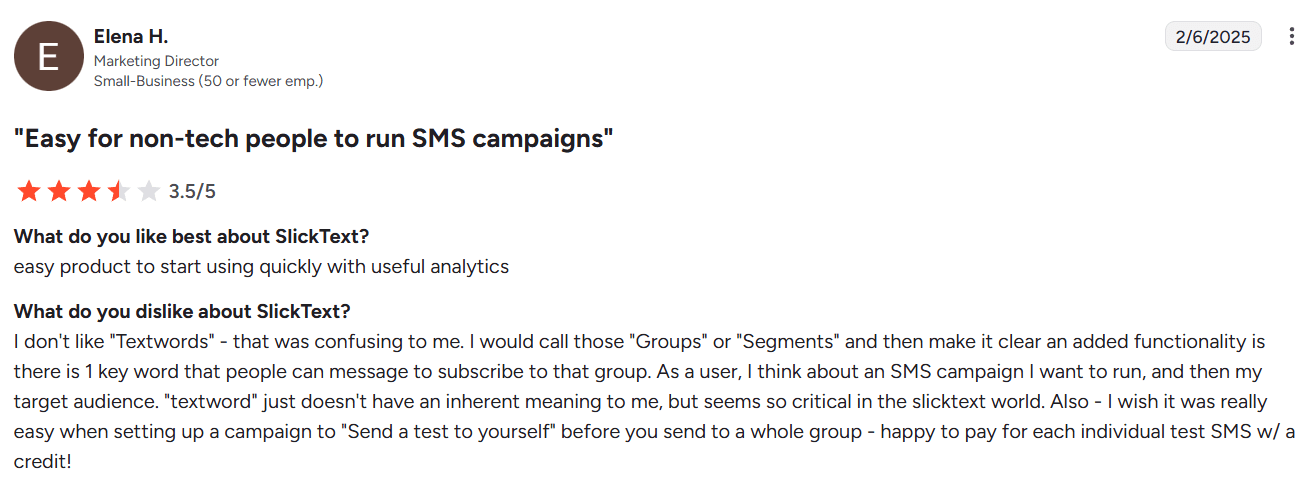
Reviews
3. Textmagic
Textmagic is an SMS tool for businesses that want to communicate quickly and easily with their customers or employees. It allows teams to send bulk messages, schedule texts in advance, and manage replies from a single shared inbox instead of personal phones.
The platform is often used for reminders, confirmations, alerts, and short updates where timing matters. With pay-as-you-go pricing, it suits small teams that need flexibility without long contracts.
Pros
- Simple and quick setup
- Can create sub-accounts for team collaboration
- Mobile app accessibility
- Ready-to-use SMS drafts and automation features to save time
Cons
- Mixed reviews for customer support
- Can get expensive for smaller teams
Features
- Email-to-SMS: Send alerts directly from your email client; the system converts it to a text
- Global Delivery: Stable routing to over 190 countries with high throughput
- Sub-Account Management: Separate your IT, HR, and Operations alerts under one billing umbrella
- Two-Factor Authentication: Built-in tools for sending secure one-time passwords
- SMS Scheduling: Queue up maintenance alerts or reminders days in advance
- Clear Delivery Reporting: See which messages were delivered, failed, or blocked
Pricing
Pay-as-you-go model with prices ranging from approximately $34.50 for 500 SMS to $4,010 for 200,000 SMS, sent from a toll-free number.
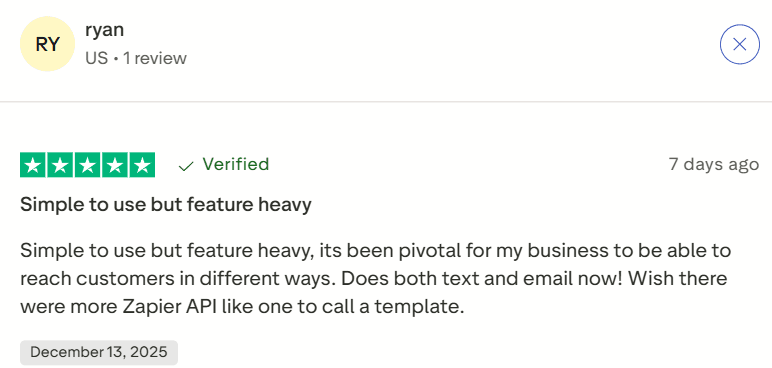
Reviews
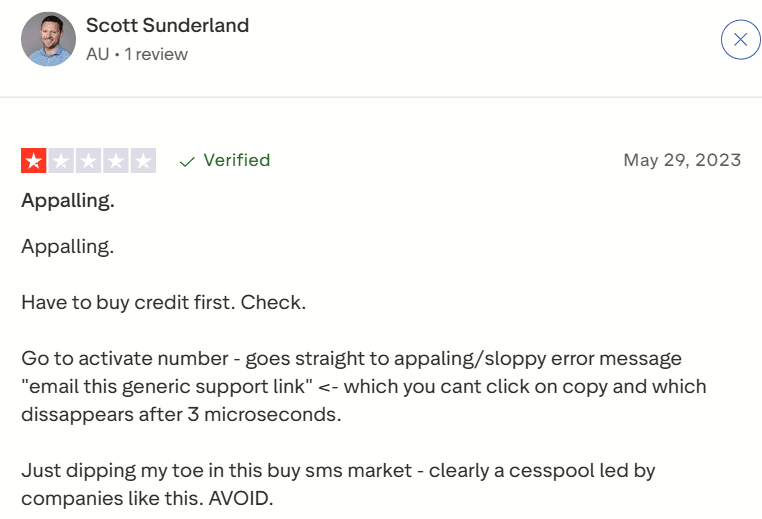
4. EZ Texting
EZ Texting is designed for time-sensitive communication like updates, reminders, alerts, and follow-ups, where email or calls often fall short. It supports one-to-one and one-to-many conversations, making it more than a simple broadcast tool.
EZ Texting works best for small and mid-sized businesses that prioritize speed, visibility, and dependable delivery over complex automation.
Pros
- Excellent MMS capabilities
- Easy setup
Cons
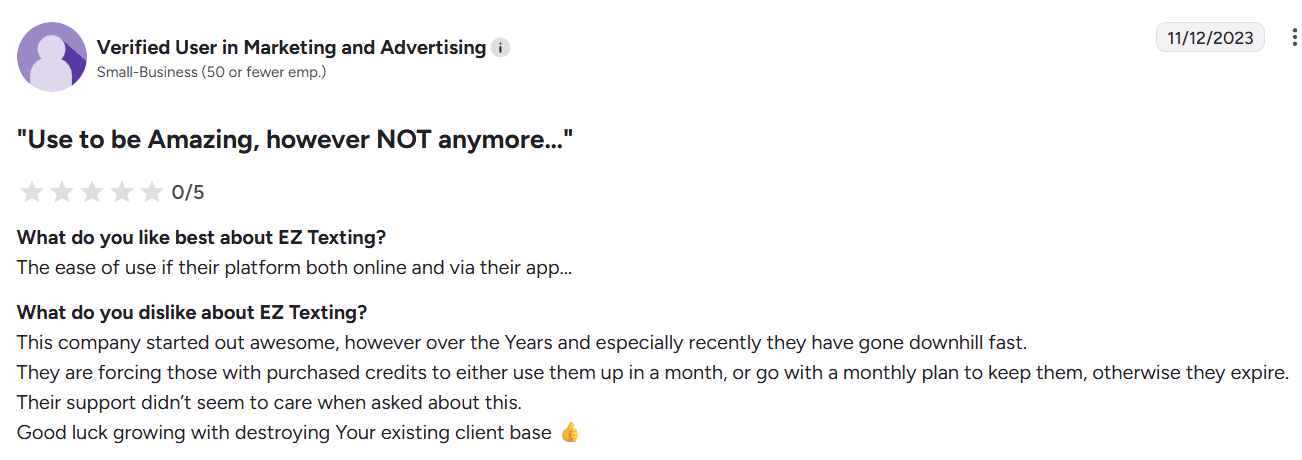
- Delayed reviews and authentication
- Some reports of poor customer support
Features
- Compliance Guardrails: Built-in checks to ensure you meet TCPA and carrier regulations
- Image-Rich MMS: Send maps, photos, or diagrams to provide visual context in an emergency with Shutterstock-powered image editing
- QR Code Generators: Quickly grow your alert list by letting people scan to join
- Contact Management: Easy CSV imports that 'scrub' invalid numbers automatically
- Polling & Surveys: Gather instant feedback (e.g., 'Are you safe? Reply 1 for Yes, 2 for No')
- Mobile App Access: Trigger alerts from a smartphone while away from your desk
Pricing
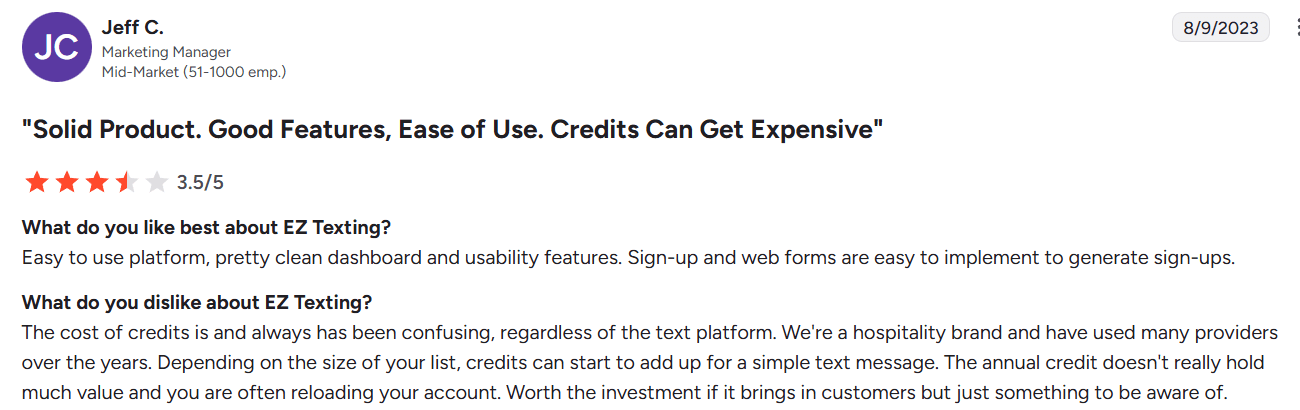
Starting plan is $20 per month for 6,000 yearly SMS credits (average of 500 per month).
Reviews
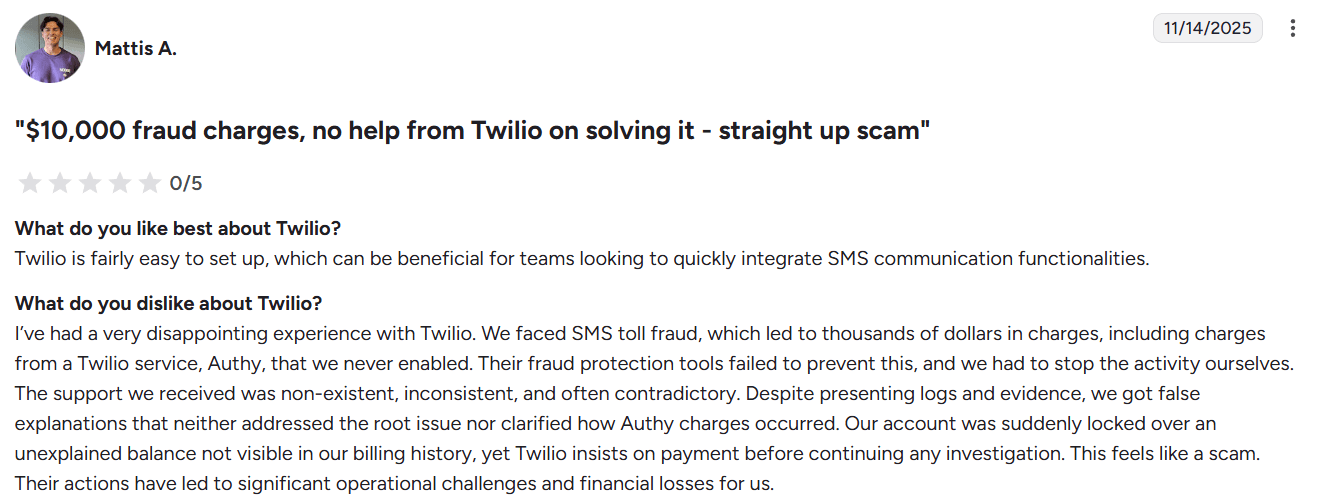
5. Twilio
Twilio is a cloud communications platform that businesses use to embed SMS, voice, and messaging directly into their products through APIs. Instead of functioning as a ready-made texting tool, it has a lightweight infrastructure layer that developers use to design communication flows around user actions or system events.
Twilio offers the flexibility to build custom notification and alert systems that can scale globally, with clear visibility into message delivery.
Pros
- Highly flexible, developer-friendly APIs and webhooks
- Global carrier reach with delivery status callbacks
- Supports SMS, voice, WhatsApp, email, and authentication
- Reliable for real-time, event-driven messaging at scale
Cons
- Steeper learning curve for non-technical teams
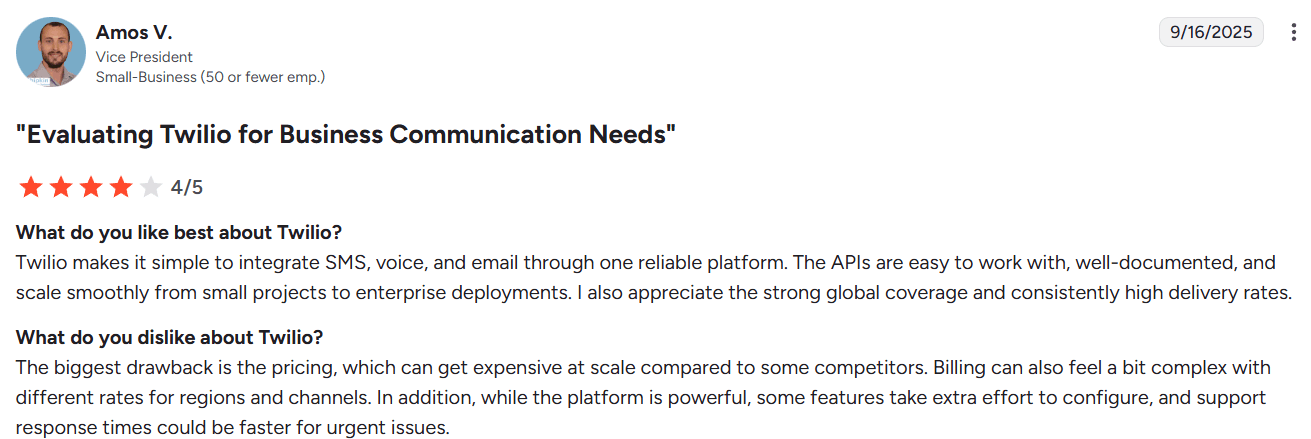
- Costs can rise quickly at high message volumes
- Documentation depth can feel overwhelming initially
Features
- Programmable SMS: Total control over the ‘logic’ of when and how a message is sent
- Voice & Messaging APIs: Supports SMS, voice calls, WhatsApp, and other channels through a single communication layer
- Security & Verification: Dedicated API for 2FA and identity verification
- Delivery Status & Webhooks: Get real-time delivery receipts and callbacks for monitoring message outcomes
- Global Messaging Support: Routes messages across international carriers for worldwide reach
- Authentication & Verification: Supports one-time passwords and user verification via SMS or voice
Pricing
Pay-as-you-go model with prices as low as $0.0083 per SMS, but you also have to ‘rent’ a phone number separately (usually $1.15/mo) and pay carrier ‘pass-through’ fees (fractions of a cent).
Reviews
6. Textedly
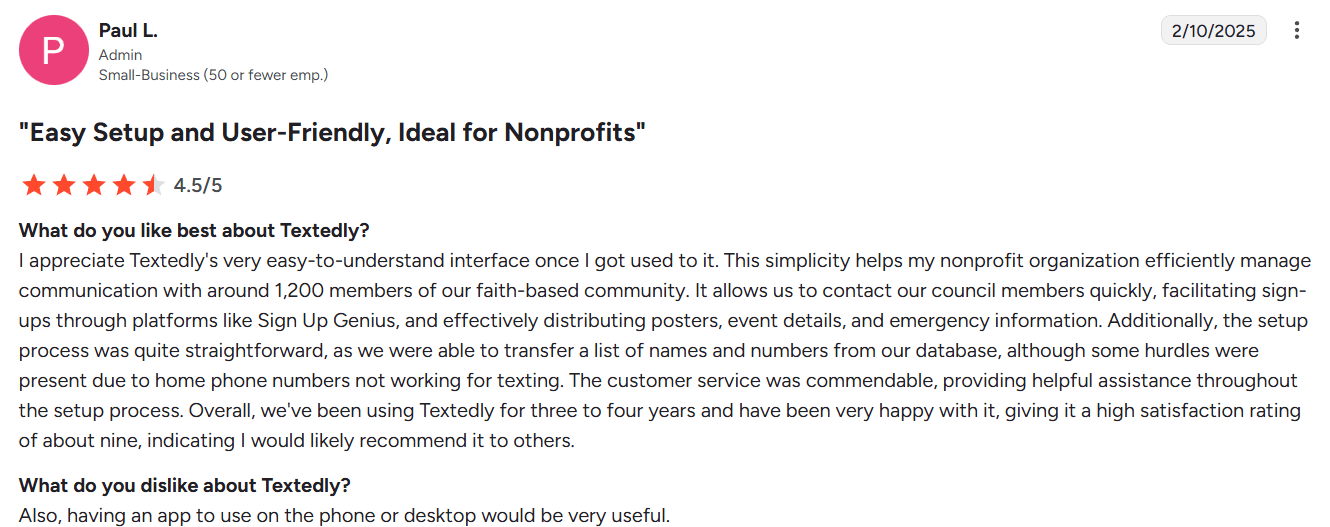
Textedly is an SMS tool designed for bulk texting and customer communication. It allows businesses to send messages instantly or on a schedule and manage subscriber lists.
Pros
- Low per-message pricing compared to most SMS platforms
- Simple, browser-based interface with minimal setup
- Easy subscriber list building using keywords
- Omnichannel inbox included at an affordable price
- SMS payments and review requests are available on higher plans
Cons
- Limited keyword allocation on lower-tier plans
- Basic segmentation compared to more advanced platforms
- Fewer native integrations without Zapier
- Not suitable for API-heavy or developer-led use cases
Features
- 300-Character Limit: Send longer alerts without the system breaking them into multiple texts
- AI Drafting Assistant: Uses AI to help you phrase urgent event notifications professionally and clearly
- SMS Payments: Securely collect emergency fees or overdue payments via text link
- Auto-Replies: Set ‘Away’ messages or instant answers to common alert-related questions
- Drip Sequences: Automatically follow up with users who haven’t responded to a prompt
- Omnichannel Inbox: Manage SMS and WhatsApp conversations from a single screen
Pricing
Basic plan starts at $29 for 600 SMS credits per month.
Reviews
7. SimpleTexting
SimpleTexting is an SMS platform that combines bulk messaging with light automation and integrations. Businesses use it for reminders, customer notifications, and ongoing communication.
It sits in the middle ground — more flexible than basic bulk texting tools, but still easy to manage without technical expertise.
Pros
- Straightforward setup with minimal learning curve
- Reliable bulk messaging and keyword-based campaigns
- Shared inbox keeps conversations in one place
- Automation features cover common messaging workflows
Cons
- Reporting remains at a fairly high level
- Limited flexibility for complex campaign logic
- Fewer built-in integrations compared to larger platforms
Features
- Team Collaboration: Share an inbox so multiple staff members can respond to incoming replies
- Push Notifications: Get alerted on your own phone the second a recipient replies
- Self-Service Automation: Trigger texts based on keywords or simple ‘If/Then’ logic
- Detailed List Segmentation: Group contacts by custom fields like ‘Job Title’ or ‘Shift’
- Sync with CRM: Native integrations with Salesforce, Mailchimp, and Constant Contact
- Link Tracking: See exactly who clicked a ‘Read More’ link in your alert
Pricing
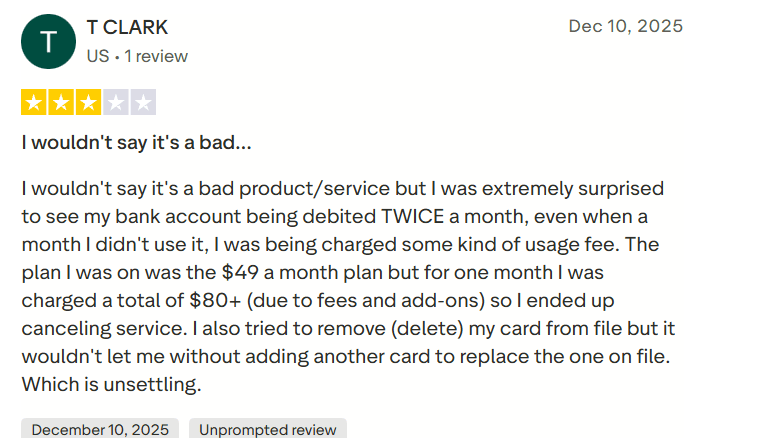
Price starts at $29 for 500 credits a month, along with $10 if you want to activate a local number, and a one-time carrier fee of $4.
Reviews

8. ClickSend
ClickSend is a messaging platform that supports SMS, voice, and email. Messaging is typically triggered through dashboards, APIs, or integrations, making it suitable for both manual sends and automated workflows. It’s often used for transactional messages, alerts, and notifications across different regions.
Pros
- Multiple messaging channels available from one account
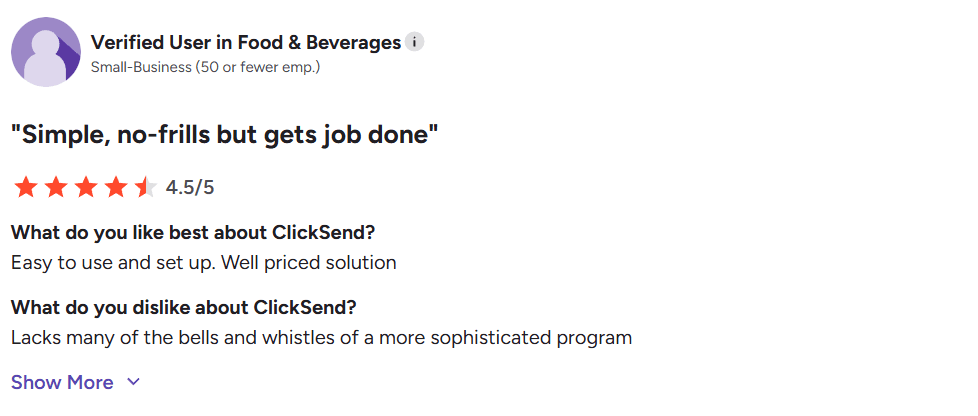
- Flexible pricing without long-term commitments
- Strong delivery visibility across regions
- API access for automated and high-volume messaging
Cons
- The interface can feel busy for first-time users
- Automation tools are more functional than polished
- Support response times can vary during peak usage
Features
- Text-to-Speech (Voice): If an SMS isn’t enough, the system calls the user and reads the alert
- Email-to-SMS Gateway: Bridge your existing internal email alerts to the SMS network
- Global SMPP: Direct connection to carrier ‘backbones’ for high-speed delivery
- Fax & Post: For legal or official notices that require more than a digital record
- No Monthly Fee: Only pay for the messages you actually send
- Developer Friendly: Strong API documentation for those who want a Twilio-lite experience
Pricing
Pay-as-you-go model with SMS rates starting at around $0.024/text.
Reviews

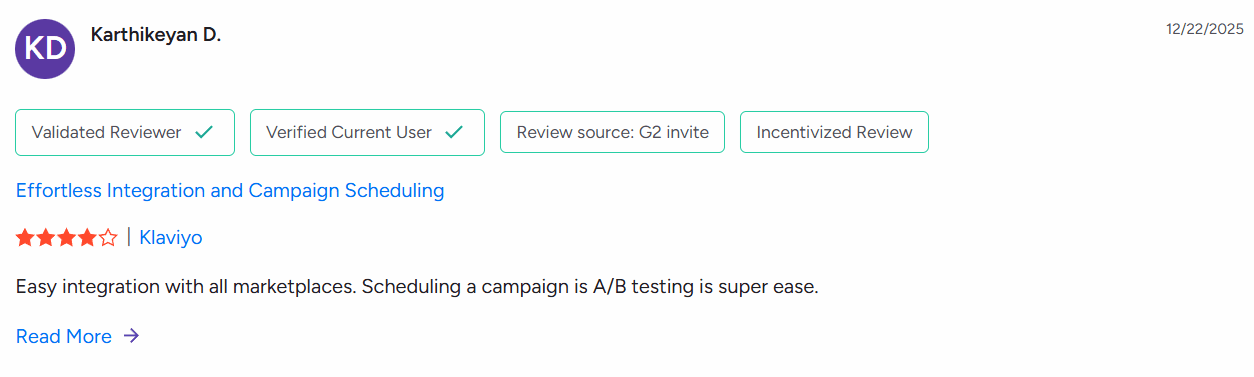
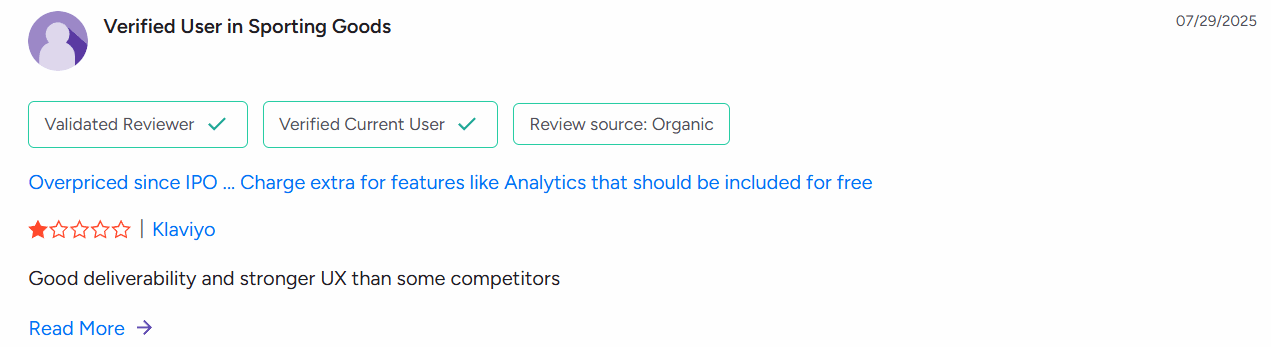
9. Klaviyo
Klaviyo is a widely used marketing platform, commonly used by ecommerce brands for promotions, campaigns, and customer retention. It helps businesses interact with customers through SMS and email throughout the buying journey.
It’s designed for marketing and revenue-focused messaging, not for operational or internal alerts.
Pros
- SMS and email are managed from a single system
- Detailed segmentation based on customer activity
- Strong automation for event-driven messaging
- Deep integration with ecommerce data
Cons
- Costs increase quickly as contact lists grow
- SMS features are less focused than email
- Setup can feel heavy for simple use cases
Features
- Hyper-Personalization: Dynamically insert the user’s name, last order, and local store info
- Event-Based Triggers: Automate alerts based on ‘Stock Level < 10’ or ‘Package Shipped’
- Predictive Analytics: AI predicts the best time to send a message to ensure it’s read
- A/B Testing: Test two different alert styles to see which gets a faster response
- Combined SMS/Email: Build one ‘flow’ that sends an email first, then a text 10 minutes later
- Revenue Attribution: Track exactly how much an alert impacted your sales
Pricing
Starts at $60 per month for 15,000 emails plus 1,250 SMS credits.
Reviews
10. Postscript
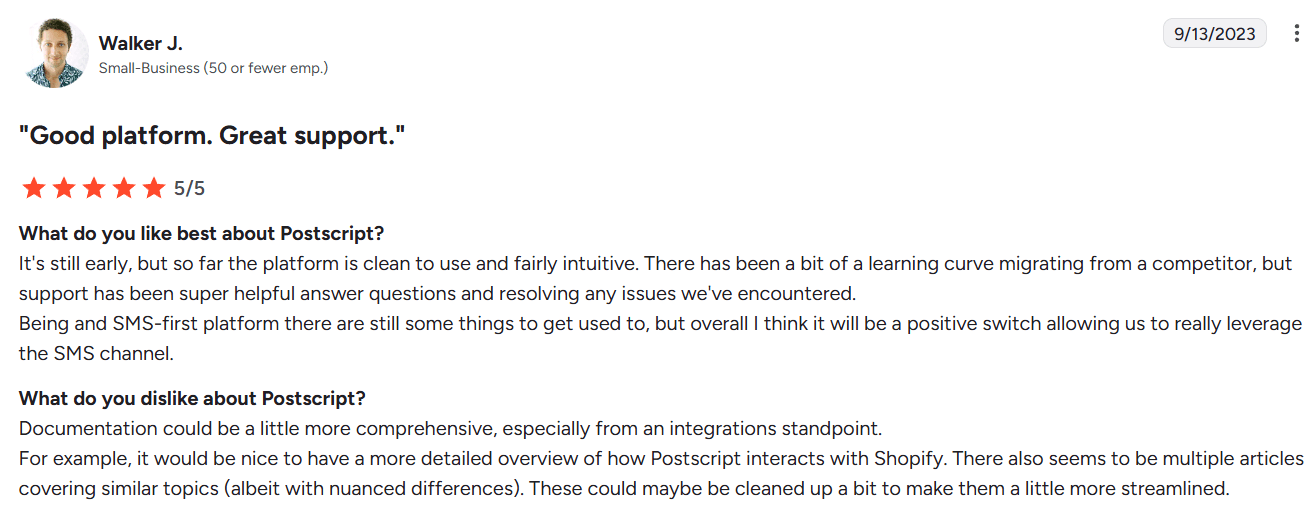
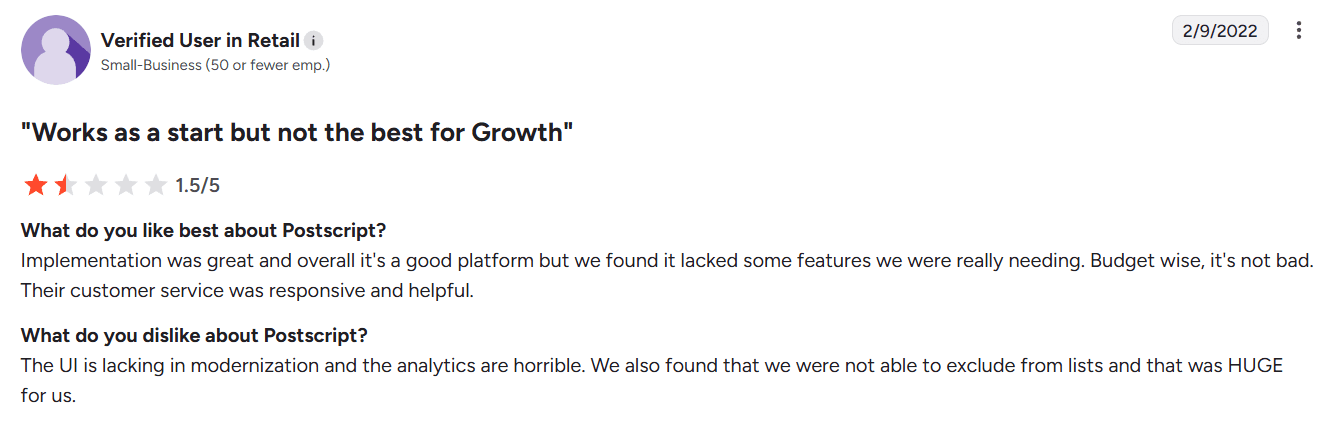
Postscript is an SMS platform built specifically for Shopify-based stores. Messaging is tied directly to store activity, inventory events, and customer behavior inside the Shopify ecosystem.
Postscript is tightly tied to ecommerce workflows, especially Shopify. Teams use it for cart reminders, promotions, and customer engagement that directly connect to sales.
Because of that focus, it’s rarely used outside of commerce-driven messaging.
Pros
- Strong tools for subscriber collection and opt-ins
- Automation flows cover common commerce scenarios
- Built-in compliance handling
Cons
- Limited to Shopify-based stores
- Message credits can add up at scale
- Reporting depth is more basic than broader marketing platforms
Features
- Shopify-Native SMS: Enables texting directly connected to Shopify store data
- Automation Flows: Triggers messages based on shopping and inventory events
- Subscriber Collection Tools: Supports opt-ins via popups, checkout, and keywords
- Safe-Send Logic: Ensures you don’t accidentally ‘spam’ a customer with too many alerts
- Bifurcated Flows: Send different alerts based on whether the customer is a ‘First-Timer’ or ‘VIP’
- Compliance Handling: Automatically manages ‘STOP’ and ‘HELP’ requests to keep you legal
Pricing
Starts at $0.009/SMS, $0.045/MMS + carrier fees
Reviews
How to Choose the Top Reliable SMS Alerts for Urgent Event Notifications
Not every SMS alert solution is built for urgent event notifications. When messages need to go out during outages, incidents, or security events, reliability matters more than feature lists.
The criteria below help teams judge whether a service will actually hold up in real-world, time-sensitive situations.
Key evaluation criteria
| Criterion | What to evaluate | Why it matters for urgent event notifications |
|---|---|---|
| Ease of use | Interface clarity, setup time, learning curve | Alerts are often sent under pressure, sometimes by non-technical staff |
| Delivery speed (latency) | Time from send to receipt | Even short delays reduce the value of an urgent event notification |
| Uptime & SLAs | Availability guarantees and track record | An alert system that’s down during an incident is a liability |
| Pricing transparency | Clear per-message or plan-based pricing | Prevents unexpected costs during high-volume emergencies |
| Integrations | Native integrations, webhooks, APIs | Allows alerts to trigger automatically from monitoring or internal systems |
| Customer support | Response time and escalation paths | Critical when delivery issues happen during live incidents |
| Compliance | TCPA, GDPR, opt-in handling | Reduces legal and regulatory risk |
| Automation & APIs | Event-based triggers, programmatic sending | Required for real-time system and incident alerts |
Note: When it comes to pricing transparency, keep in mind that many providers charge pass-through carrier fees on top of their listed plan charges. Those fees might look like the following:
| Mobile Carrier | Toll-Free SMS | Toll-Free MMS | 10DLC SMS | 10DLC MMS | Short Code SMS | Short Code MMS |
|---|---|---|---|---|---|---|
| AT&T Wireless | 0.003 | 0.0075 | 0.003 | 0.0075 | 0.003 | 0.0075 |
| T-Mobile | 0.003 | 0.01 | 0.003 | 0.01 | 0.0025 | 0.01 |
| US Cellular | 0.004 | 0.0065 | 0.004 | 0.0065 | 0.004 | 0.0065 |
| Verizon | 0.004 | 0.0065 | 0.004 | 0.0065 | 0.004 | 0.0065 |
| Bell Mobility | 0.008165 | 0.030433 | 0.008106 | 0.0302116 | 0.008106 | 0.0302116 |
| Fido | 0.0067 | 0.0111 | 0.0084 | 0.017 | 0.007369 | 0.014737 |
| Rogers Wireless | 0.0074 | 0.0148 | 0.0084 | 0.017 | 0.007369 | 0.014737 |
| Telus Mobility | 0.0075 | 0.015 | 0.0075 | 0.015 | 0.0075 | 0.015 |
Mapping criteria to common use cases
-
Incident or outage alerts: Prioritize delivery speed, uptime SLAs, automation, and API access
-
Customer notifications: Focus on ease of use, compliance, and two-way messaging
-
Two-factor authentication (2FA): Low latency, high delivery rates, and global reach matter most
-
Scheduled updates: Pricing clarity, scheduling controls, and consistent reliability take priority
Before choosing a provider, it’s worth testing under real conditions. Use free trials or demos, send messages during peak loads, and pay attention to how quickly support responds when you raise an actual issue.
Key Features to Look for in Reliable SMS Alert Solutions
Reliable SMS alert solutions share a common set of features that directly impact message delivery, compliance, and operational response.
-
High delivery rates and resilient infrastructure to ensure alerts reach recipients consistently
-
Fast message delivery (low latency) for real-time or emergency notifications
-
Two-way messaging to allow confirmations, acknowledgments, or escalation responses
-
Automation triggers for system outages, monitoring alerts, or workflow-based messaging
-
Real-time analytics and delivery tracking to confirm message status
-
API access for integrating alerts directly into applications or infrastructure
-
Accessible customer support, especially during urgent situations. For example, Mobile Text Alerts provides live human support within 10 minutes during business hours, which can be critical when resolving delivery issues during active incidents.
-
Opt-in and opt-out management to maintain compliance and message trust. If you aren’t sure whether your alert system should use a local 10-digit number or a national toll-free line, see our updated Comparison of Toll-Free, 10DLC, and Short Codes.
Here are some timelines and potential delays you may run into as a part of your phone number registration process:
| Phone number type | Estimated approval time | Notes |
|---|---|---|
| Toll-free number | 1–2 business days | Same estimated timeframe across industries and use cases. |
| 10DLC | 5–7 business days | Same estimated timeframe across industries and use cases. |
| Failure reason | What it means | How to fix it |
|---|---|---|
| Incomplete data | Required fields on the registration form were left blank or missing. | Resubmit the form with all required fields completed. |
| Inaccurate or invalid data | Information provided is wrong or invalid (e.g., bad website). | Resubmit with accurate, valid info (especially a valid company website). |
| Prohibited content | Messaging content includes topics carriers do not allow. | Contact support to discuss options if you have a legitimate use case. |
Benefits of Using SMS Alerts for Urgent Event Notifications
SMS is still one of the most reliable ways to send urgent event notifications. It works when apps fail, inboxes overflow, or internet access is unreliable, which is exactly when urgent event notifications matter most.
As Brough Turner, a communications engineer, explained to Scientific American:
“SMS has a distinct technical advantage during mass emergencies because it utilizes the ‘control channel,’ the same lane used for basic network operations. While voice channels become saturated instantly during a crisis, text messages act like a car driving on the shoulder of a jammed freeway, slipping through the congestion to ensure the message ‘I’m OK’ actually reaches its destination.”
Key Advantages:
-
Near-instant delivery: SMS is usually delivered within seconds, making it suitable for outages and incident alerts.
-
People actually see it: Text messages are read far more quickly than email or app notifications.
-
It works everywhere: SMS reaches basic mobile phones and doesn’t require data, apps, or logins.
-
It avoids alert fatigue: Because SMS is used sparingly, recipients are more likely to pay attention.
-
It fits high-stakes situations: Common use cases include system failures, security alerts, and emergency communication.
-
Recipients can respond: Two-way messaging allows confirmations or replies when acknowledgment matters.
-
It’s easy to automate and track: Delivery receipts and simple workflows make SMS practical at scale.
Get Crisis-Ready: Implementing Your Alert System Today
Reading about these tools is a good start, but you won’t really know how they work until you try them. In a real emergency, you don’t want to be waiting for a support email or trying to figure out a confusing dashboard. You need something that sends messages fast and a team that actually picks up the phone when things go wrong.
Every service on this list has its uses, but we recommend Mobile Text Alerts if you want the most reliable setup. We have the speed you need and, more importantly, a support team that stays on top of things.
Don’t wait for your system to crash to realize your backup plan isn’t working.
Frequently Asked Questions
What makes an SMS alert solution reliable for urgent event notifications?
A reliable SMS alert solution delivers messages quickly, maintains high uptime, confirms message delivery, and meets compliance requirements, making it suitable for urgent customer notifications and critical updates.
How quickly are urgent SMS alerts typically delivered?
Most urgent SMS alerts are delivered within seconds, with leading platforms averaging under one minute for domestic message delivery.
Can SMS alerts be automated for urgent situations?
Yes. Most reliable SMS alert platforms support automation that triggers messages instantly based on predefined events, monitoring tools, or system conditions.
What compliance and security features should I expect from SMS alert services?
Essential features include opt-in and opt-out management, TCPA and GDPR compliance, secure handling of contact data, and safeguards against unauthorized messaging.
Are two-way messaging and delivery tracking important for urgent SMS notifications?
Yes. Two-way messaging enables confirmations or escalation, while delivery tracking verifies that emergency notifications actually reach recipients.
Author Bio
Tuba Sarosh is a B2B content marketer who specializes in LLM visibility. She has been in the content realm since 2021, including a stint as a Senior Technical Writer for Techgeek, and currently helps B2B businesses create content strategies to beat AI.