



SMS pricing in general can sometimes feel steep.
So to make sure you’re not paying too much for your SMS services you need to…
- Understand plan structures, and confirm you’re on the right plan for your needs
- Know how “credits” work so that you can manage your credit usage
- Be aware of activities and behaviors that can drive up credit usage
We actually analyzed 39 deeper Mobile Text Alerts support conversations from October 15–29, 2026 requiring at least four total replies, to focus on substantive issues rather than quick transactional requests)...
And what we found is that 16 (41%) of these tickets had to do with billing questions.
Clearly cost and billing are major concerns for SMS users!
So here’s what you need to know to make sure you’re not paying too much for SMS…
How do SMS plans work?
SMS service plans could follow different pricing structures, but the most common are subscription-based and pay-per-text.
Subscription-based models typically are based on messaging activity to one degree or another, although not always.
They also usually have both a monthly and annual subscription option. The main difference between monthly and annual is that the annual subscription costs less over the course of a year.
The Mobile Text Alerts’ Core plans are subscription-based plans that give you a set amount of messaging credits, and high-volume plans are quoted on a custom basis.
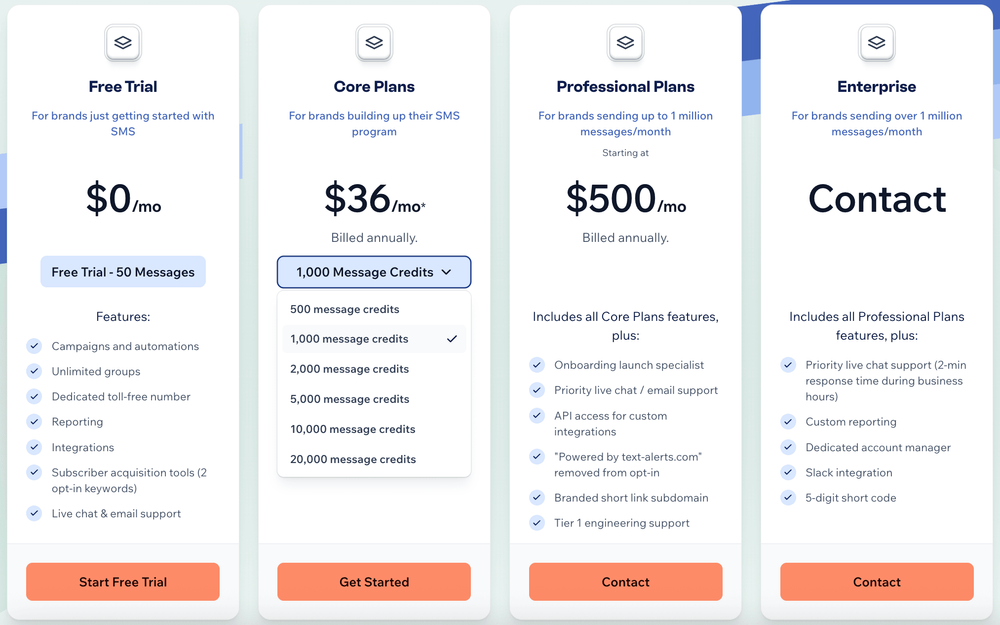
Some providers have added fees on plans as well, such as registration fees, phone number fees, and carrier fees. Mobile Text Alerts has no required additional fees on our listed plans.
If you’re new to SMS, you can start small and upgrade as needed, and with Mobile Text Alerts you can also always downgrade your plan for your next billing cycle if you find you don’t need as many messages as you thought. You can also cancel at any time, and your cancellation goes into effect on your next billing cycle. (Note that for annual plans, the billing cycle is a full 12 months and for monthly plans it is 1 month.)
So to make sure you’re not paying too much for SMS…
- Make sure you’re on a plan that makes sense for the amount of messages you’ll be sending
- You can take your expected list size, multiply it by the number of monthly messages you expect to send, and add an extra message or 2 for a buffer - then whatever number you come up with, make sure you’re on a plan that fits with that figure
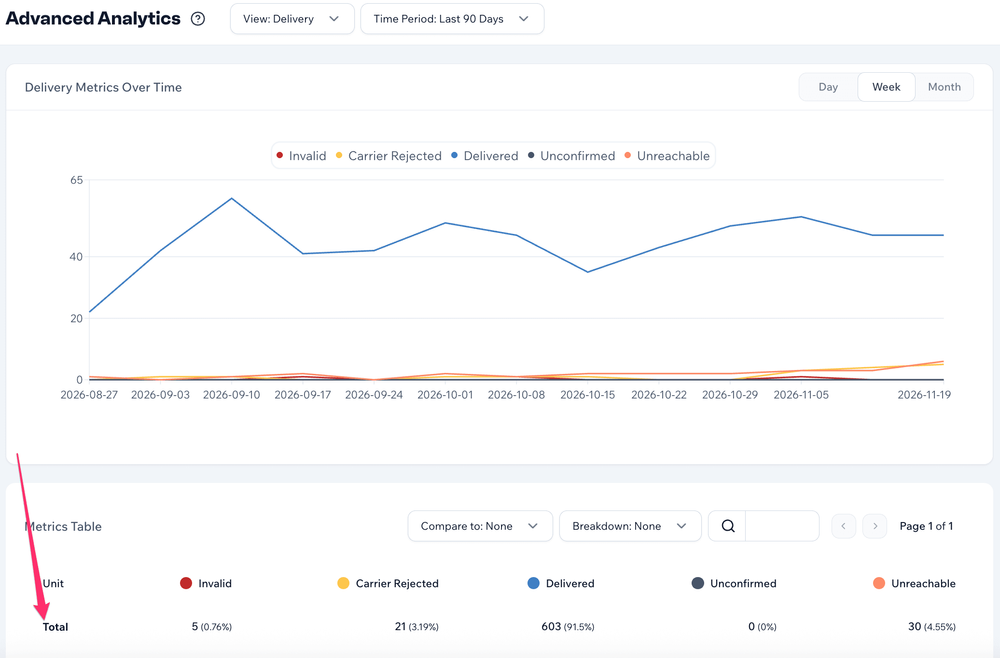
- To see how many messages you’ve been sending per month, you can go to Advanced Settings within the Mobile Text Alerts dashboard, set the time period for the “Past 90 Days,” and view your messaging activity in the “Metrics” table
- Consider too whether an annual plan vs. a monthly plan would make more sense for your situation, or vice-versa
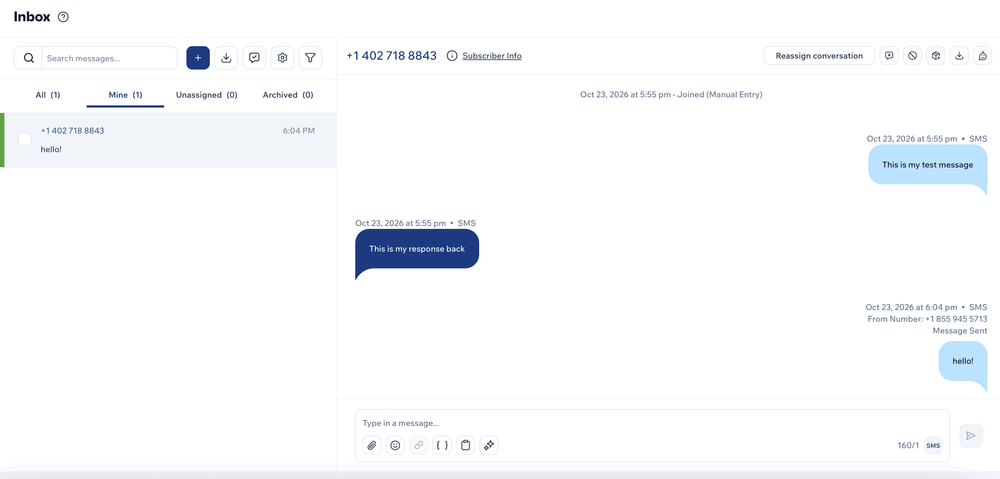
Another thing you’ll want to check with your SMS provider is whether incoming replies to your messages count as messaging credits as well. With Mobile Text Alerts, incoming messages are included for free so you don’t need to take them into account when calculating how many message credits you need.
How do message credits work?
To understand what’s the best SMS plan for you, you also need to understand how message credits work.
For example, if you send a message to 300 recipients, how many message credits will that use up?
Generally speaking, most SMS services will charge 1 message credit per message segment per recipient. So a message to 300 recipients would usually be 300 credits.
However, there are a few notable exceptions to this:
- If an SMS is more than 160 characters it will use up 2 or more messaging credits per recipient
- If your SMS contains an emoji or other special characters, the character limit per message is reduced to 70 instead of 160, so this may end up using more credits
- If your message is an MMS (meaning, it has an attachment), it will use up 3 messaging credits per recipient—but it can have up to 1,550 characters
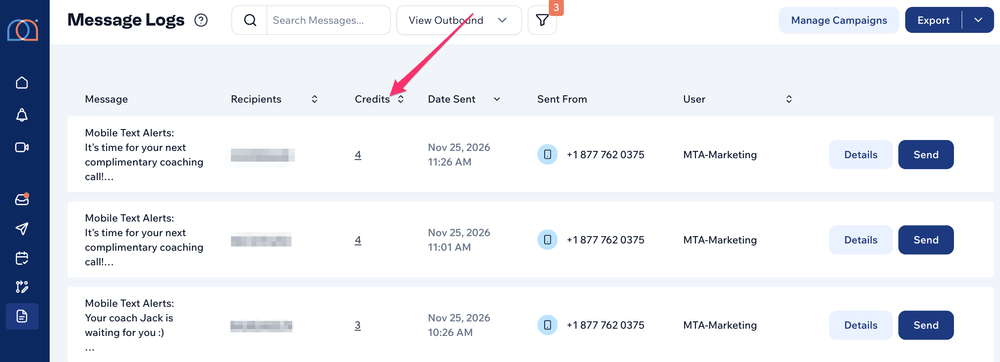
Before you send your message within the Mobile Text Alerts platform, the platform will make it clear how many credits your message is going to use. And you can view the Message Logs to see how many credits a previous message cost.
So to make sure you’re not paying too much for SMS…
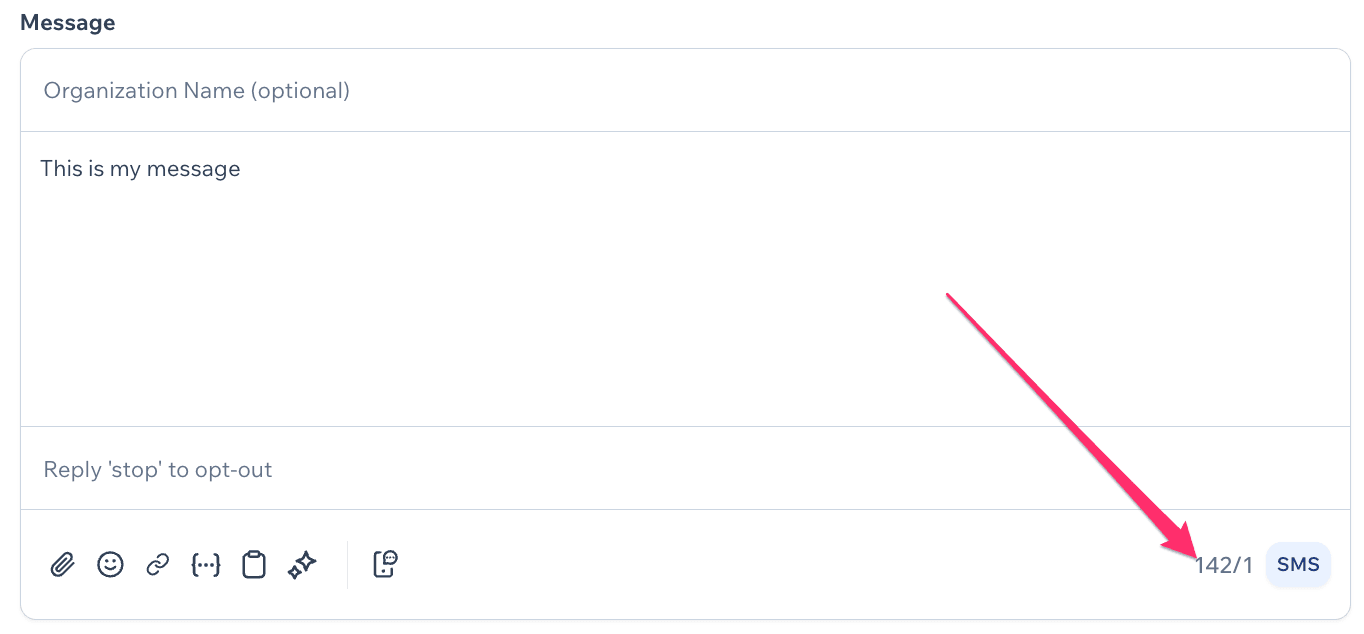
- Keep a close eye on your character count when you’re creating your messages and keep it at 160 characters or fewer whenever possible so that you don’t use more credits than you need
Within the Mobile Text Alerts platform, there are character counters in all the different places where a message can be inputted (including manual sending and automated workflows), to help you know when you’re approaching the 160 character mark.
- Refrain from using emojis whenever possible, since this can use up a lot more credits
- Refrain from sending attachments whenever possible, since this can use up a lot more credits as well
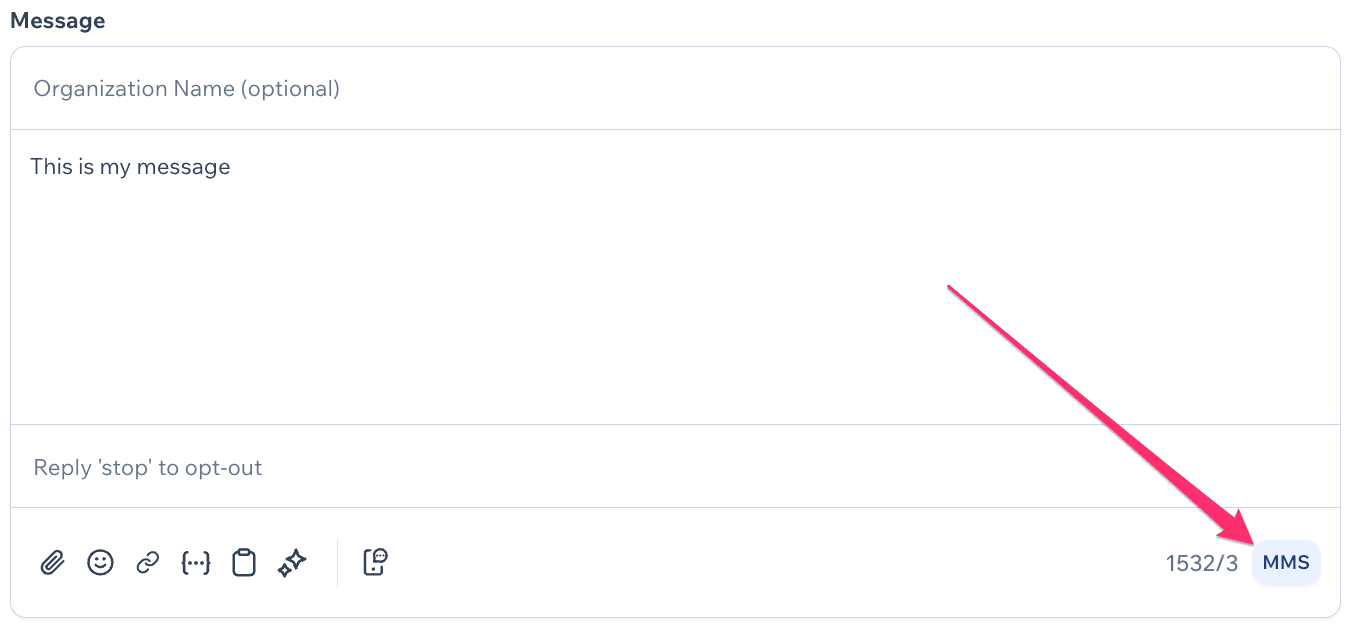
- On the other hand, if you have a long message that you need to send which will use up 3 or more credits per recipient due to its length, in some cases it is more prudent to send the message as an MMS—that’s because MMS is always 3 credits regardless of length, and can have up to 1,550 characters
You can toggle your message to be an SMS when you’re creating it.
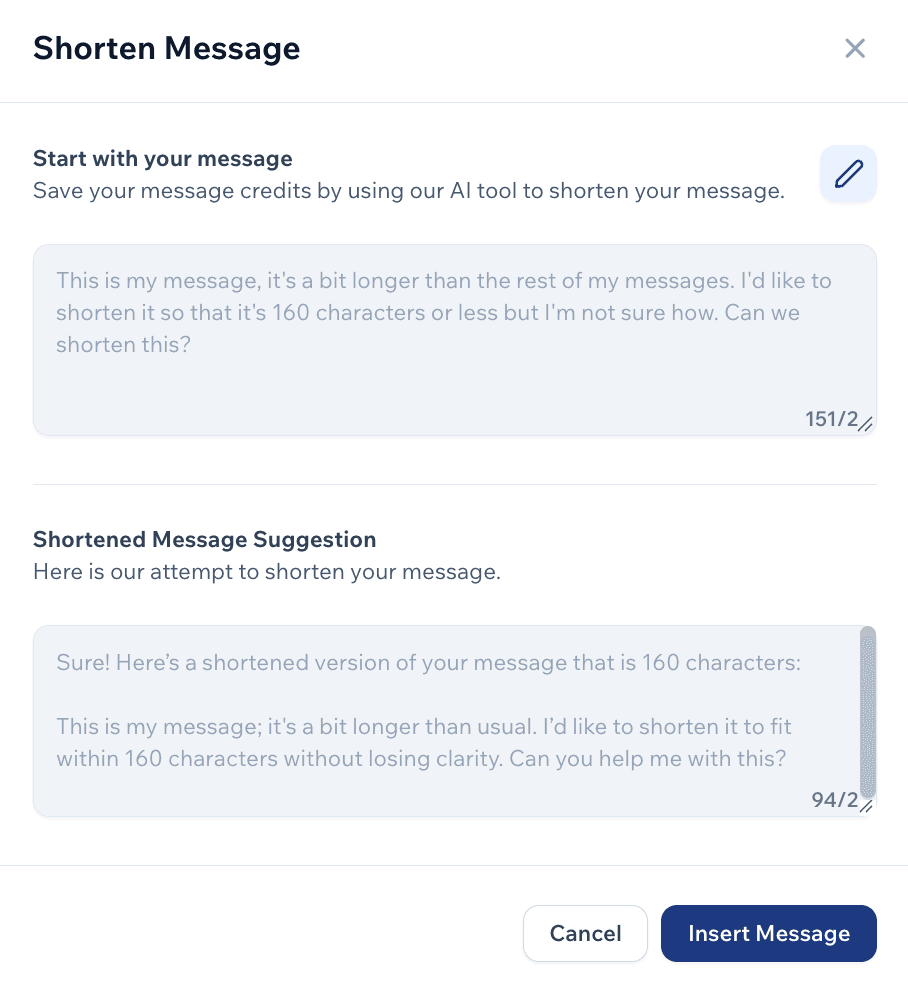
- Fun fact: you can use the AI Shorten Message tool in the Mobile Text Alerts dashboard to save credits by making your message shorter using AI
What happens if I run out of SMS, or if I go over?
While other platforms may handle it differently, with Mobile Text Alerts by default, if you run out of credits your messages simply won’t send, unless you top up or upgrade.
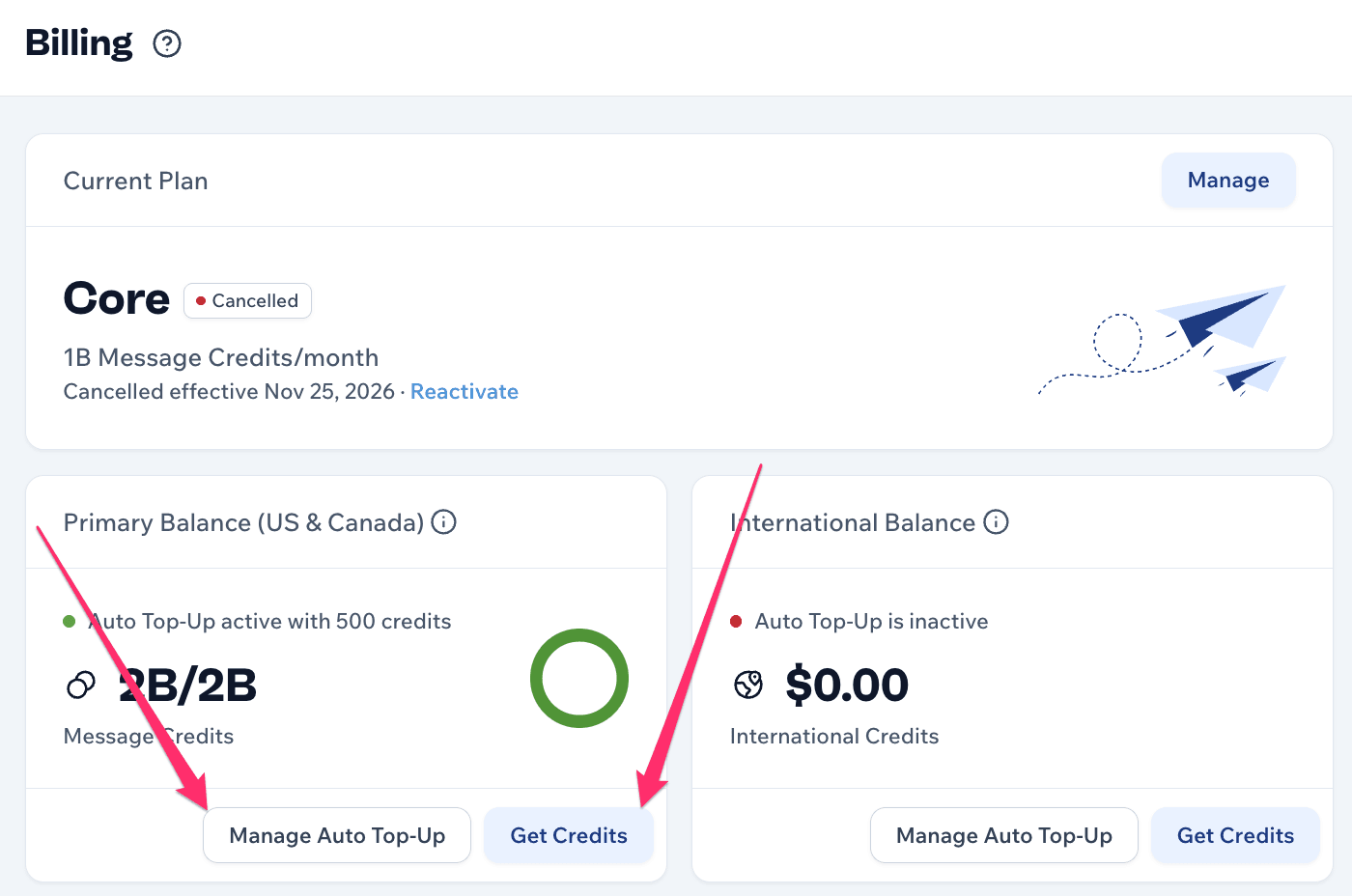
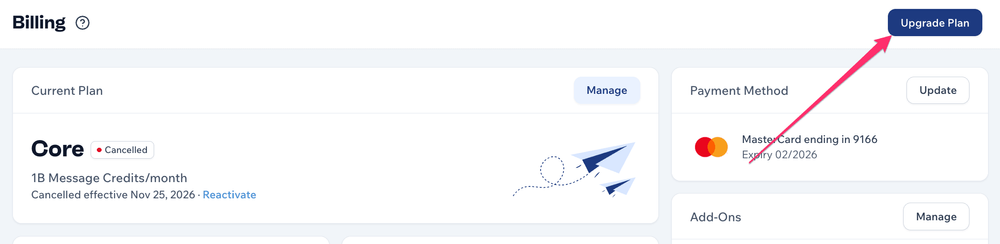
You can purchase additional messages at any time from your Billing tab by clicking the “Get Credits” button and selecting how many credits you’d like to purchase.
If you prefer not to have to worry about running out of message credits, you can toggle on the “Auto Top-up” option within your billing Settings. This means that the system will automatically purchase additional credits whenever you run out. You can designate how many credits you’d like the system to automatically purchase at a time.
If you find yourself running out of messaging credits or if you anticipate an increase in message sending, you may be able to save money by upgrading to a higher messaging plan, since upgrading typically costs less than purchasing additional credits.
If you need more messages than the Mobile Text Alerts Core messaging plans allow, we do offer Professional and Enterprise plans on a custom quote basis.
- If you use auto top-up, keep an eye on your sends and charges since these can add up quickly
- When you use auto top-up, set the top-up amount to be an amount that makes sense for your expected usage, so that you’re not purchasing more than you need
- When possible, upgrade to a plan that’s consistent with your message usage rather than purchasing additional credits
How does SMS rollover work? What if I don’t use up all my SMS credits?
Different SMS providers will have different policies for what happens with your unused SMS credits.
With Mobile Text Alerts, for monthly plans, your unused message credits roll over into the next month and then expire after that if unused. So if you have unused message credits from July, you are able to use them in August but not in September.
For annual plans, the unused messages roll over indefinitely, but it caps at 12 times your allotted monthly credit amount. So if you’re on the 5,000 credit plan, for example, your roll over credits would cap at 12 times 5,000, which is 60,000 credits.
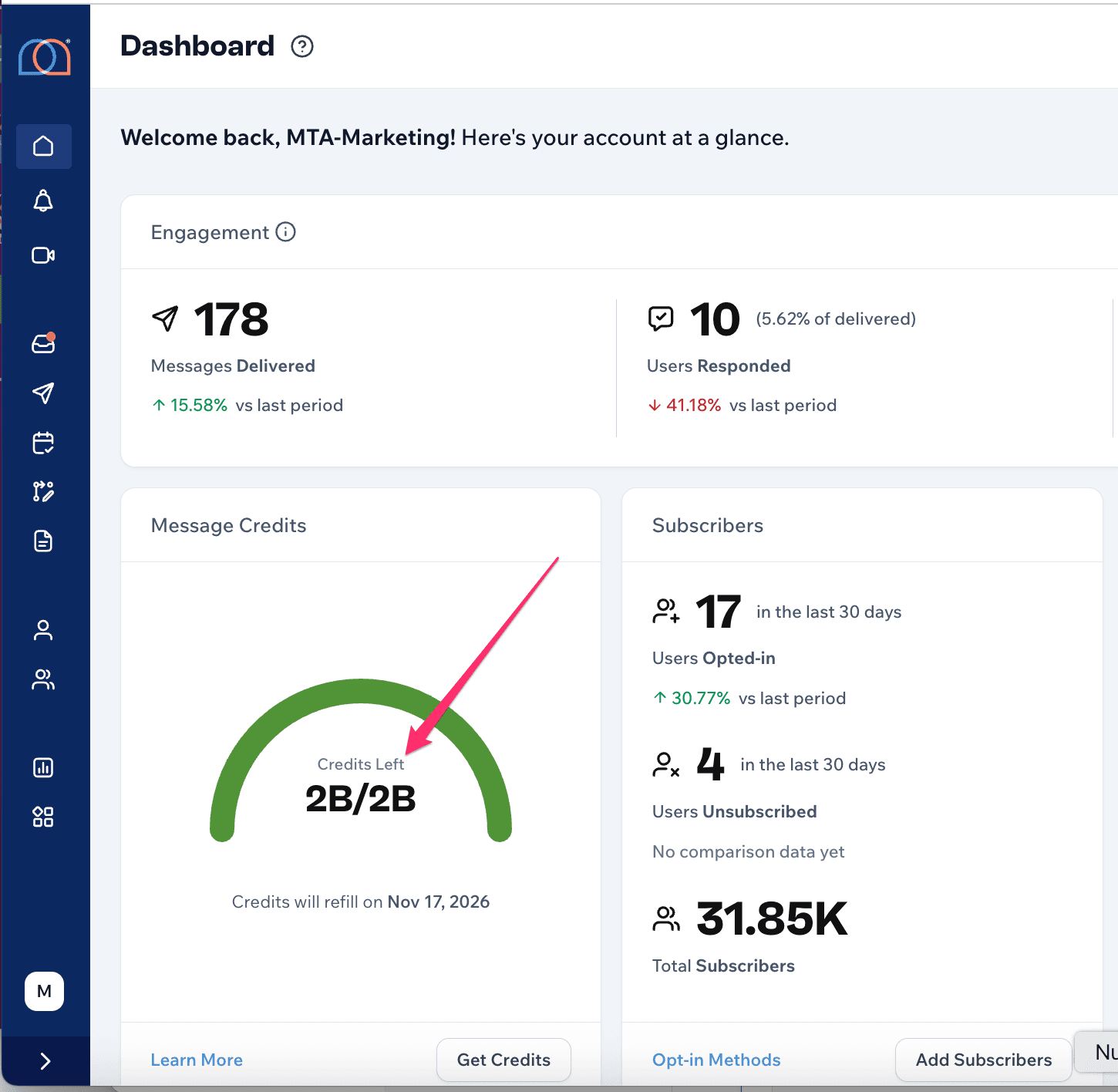
Rollovers will be included in your dashboard calculations of how many credits you have available, so you don’t need to keep track for yourself. (For example, if your dashboard shows you have more credits available for the month than your plan actually allows, that means you had some rollover available which is being reflected in the calculation.)
So to make sure you’re not paying too much for SMS…
- Select an annual plan if you have a lot of fluctuating up and down times throughout the year, since the annual plans give you more rollover flexibility (so you’d be less likely to need to purchase extra credits when you have a busier sending month)
What other things can drive up SMS costs?
Here are some other things to consider in regard to making sure you’re not paying too much for SMS:
- Wasted sends. Sometimes credits are wasted by accidentally sending to the wrong audience, or by sending to numbers that are invalid or unreachable (such as landlines). Make sure that you select the correct intended audience when setting up your messages, and clean up your list using the “Unhealthy Subscribers” Report.
- Expanding contact list. Although with Mobile Text Alerts you aren’t billed per subscriber, your costs can still go up as your contact list expands because you’ll be using up more credits when you send messages. This is, of course, a positive thing, but keep an eye on your plan as you grow so that you know when’s a good time to upgrade.
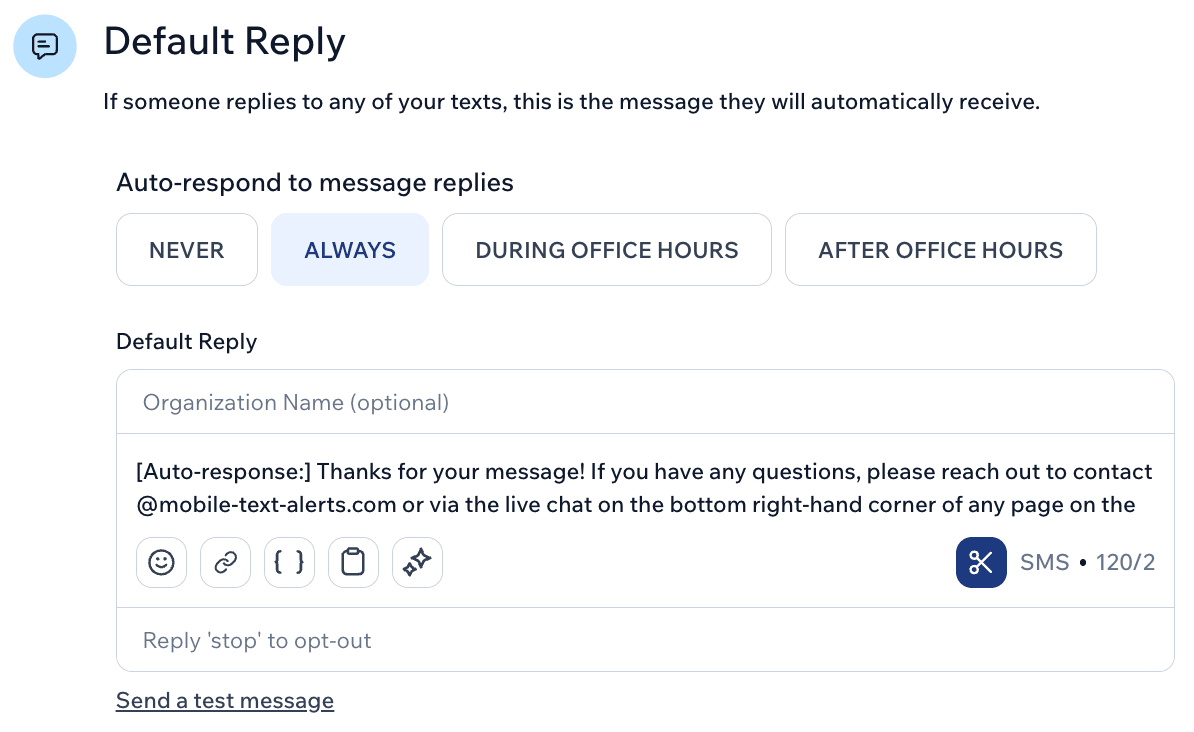
- Automated replies. Automated replies can be a great way to engage with your audience. But just be aware of what automated replies you have set up, since you don’t have full control over how many of these will go out. Also keep in mind that a required automated response goes out anytime someone unsubscribes from your messages by texting STOP, or when they text HELP.
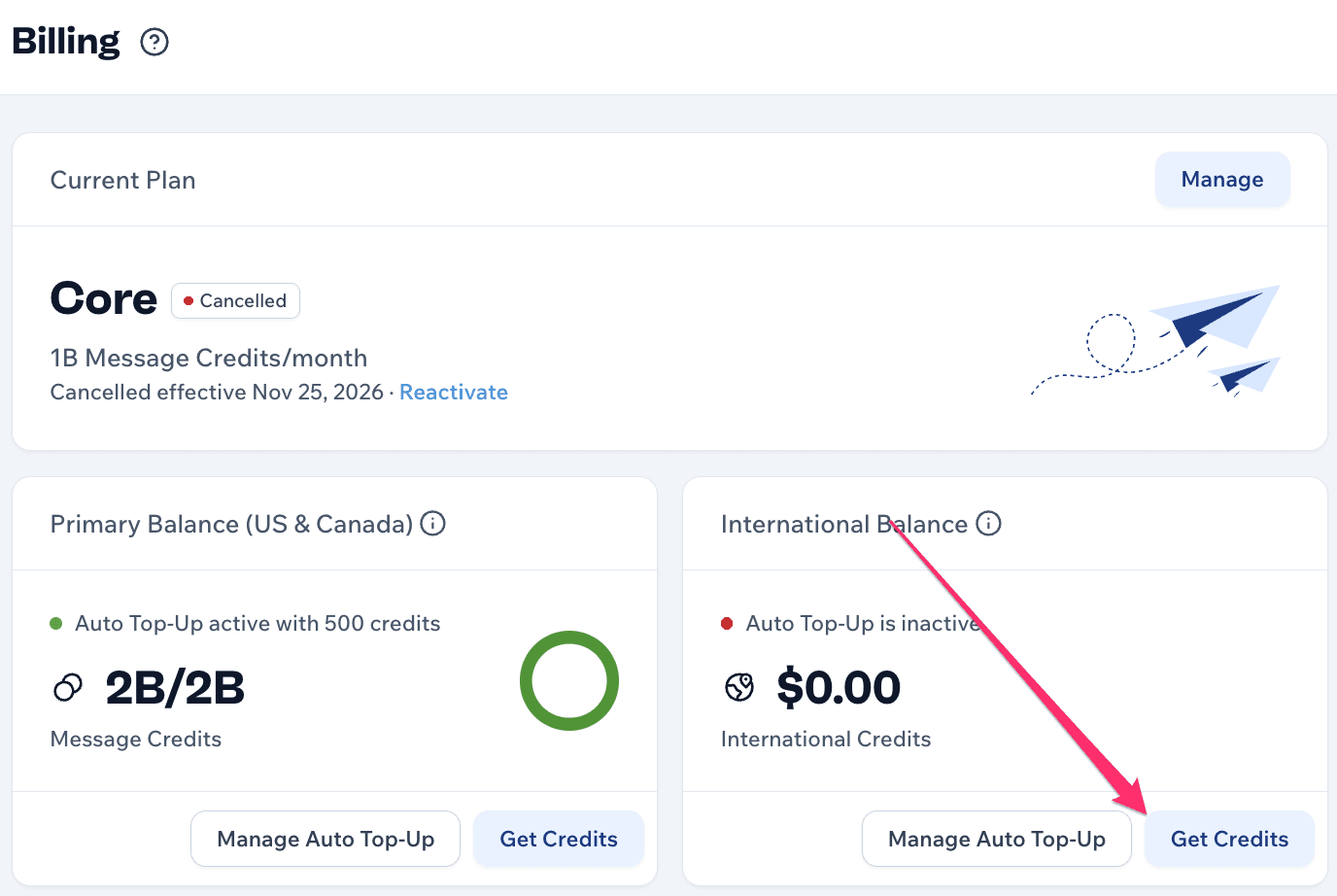
- International messages. With Mobile Text Alerts, you can send text messages to almost anywhere in the world. SMS outside of the US and Canada is billed separately from your normal subscription fees and requires you to purchase international credits. If you have a lot of international phone numbers you’re messaging, these international credits can be used up pretty fast.
Author bio

Sam Pelton is the content director for Mobile Text Alerts, an SMS service that gives businesses an easier way to reach customers and audiences. He has 12 years of experience working with the texting platform in the areas of customer support, quality assurance testing, content creation, copywriting, and marketing strategy. He’s also a father of 7 and loves a good (bad) dad joke. Connect with him on LinkedIn.