


Some of your SMS messages likely aren’t being delivered, and some of the common reasons include:
- The recipient has an invalid phone number (for example, a phone number that doesn’t exist or is improperly formatted)
- The recipient has a landline phone number
- The recipient is unreachable (due to the device being off, service lapsed, etc.)
- The message was rejected by mobile carriers as suspected spam
In our recent analysis of over 28 million SMS sent by Mobile Text Alerts users between July 26 and August 25, 2026, 9.6% of these messages came back with a failure status. We also analyzed 39 support tickets between October 15–29, 2026, and 7 of them (~18%) had something to do with deliverability questions or concerns. So this is a real issue affecting real SMS senders.
This guide will walk you through why your messages might not be sending, how you can tell, and what you can do about it.
Note: if you’re new to SMS and haven’t yet completed brand registration, make sure to do that first to help address delivery issues.
Was my message actually sent?
Let’s say you click send or submit your message.
Now what?
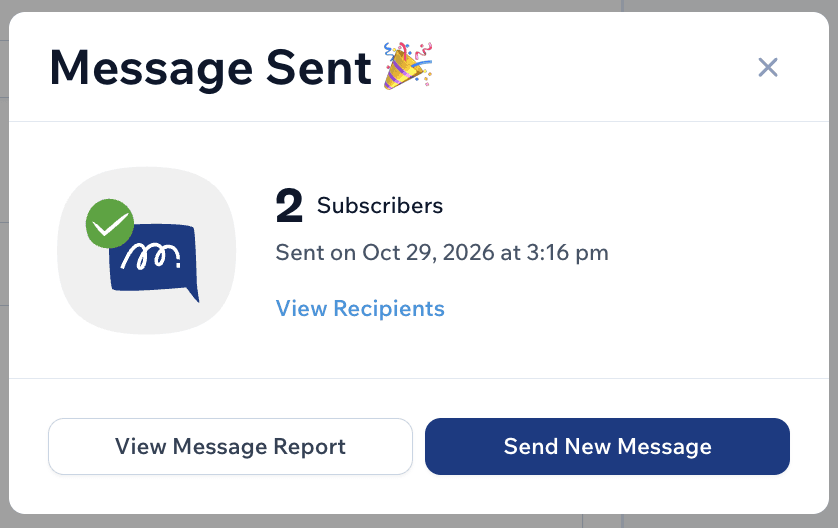
Well, if you’re sending from the Mobile Text Alerts dashboard you should see a confirmation message immediately upon sending:
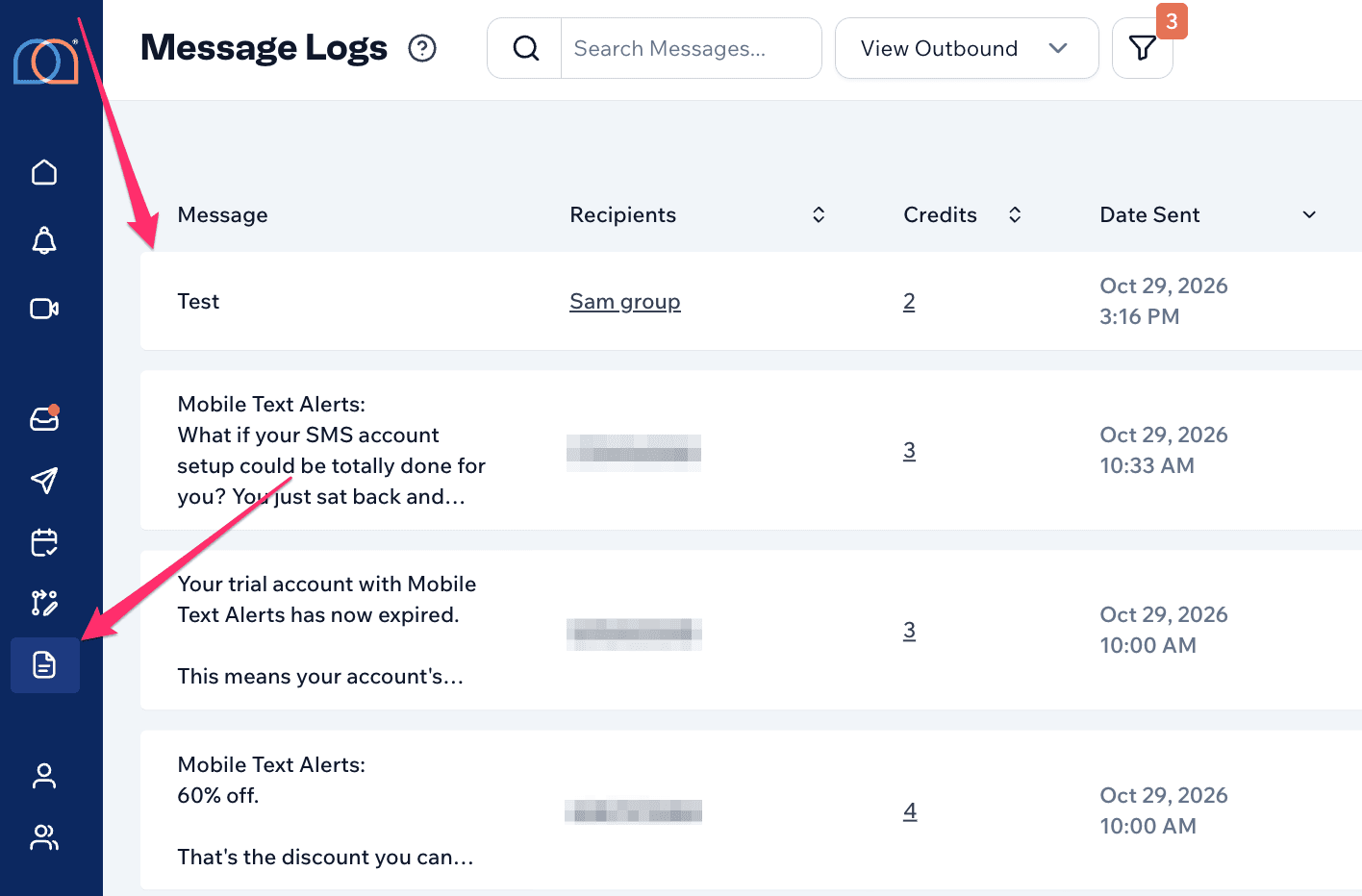
The message will also appear in your Message Logs:
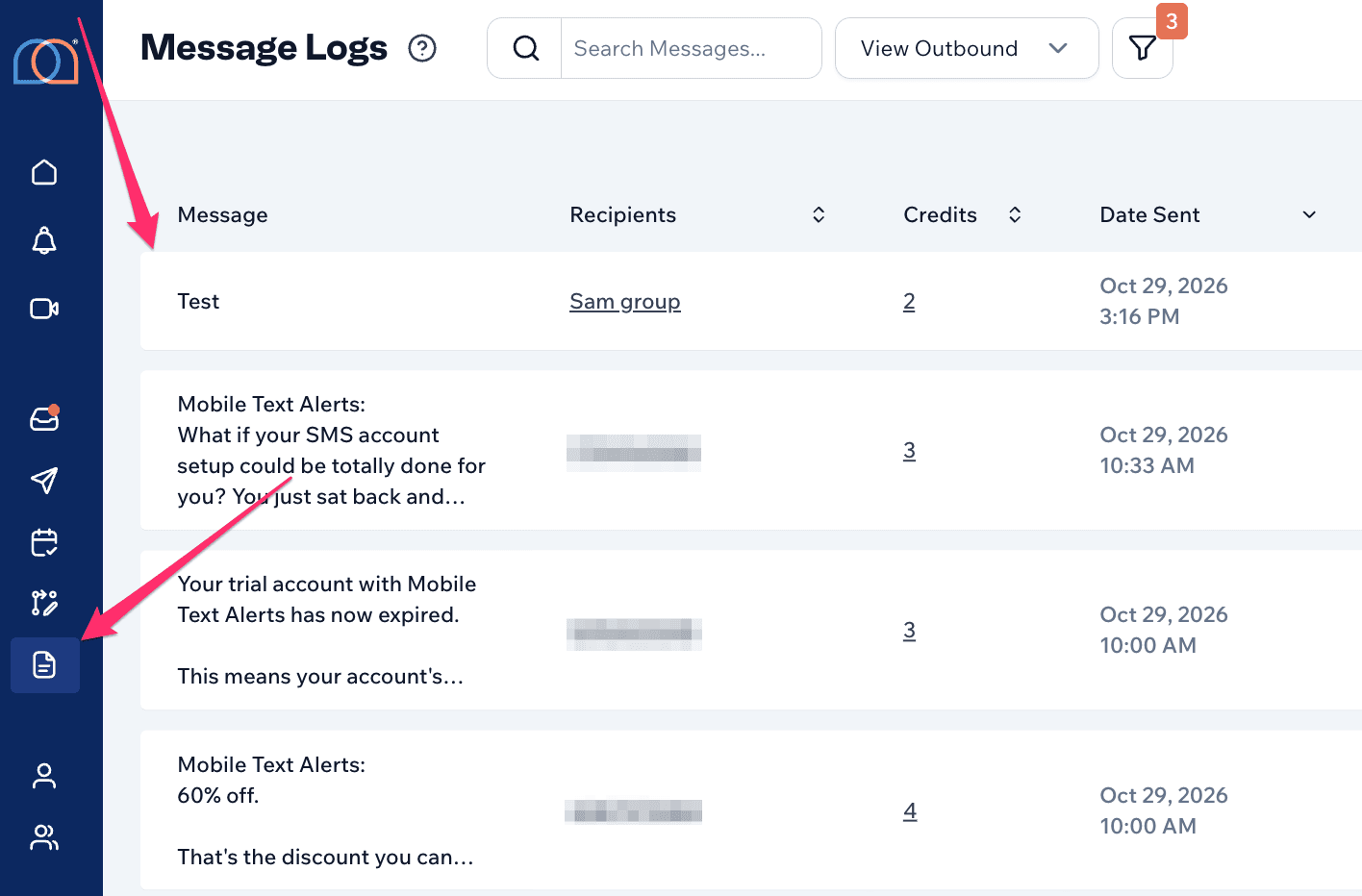
If the message is not appearing in your Message Logs, we would recommend waiting 15 minutes or so and refreshing the page.
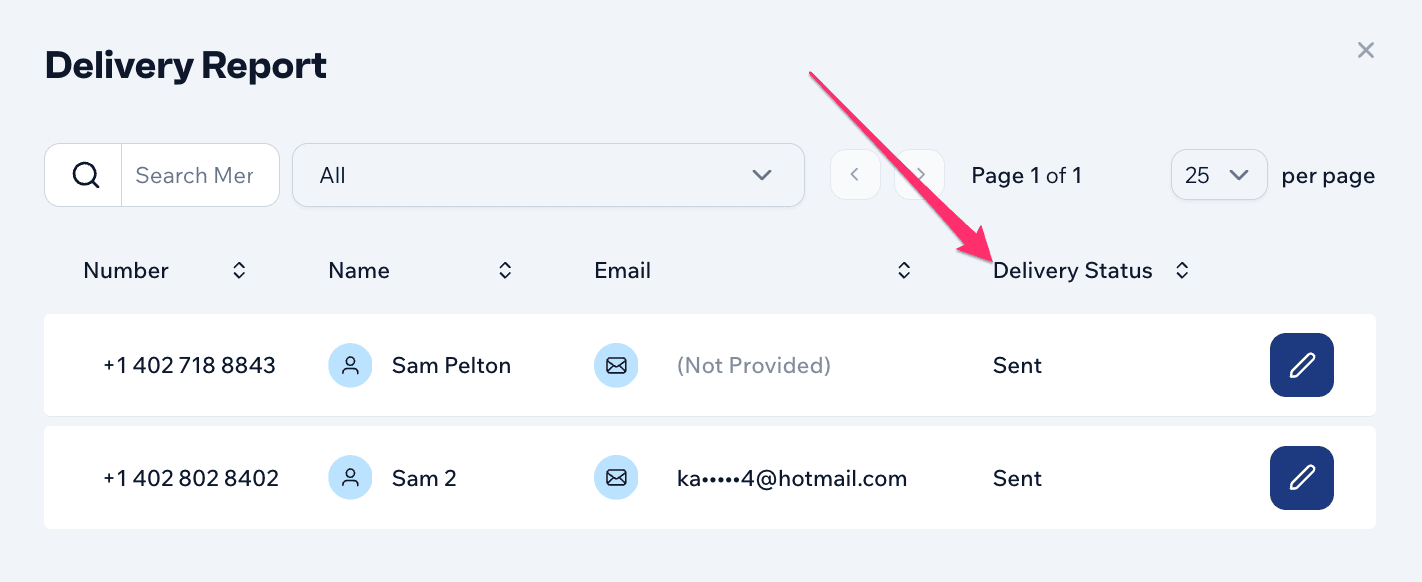
You can also click into the “Recipients” for the message to see the full breakdown of each recipient, including delivery statuses:
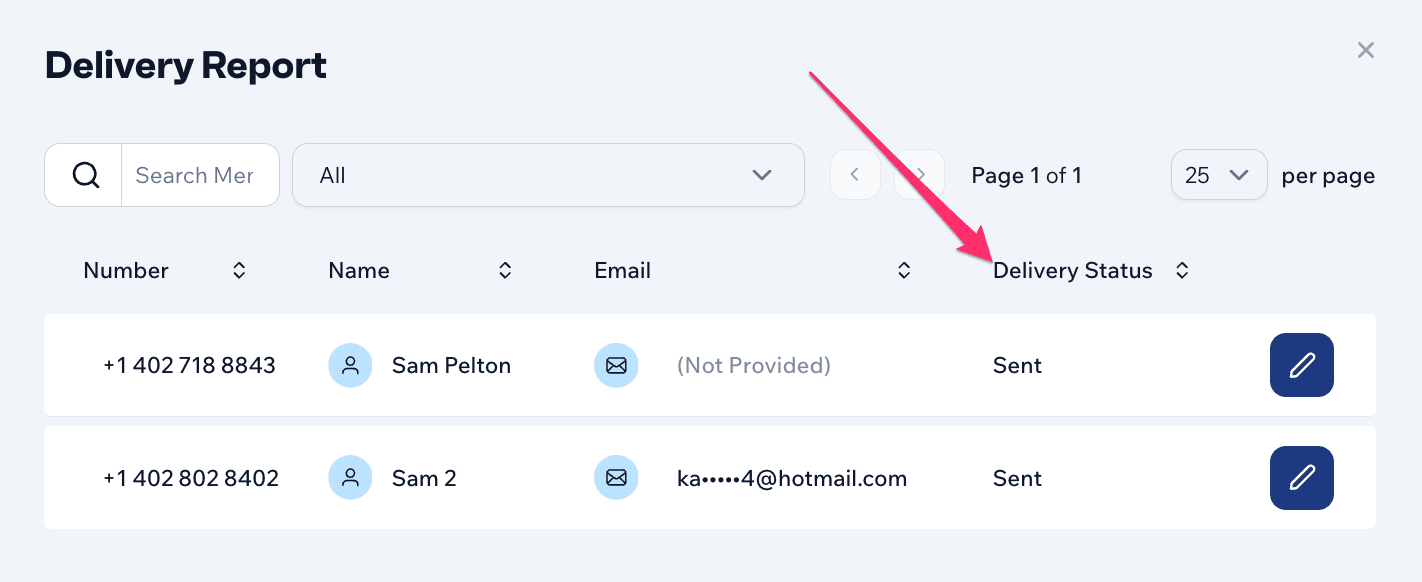
If the delivery status says “Sent,” that means we and our downstream providers didn’t see any indication of message delivery issues. Although this isn’t a guarantee of a successful delivery, it means we see nothing to suggest otherwise.
How do I know who isn’t actually receiving messages?
To check whether you may be having some delivery issues, one easy place to look is the “Messaging Delivery” section of your main dashboard page:
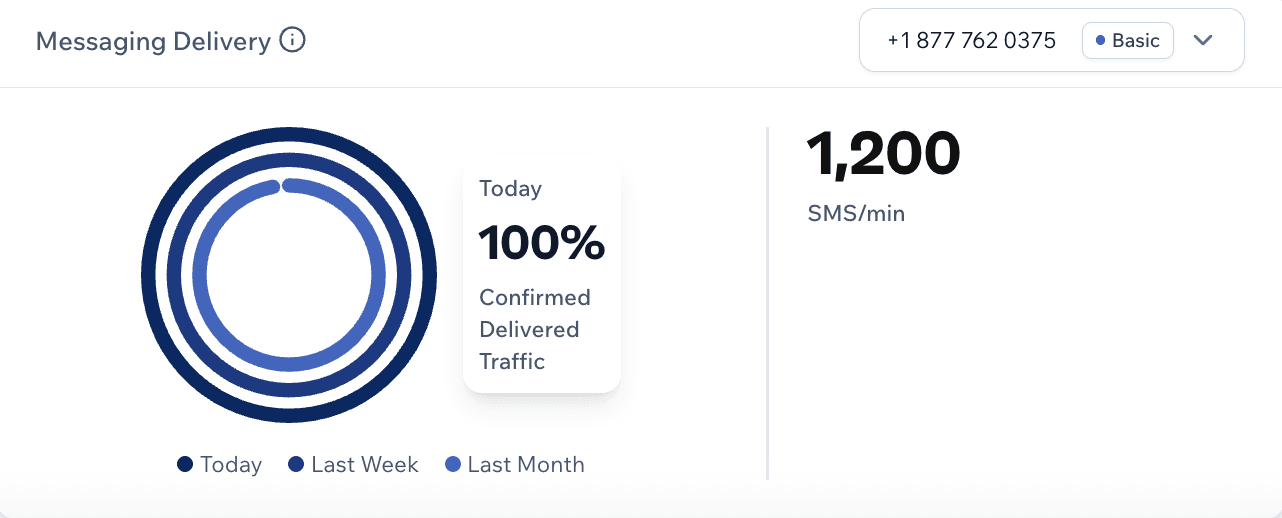
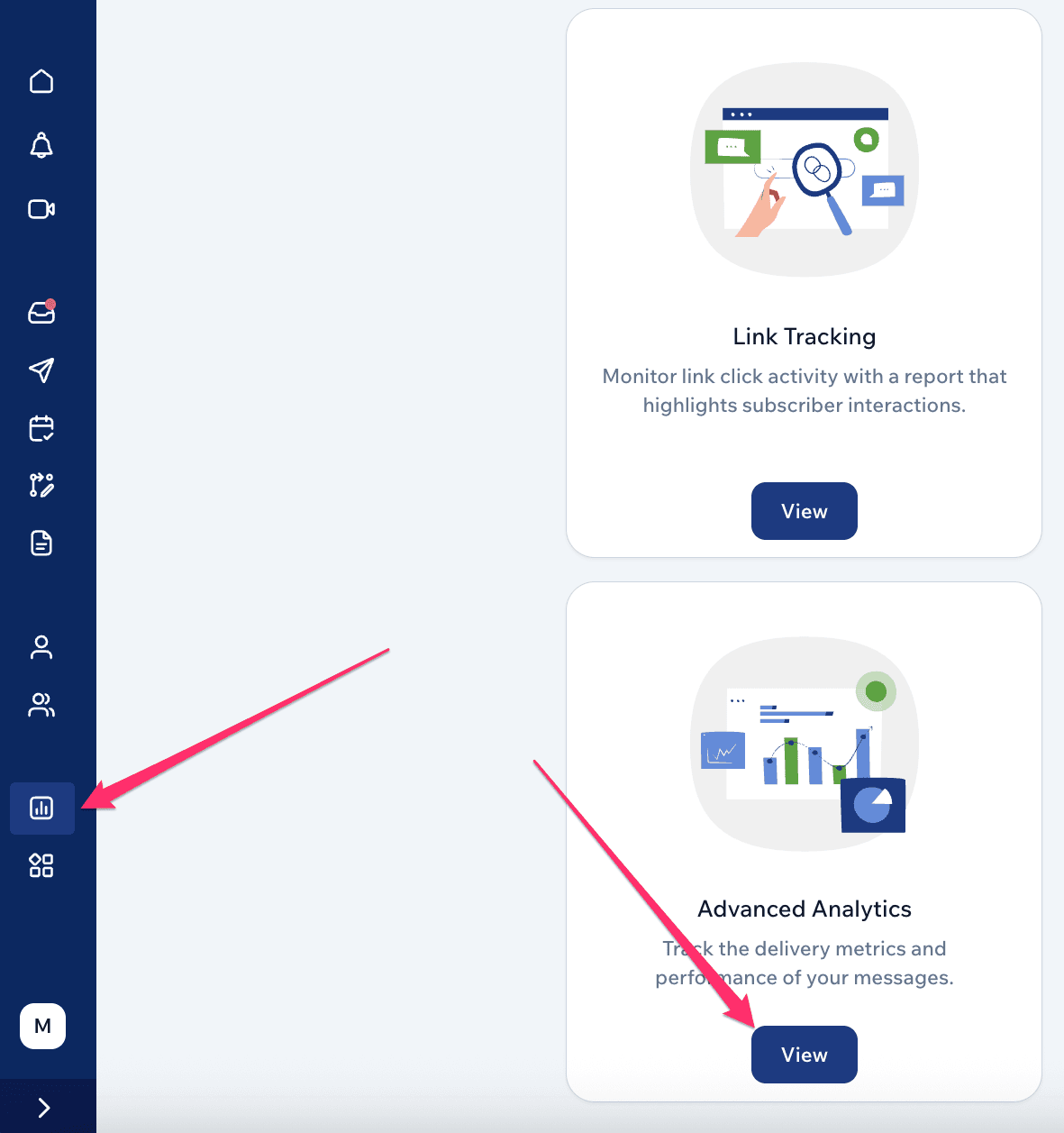
You can see a more in-depth analysis of deliverability within the Advanced Analytics tab:
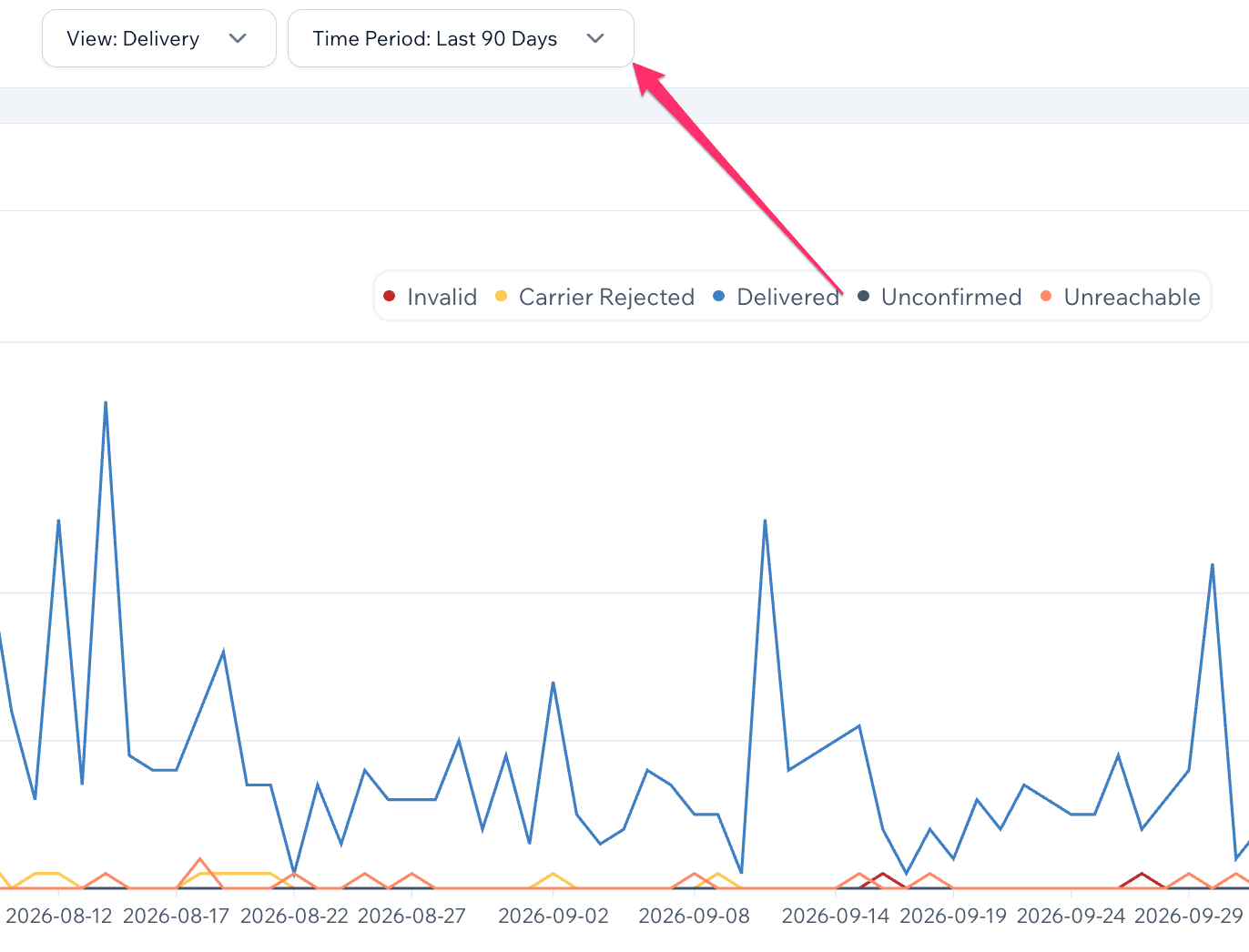
From here you can see a bar graph of delivery metrics (or other metrics) over a specified period of time…
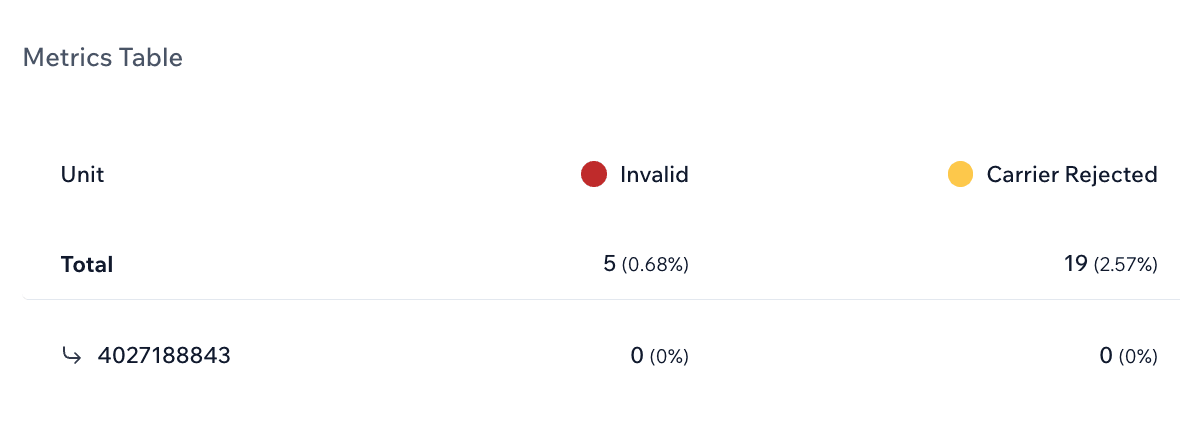
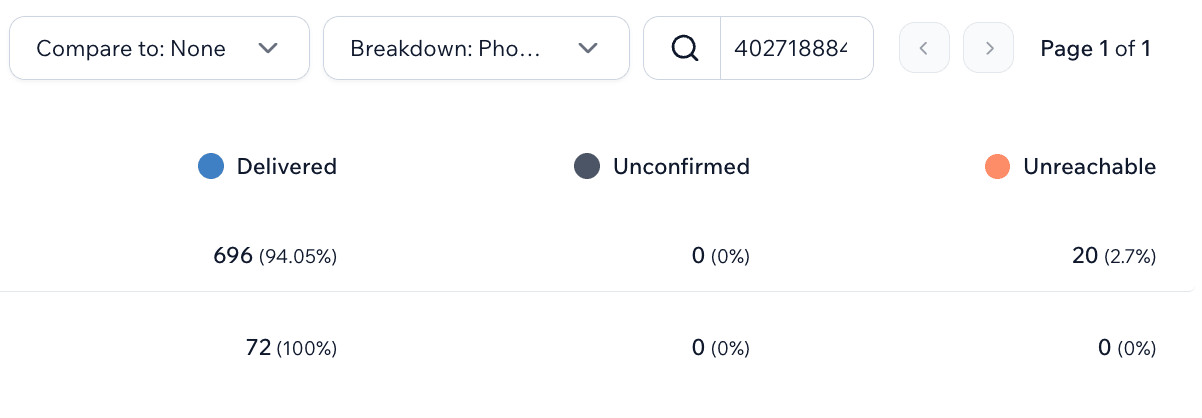
…as well as a table showing the specific metrics, which can be compared to other periods and even broken down by phone number or other subscriber fields:
If you’re just wondering about delivery for one specific send, you can go to “Message Logs” (as mentioned above) and see the delivery status for each recipient of that particular message:
Why are particular recipients not receiving messages?
There are several reasons why particular recipients may not be receiving your messages:
- The recipient has an invalid phone number (for example, a phone number that doesn’t exist or is improperly formatted)
- The recipient has a landline phone number
- The recipient is unreachable (due to the device being off, service lapsed, etc.)
If you give a support representative the specific phone number that’s having delivery issues, they’ll be able to look deeper into why that particular recipient isn’t receiving messages.
Why is the message status showing “sent” when the message doesn’t appear to have actually been delivered?
The “sent” message status doesn’t necessarily confirm delivery with 100% certainty. But it does mean that we have no indication of delivery issues.
With a “sent” message status, you can generally assume that the message was successfully delivered, although there may be situations from time to time in which this is not the case.
Why are messages no longer sending?
In some cases you may start running into large-scale delivery problems all of a sudden. Why would this happen, and how can you fix it?
Typically, sudden delivery issues are the result of problems with the message content, that cause message filtering with the mobile carriers. Here are some content issues you may run into:
- Using Bitly or other public URL shorteners
- Not identifying your brand in your messages
- Using “high-pressure” language (beyond typical marketing scarcity)
- Sending multiple messages to the same recipient in a short period of time
- Including multiple links in a single message
- Sending content outside of your registered use case
- Sending content pertaining to restricted topics such as risky financial opportunities or regulated products and activities
If you run into delivery issues like this, we would recommend contacting support and they can help you look into the issues you’re experiencing.
FAQ
What are other reasons SMS may fail to deliver?
Are there read receipts for SMS?
Do I pay for failed messages?
Author bio

Sam Pelton is the content director for Mobile Text Alerts, an SMS service that gives businesses an easier way to reach customers and audiences. He has 12 years of experience working with the texting platform in the areas of customer support, quality assurance testing, content creation, copywriting, and marketing strategy. He’s also a father of 7 and loves a good (bad) dad joke. Connect with him on LinkedIn.