



A shared SMS inbox works by giving your business or organization a centralized platform where your incoming replies can be viewed and managed by different agents.
I analyzed sales data and internal customer data to see what questions people were asking about shared SMS inboxes, and to evaluate user behavior related to SMS replies and inboxes.
Here are some of my findings and a walkthrough of how a shared SMS inbox works (and what to expect).
Key findings:
- 47.8% of demos involved discussions related to a shared SMS inbox
- 0.7% reply rate for SMS
- 2.8 average turns for SMS conversations
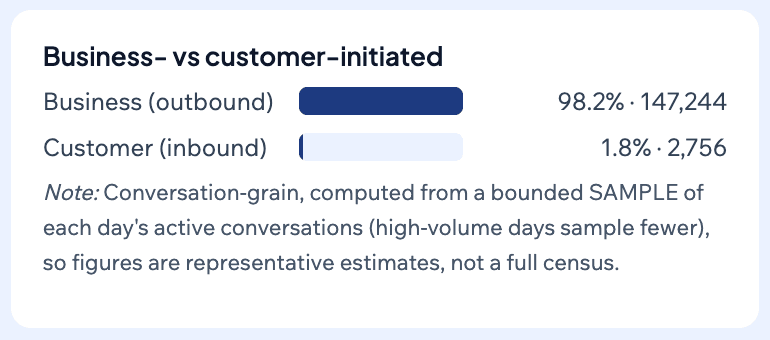
- 98.2% of SMS conversations were business-initiated (not customer-initiated)
Does a shared SMS inbox matter? (The data on SMS replies and conversations)
Yes, almost half of our sales demos from my AI analysis (using our own internal AI tool) involved SMS inboxes. So clearly this is an SMS feature that prospects care about.
Specifically, I analyzed 46 Mobile Text Alerts sales demos from June–August 2026 and flagged any conversation where the prospect asked about or discussed a shared inbox or team reply-management workflows. Using that broad definition, 22 conversations qualified, representing 47.8%.
In addition, I analyzed anonymized internal Mobile Text Alerts customer data from 65,682,419 messages sent between August 24–September 23, 2026. When looking at a sample of these messages the average turns per conversation was 2.8.
98.2% of these conversations were actually outbound (business-initiated) rather than inbound (customer-initiated). So not all of these conversations need to be passive—for the most part, businesses are actually the ones initiating.
We also don’t want to overstate the case, however. Out of 47,738,416 SMS analyzed within the overall pool of messages, the reply rate was 0.7%. (Note that this was across all different use cases. Many use cases do not warrant replies.) So don’t expect a massive wave of replies that need to be monitored.
(I’ve interacted with many prospects and customers who want to “turn off” SMS replies because they don’t want to worry about monitoring them. But this datapoint on the reply rate could actually help assuage some of those concerns, since in many cases you may receive few to no replies to your SMS.)
In any case, SMS conversations matter. And in many situations, you will want more than one person in your business or organization to be able to monitor and respond to replies and engage in SMS conversations.
Here are some of the questions that surfaced in the sales demos I mentioned earlier:
- Can multiple team members use it, and what can each person see?
- How do replies work?
- Are people receiving the messages able to see everyone else’s numbers?
- How many users can have access to send messages?
- How do you control message sending access?
- Do you get charged for replies?
We’ll dive into answers to these questions.
How does a shared SMS inbox work?
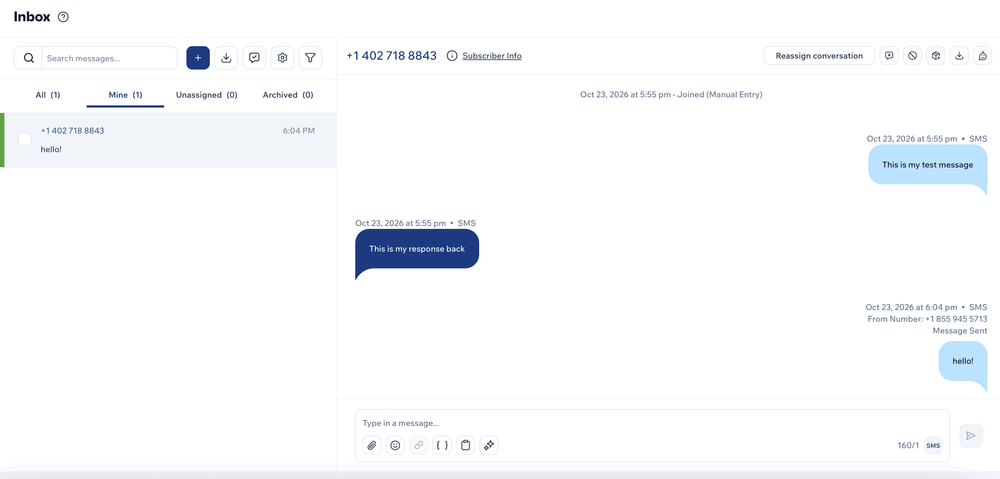
A shared SMS inbox works by allowing multiple people to view and manage incoming SMS sent to your business or organization.
There’s a centralized inbox from which the owner and other administrators can all see SMS conversations that are relevant to them, and can engage in those conversations.
How many team members can use a shared inbox? What can each person see?
With a shared SMS inbox, you can designate multiple people with access to the inbox. Some provider plans have user limits while others offer unlimited user seats. (Mobile Text Alerts gives you unlimited user seats.)
You can also often designate particular permission levels. Within Mobile Text Alerts, for example, the permission levels are:
- Administrator—full account access
- Manager—full account access, excluding billing
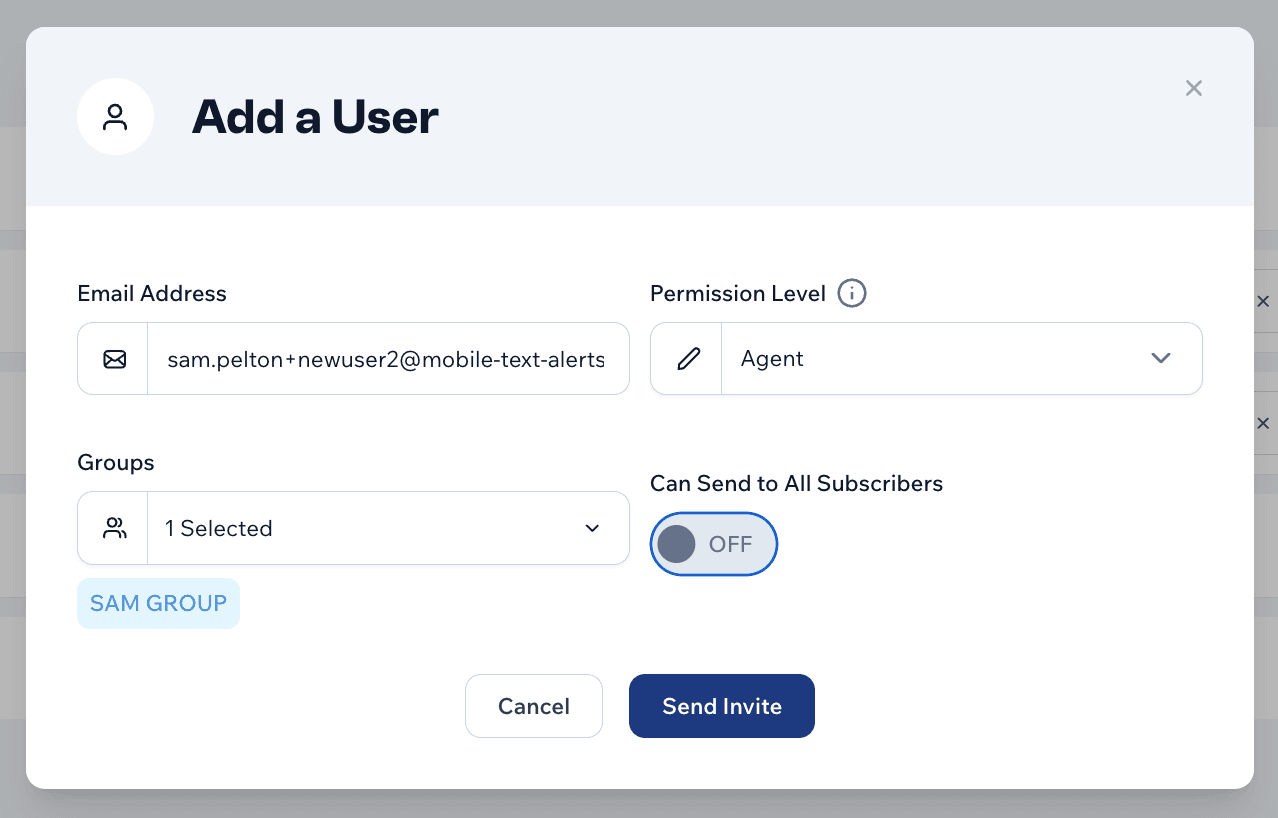
- Agent—access limited to sending messages to members from their assigned groups
With some platforms, such as Mobile Text Alerts, conversations or tickets can be assigned to particular users to make sure they have access only to the conversations that are relevant to them.
How do you control message sending access within a shared SMS inbox?
For a shared SMS inbox, message sending access can be controlled from a dashboard that allows you to manage users.
From there you can designate who are users with access to your account and what permission levels they have (i.e., what groups or segments they have access to send messages to).
With Mobile Text Alerts, when you add an agent, that agent can only see the groups that you give them access to.
How do replies work within a shared SMS inbox?
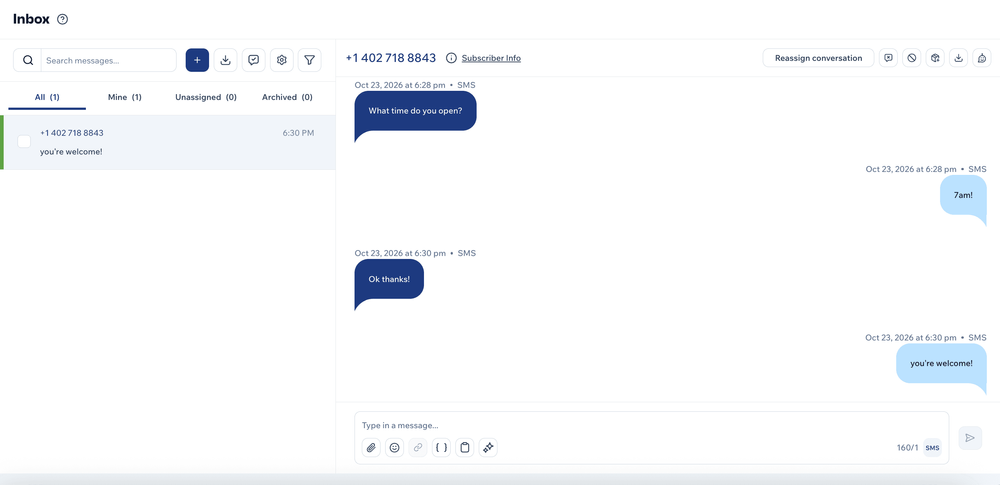
When people send a reply to your SMS, their reply shows up in the shared SMS inbox.
Then your team is able to see and respond to that reply as needed.
For most SMS apps, the replies sent in by your recipients do not go out to the rest of your recipient list. And none of the recipients of your messages can see the phone numbers of the other recipients.
In other words, this is not a group text thread. Each person is receiving messages individually and if they reply, their reply shows up in your shared SMS inbox individually.
What does a shared SMS inbox truly cost?
Most shared SMS inbox providers charge per message and some also charge per seat.
For example…
| Provider | Starting price | Messages included | Users included | Cost per additional user |
|---|---|---|---|---|
| Mobile Text Alerts | $20/month | 500/month | Unlimited | $0 |
| SimpleTexting | $29/month | 500/month | 3 | $20/month |
| MessageDesk | $29/user/month | No message charges | Priced per user | $29/month |
You’ll need to make sure you clarify with your SMS provider regarding how their billing structure works so you can evaluate how much it will cost for your situation specifically.
Do you get charged for replies with a shared SMS inbox?
Some providers will charge you for SMS replies while others won’t.
You’ll need to check a provider’s pricing page or sales team to see if they charge for incoming messages. (Mobile Text Alerts does not charge for replies.)
How many replies should you expect after a mass text?
We mentioned earlier that upon analyzing 47,738,416 messages sent from Mobile Text Alerts customers between August 24–September 23, 2026, the data showed a 0.7% reply rate. However, this is taking into account replies to all kinds of messages, including mass blasts, individual messages, and transactional notifications.
We don’t have a hard number for responses to mass texts in particular, but in light of the low reply rate for SMS overall, it likely won’t be an overwhelming amount.
Can you text-enable your existing business numbers?
Yes, in many cases you can text-enable your existing business number.
Your SMS platform’s support team should be able to evaluate your specific number to see whether it is eligible for text-enabling.
If your phone number is determined to be eligible, you will need to submit a brand registration form for the mobile carriers, which involves some simple questions regarding your business and use case. In some cases you may also need to obtain an LOA (letter of authorization) from your current mobile carrier.
FAQ
Can I turn off SMS replies?
What happens when someone replies STOP?
How do I know when a new reply comes in?
Methodology
I analyzed 46 Mobile Text Alerts sales demos from June–August 2026, looking for conversations where the prospect asked about or discussed a shared inbox or team reply-management workflows. The analysis found that 22 conversations qualified.
I also analyzed anonymized internal Mobile Text Alerts customer data from 65,682,419 messages, and samples within that overall count, sent between August 24–September 23, 2026.
Author bio

Sam Pelton is the content director for Mobile Text Alerts, an SMS service that gives businesses an easier way to reach customers and audiences. He has 12 years of experience working with the texting platform in the areas of customer support, quality assurance testing, content creation, copywriting, and marketing strategy. He’s also a father of 7 and loves a good (bad) dad joke. Connect with him on LinkedIn.