



In this guide, we compare 6 of the best mass texting apps for 2027:
- Mobile Text Alerts: Best for businesses that want a fixed monthly price with carrier fees included (our app)
- SlickText: Best for businesses that need many native integrations, such as Shopify, Salesforce, and Mailchimp
- Textla: Best for high-volume senders who want a low price per message and do not need an API or a workflow builder
- Attentive: Best for ecommerce brands that want SMS and email with many integrations
- Birdeye: Best for businesses that want texting in the same platform as review management
- Textline: Best for teams that manage replies as one-to-one conversations in a shared inbox
These apps were analyzed according to critera determined by my analysis of approximately 110 Mobile Text Alerts sales demos (see "Evaluation Criteria" below).
A mass texting app sends one message to many contacts at once, often including tools for opt-in, segmentation, and reporting.
Selection Criteria
Disclosure: Mobile Text Alerts publishes this list, and we included our own app and put it first. Because we are biased, we compared every app with the same criteria and show the same data for each one, including the areas where other apps do better than ours.
Criteria for inclusion of the other apps is as follows:
- Software that shows up in at least 2 of 3 “top” SMS Marketing lists across G2 (sorted by “Satisfaction”), Capterra (sorted by “Highest Rated”), and SoftwareReviews (sorted by “Top Rated”) in the top 15 results
- Even though “SMS Marketing” is not necessarily the same thing as “mass texting,” it is assumed that SMS marketing services will generally be adept at mass texting, and it was confirmed through each vendor’s website that they offer mass texting.
- (It is acknowledged that review site ratings cover the entire product, not just the SMS features.)
Evaluation Criteria
We analyzed approximately 110 sales demo transcripts from May 17, 2026 through November 17, 2026, looking for common questions people ask as they are evaluating SMS services. The following topics emerged as common threads:
- Pricing (came up in ~77 demos)—how do pricing and “credits” work?
- Sending number (came up in ~65 demos)—how do we get a number registered? Can we use a current number?
- Integrations (came up in ~58 demos)—can this integrate with my CRM? Is there an API?
- Opt-in (came up in ~56 demos)—how do people opt in?
- Segmentation (came up in ~47 demos)—can we import lists? Can we segment contacts?
- Automation (came up in ~39 demos)—how do we automate messaging? Can we have triggers for automations?
- Message Delivery Reporting (came up in ~37 demos)—can we track delivery?
The demos come from people who were already interested in Mobile Text Alerts, which does mean this list is potentially biased. But it is still a good source of real buyer questions.
We analyzed each vendor’s advertised features according to these threads. Five complaints for each vendor have been listed verbatim from the first negative comments encountered in the most recent G2 reviews as checked on November 18, 2026. (Even if those complaints didn’t have to do with SMS specifically, it still can tell the reader something about the overall product).
Best Mass Texting Apps: TL;DR
Vendor information evaluated on November 18, 2026.
| Vendor | Pricing | Sending number | Integrations | Opt-in | Segmentation | Automation | Message reporting |
|---|---|---|---|---|---|---|---|
| Mobile Text Alerts | From $20/mo for 500 credits. No carrier fees. | Toll-free, 10DLC, short code. Can port a number. | 7 native, Zapier, API | Keywords, forms, pop-ups, QR codes | Manual and automatic | Workflow builder, scheduling, auto-replies | Status for each recipient, failure reasons |
| SlickText | From $24.17/mo for 6,000 credits/yr. Carrier fees passed through. | Toll-free, 10DLC, short code, RCS. Can port a number. | Over a dozen native, Zapier, Make, API | Keywords, forms, pop-ups, QR codes, tap-to-join links | Manual and automatic | Workflow builder, scheduling, auto-replies | Status for each recipient, failure reasons (not confirmed) |
| Textla | From $19/mo + $0.01 per credit. No carrier fees. | Toll-free, 10DLC, short code. Can port a number. | Zapier. No public API documentation. | Keywords (not on Starter) | Manual (tags, groups) | Only scheduling stated (not on Starter) | Status for each recipient, failure reasons, delivery rates |
| Attentive | Quote only (usage-based) | Toll-free, 10DLC, short code, RCS | 100+ native, Zapier, Make, API | Keywords, forms, pop-ups, QR codes, two-tap opt-in | Manual and automatic | Workflow builder, scheduling, auto-replies | Campaign delivery reports. Detail not stated. |
| Birdeye | Quote only. No free trial. | 10DLC on an existing landline, or a shared toll-free number | Hundreds native, Zapier, Make, API | Keywords, chatbot lead form | Manual and automatic | Workflow builder, scheduling | Status for each recipient. Granularity of reporting is unclear. |
| Textline | Quote only (plans by messages and agents) | Toll-free, 10DLC. Can port a landline. | ~12+ native, Zapier, Make, API | Keywords, web form | Manual (tags) | Workflow builder, scheduling, auto-replies | Status for each recipient, failure reasons |
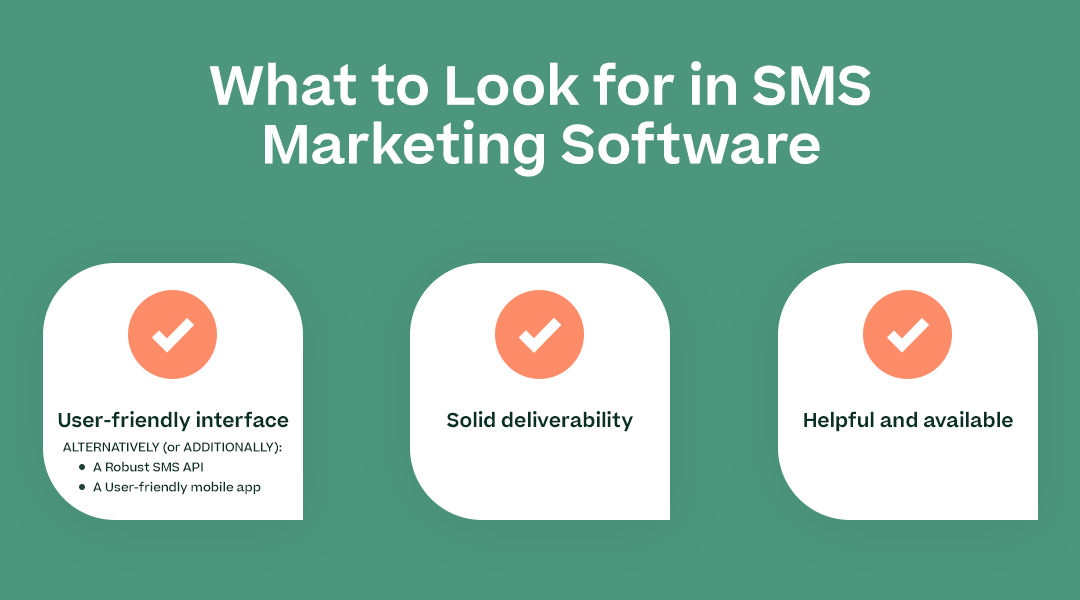
Mobile Text Alerts (Our App): Best for Businesses That Want Fixed Monthly Price
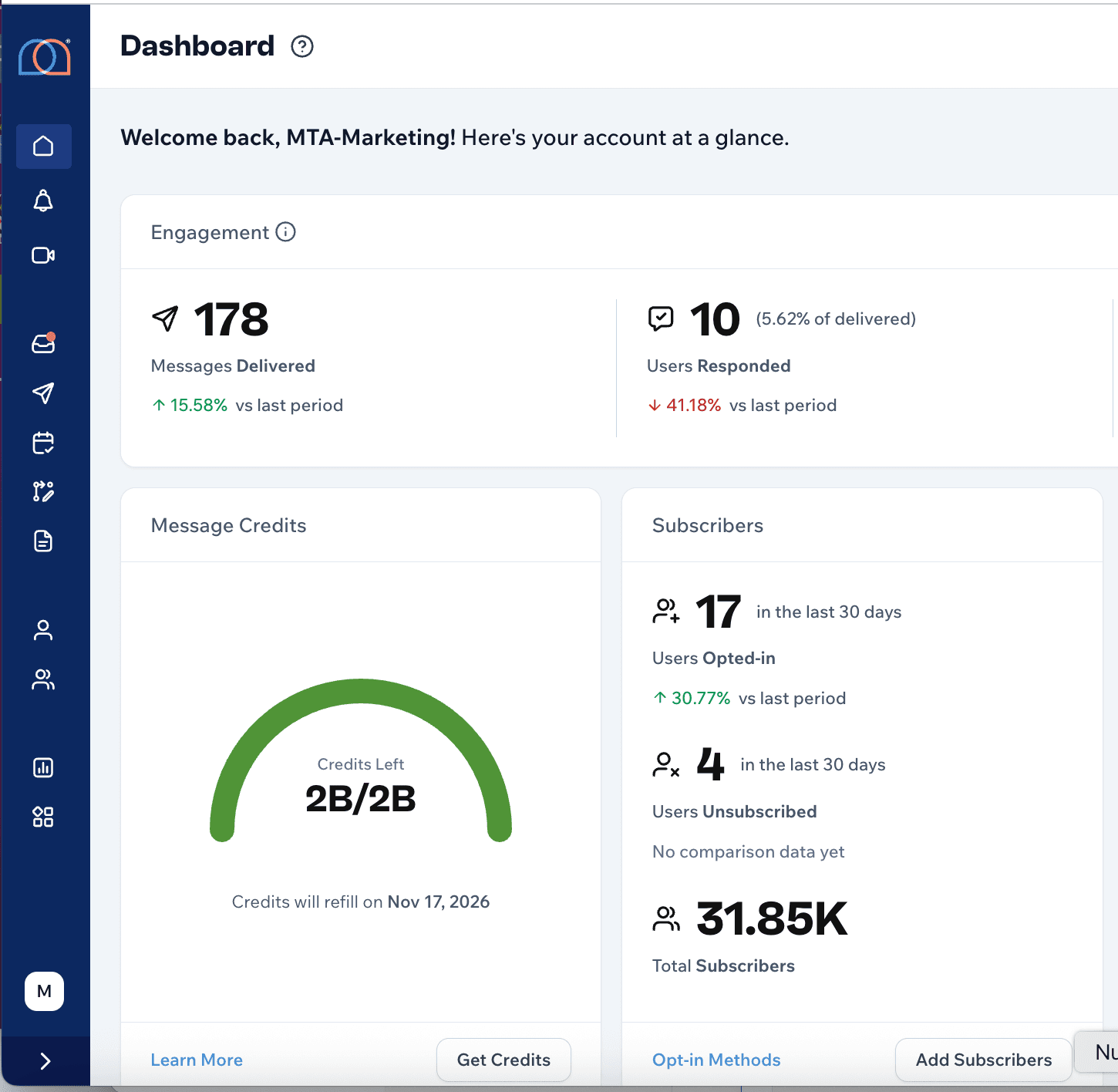
Pricing and Credits
- Free Trial (50 credits, 14 days)
- Core Plans, starting at 500 credits/month for $20/month (annual plan), up to 20,000 credits/month for $389/month (annual plan)
- Professional Plans, starting at $500/month for custom plans over 20,000 credits/month
- Enterprise Plans, quote-based
- *Monthly plan options available
1 message “credit” is used per recipient per message sent, unless the message is over 160 characters, contains emojis (which reduces the character limit per credit to 70), or is sent as an MMS (3 credits).
On monthly plans, unused message credits roll over into the next month and then expire. On annual plans, unused message credits roll over indefinitely but can’t exceed 12x the monthly allotment.
No carrier fees are charged on the Core subscription plans.
Sending Number
Fill out the registration form upon sign-up to register a toll-free number or 10DLC, or contact support to port over an existing number for registration.
You can submit a short code application as well.
Integrations
Native integrations include:
- Earth Networks
- GoTo
- HighLevel
- HubSpot
- Procore
- Zapier
- Zoom
Zapier enables integration with thousands of apps.
An API (with MCP servers) is available for custom integrations.
Opt-In
Opt-in methods include:
- Text-in keywords
- Customizable web sign-up forms and pop-ups
- QR codes
- Contact syncing (via integrations) or importing (must obtain opt-in consent before contacts are synced or added)
Segmentation
Contacts can be manually segmented into “groups,” or automatically placed into groups based on data points.
Automation
- Drag-and-drop workflow builder with triggers and delays
- Message scheduling
- Automated reply options
Message Delivery Reporting
Reporting shows:
- Message logs and individual delivery statuses
- Delivery failure reasons
- Delivery and engagement breakdowns over time
Sample Complaints
- “Allow the option to send messages via SMS or email; at present, if you wish to send notices via email, you need to create a new entry for the same subscriber with just that information.” – David M., IT Administrator and ATP
- “The software always lags and sometimes doesn't sent texts. We received a lot of complaints from clients due to the system not doing what it's supposed to.” – Verified User in Transportation/Trucking/Railroad
- “If I had to say something, it would be that I wish there were nonprofit pricing. I have a strict budget, and so I only purchase three months, which is less expensive than an annual plan even with the yearly discount.” – Jen L., Chief Communications Officer
- “The Mobile Text Alerts app (for manager's mobile phone) is better than it was (used to be a ported version of the website), but it could still be improved to make it easier to read/use on a small screen. A mobile app doesn't necessarily need all the functionality that's on the website.” – Kevin L., Webmaster and Social Media
- “that it's only available for mobile it should be emails too” – Donald G.
SlickText: Best for Businesses That Need Many Native Integrations
Pricing and Credits
- Free Trial (14 days—allotted credits not specified)
- Subscriptions starting at 6,000 credits/year for $24.17/month up to 600,000 credits/year for $782.50/month (annual plans)
- Enterprise Plan, quote-based
- *Monthly plan options available
1 message “credit” is used per recipient per message sent, unless the message is over 160 characters, contains emojis (which reduces the character limit per credit to 70), or is sent as an MMS (3 credits).
Unused message credits roll over into the next billing cycle (1 month for monthly plans and 1 year for annual plans).
Carrier fees are passed through to the user without markup.
Sending Number
Fill out the registration form upon sign-up to register a toll-free number.
Contact support to register a short code, 10DLC, or RCS sender, or to port over an existing number for registration.
You can have one sending number per brand.
Integrations
SlickText has native integrations with over a dozen apps.
Zapier and Make enable integration with thousands of apps.
An API is available for custom integrations.
Opt-In
Opt-in methods include:
- Text-in keywords
- Customizable web sign-up forms and pop-ups
- QR codes
- Tap-to-join links
- Contact syncing (via integrations) or importing (must obtain opt-in consent before contacts are synced or added)
Segmentation
Contacts can be manually grouped into segments, or automatically placed into segments based on data points.
Automation
- Drag-and-drop workflow builder with triggers and delays
- Message scheduling
- Automated reply options
Message Delivery Reporting
Reporting appears to show:
- Message logs and individual delivery statuses
- Delivery failure reasons
- Delivery and engagement breakdowns over time
Sample Complaints
- “i would like the FB option on the app to be able to interface on social media” – Jeff B., Pastor
- “Have to add employees to text words individually and can't just copy them over, issues with receiving notifications consistently” – Kalie S.
- “There are small features I wish the program had that would work better for the way my mind organizes tasks, but once I learned how SlickText organizes the same things I was able to adjust.” – Verified User in Primary/Secondary Education
- “How long it takes to register a phone number to start sending campaigns.” – Verified User in Insurance
- “Registration waiting time is a bit frustrating.” – Verified User in Public Relations and Communications
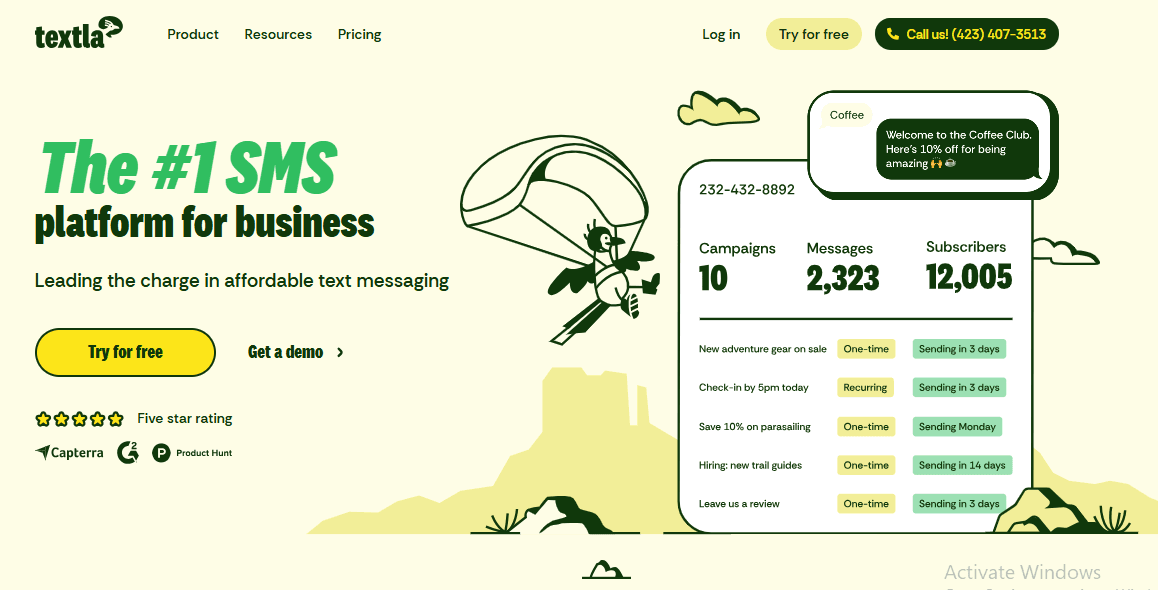
Textla: Best for High-Volume Senders Who Do Not Need an API or a Workflow Builder
Pricing and Credits
- Free Trial (100 credits, 14 days)
- Starter Plan—$19/month (annually) + $.01/credit, some features not included (personalization, scheduled/recurring campaigns, keywords, multiple team members)
- Professional Plan—$39/month (annually) + $.01/credit
- Enterprise—custom pricing + $.01/credit, includes dedicated throughput
- *Monthly plan options available
1 message “credit” is used per recipient per message sent, unless the message is over 160 characters, contains emojis (which reduces the character limit per credit to ~67), or is sent as an MMS (3 credits).
Unused credits always roll over.
No carrier fees are charged.
Sending Number
Fill out the registration form upon sign-up to register a toll-free number, or contact support to register a 10DLC or a short code, or to port over an existing number.
Integrations
Help documentation mentions being able to connect to Twilio.
Zapier enables integration with thousands of apps.
There is no API documentation available for custom integrations.
Opt-In
Opt-in methods include:
- Text-in keywords (not available on Starter Plan)
- Contact syncing (via Zapier) or importing (must obtain opt-in consent before contacts are synced or added)
Segmentation
Contacts can be assigned tags or groups, and filters can be applied based on opt-in keywords, groups, and/or tags when sending messages.
Automation
- Message scheduling
Message Delivery Reporting
Reporting shows:
- Message logs and individual delivery statuses
- Delivery failure reasons
- Delivery rates
- No detailed information available on other features of Textla’s delivery reporting
Sample Complaints
- “Phone number verification can be a process but Support communicated well to resolve.” – Tiffany M., Team Leader
- “Not being able to group contacts after upload” – Verified User in Entertainment
- “I would love it if they had an app.” – Samantha S., Site Director
- “Only AI tech support is readily available, but entirely adequate.” – J.P. E., CEO
- “I wish there was a feature to see which of your subscribers have not been texted/contacted.” – Zach G., Executive Vice President
One negative comment was skipped because it showed clear signs of AI generation.
Attentive: Best for Ecommerce Brands That Want SMS and Email
Pricing and Credits
- Free Trial
- Quote-based, pay-as-you-go pricing
1 message “credit” is used per recipient per message sent, unless the message is over 160 characters or contains emojis or special characters (which reduces the character limit per credit to 70). It is unclear how MMS are billed.
Attentive claims that they offer “usage-based pricing, so you only pay for what you actually use.”
Sending Number
The phone number registration process is not specified, but you can use a toll-free number, a 10DLC, a short code, or an RCS for Business sender name.
Integrations
Attentive has over 100 pre-built integrations.
Zapier and Make enable integration with thousands of apps.
An API is available for custom integrations.
Opt-In
Opt-in methods include:
- Text-in keywords
- Customizable web sign-up forms and pop-ups
- Two-tap opt-in
- QR codes
- Contact syncing (via integrations) or importing (must obtain opt-in consent before contacts are synced or added)
Segmentation
Contacts can be manually grouped into segments, or automatically placed into segments based on data points.
Automation
- Drag-and-drop workflow (“journey”) builder with triggers and delays
- Message scheduling
- Automated reply options
Message Delivery Reporting
Reporting shows:
- SMS campaign delivery performance
- The granularity of SMS delivery reporting is unclear from Attentive’s content
Sample Complaints
- “I wish I could choose the default audience instead of having it default to all customers, so I don’t accidentally send a campaign to everyone when it’s meant for a specific segment. I’d also like to filter customer replies by segment instead of having everything funnel into one inbox.” – Andres Q.
- “I think the landing page builder is limited. I built three or four landing pages but wasn’t satisfied with the end result. I’d also like a better interface and layout for A/B test campaigns.” – Hafiz H.
- “When we first started using it, the campaigns were a bit difficult to create, but since then they have improved the workflows and creating campaigns is much easier.” – Todd H., Marketing Manager
- “Unable to use AI segmentation without add ons. I would really enjoy using this and I feel as though other CRMs may eventually do this for free. I love the fact I can refine subject and preview lines with the built-in AI help, but I would love to have it to send emails at the best times for my customers - but I believe this is an add-on and will cost us as well.” – Verified User in Restaurants
- “I think Attentive could improve its overall pricing and make its advanced features easier to use.” – Sambhav J., Engineer
Birdeye: Best for Businesses That Want Texting in the Same Platform as Review Management
Pricing and Credits
- No free trial
- Quote-based pricing
1 message “credit”/segment is used per recipient per message sent, unless the message is over 160 characters, contains emojis (which reduces the character limit per credit to 70), or is sent as an MMS (3–4 “segments”). Users can send 10,000 segments every 4 hours, between the hours of 8am-8pm.
Birdeye does not appear to charge carrier fees.
Sending Number
You can register your existing business landline for 10DLC business texting. Without registration, messages can be sent through a shared toll-free number.
Integrations
Birdeye has hundreds of native integrations.
Zapier and Make enable integration with thousands of apps.
An API is available for custom integrations (but in regard to sending SMS, it can only be used to trigger review requests).
Opt-In
Opt-in methods include:
- Text-in keywords
- Chatbot lead capture form (must obtain opt-in consent before contacts are added)
- Contact syncing (via integrations) or importing (must obtain opt-in consent before contacts are synced or added)
Segmentation
Contacts can be manually grouped into segments, or automatically placed into segments based on data points.
Automation
- Automation builder with different triggers and conditions
- Message scheduling
Message Delivery Reporting
Reporting shows:
- Message logs and individual delivery statuses
- SMS campaign delivery performance
- The granularity of SMS delivery reporting is unclear from Birdeye’s content
Sample Complaints
- “I’d like Birdeye to automatically text customers who haven’t clicked a review link, a few days later or after a week or two, to remind them and ask if they can leave a review.” – Verified User
- “I think it would be helpful to have stronger integration with specific sites and platforms, especially for supporting brand management and making it easier to clean up webpages.” – Verified User in Hospital & Health Care
- “We didn't feel Birdeye was giving us a return on our investment or helping us get more reviews from our patients. Having our information presented socially so more companies could find us wasn't necessarily beneficial to our current needs.” – Sabrina L., Marketing Coordinator
- “Sometimes the Birdeye dashboard can be a bit slow, and I’d like the reporting options to be more flexible.” – Toshim S., Sr. Analyst, Partner Revenue Strategy & Operations
- “Sometimes difficult to navigate the menus and get to the screens I'm looking for that I know I've found before” – Verified User in Hospital & Health Care
Textline: Best for Teams That Manage Replies as 1-to-1 Conversations
Pricing and Credits
- Free Trial (only able to send messages to verified phone numbers of agents within your account)
- Essentials Plan—600 messages/month (3 agents)
- Pro Plan—2,000 messages/month (5 agents)
- Enterprise Plan—advanced features
- *Quote-based pricing for each plan
1 message “credit” is used per recipient per message sent, unless the message is over 160 characters, contains emojis (which reduces the character limit per credit to ~70), or is sent as an MMS (3 credits).
It is unclear whether Textline charges pass-through carrier fees.
Sending Number
Fill out the registration form upon sign-up to register a toll-free number or a 10DLC.
Contact support to port over your existing landline number.
Integrations
Textline has native integrations with ~12+ apps
Zapier and Make enable integration with thousands of apps.
An API is available for custom integrations.
Opt-In
Opt-in methods include:
- Opt-in keywords
- Web sign-up form
- Contact syncing (via integrations) or importing (must obtain opt-in consent before contacts are synced or added)
Segmentation
Contacts can be assigned “tags” and message sends can be filtered by tag.
Automation
- Automation builder with different triggers, conditions, and actions
- Message scheduling
Message Delivery Reporting
Reporting shows:
- Message logs and delivery statuses
- Delivery failure reasons
- Delivery error exports of specific sends
Sample Complaints
- “i am not a fan of the fact that we must buy credits to send texts” – Verified User in Performing Arts
- “If you're sending out to a huge number of people, it can take quite a while to complete.” – Kassie T., Senior Product Marketing Specialist
- “Textline’s pricing has increased dramatically. I’ve been a customer for over 7 years, and although they worked with me this year to get into a legacy plan, it has restrictions.” – Jessica M., Owner
- “Challenging sometimes to deal with partners and getting them to use it” – Verified User in Accounting
- “I don't like all of the extra charges that happen when credits have been used. I find reporting a bit difficult to discern when trying to decide how many back up credits to use. Hard to discern messages vs credits used. It would be nice to have an alert when a message exceeds standard credit use” – Lisa P., Owner
Calculate Your True Monthly Cost for Mass Texting
You can calculate the total monthly expense up front by adding subscription fees, carrier charges, dedicated number costs, and overage scenarios.
Some factors to consider:
- Subscription or per-message fee: The monthly plan or per-message price for your expected messaging volume.
- Carrier and compliance fees: Some vendors pass through carrier fees separately. Confirm whether those fees are included on the plan you evaluate or billed later.
- Number and short code costs: Consider the monthly fee to maintain a phone number or short code, plus any setup fees.
- Message overages: Make sure you’re aware of per-message charges when you exceed plan limits, and whether unused messages roll over.
- Per-user fees: Some providers charge for additional users.
- Add-on costs: Check for any additional charges, such as higher support tiers add-ons.
Example Calculation Process
- Start with your expected monthly sends (say 10,000)
- Multiply by the per-message rate or account for it inside the plan (with Mobile Text Alerts, 10,000 messages per month would be $219 per month billed annually)
- Add any number fees or carrier fees (Mobile Text Alerts does not require additional phone number or carrier fees for most plans, but we can use $10/month for a number fee and $.004 per message for a carrier fee
- Include a buffer for unexpected campaign spikes or add-ons (let’s say $50)
Calculation: $219 + $10 + $40 + $50 = $319 per month
(With Mobile Text Alerts you wouldn’t have a number fee or carrier fees, so in this calculation scenario it would come out to $269.)
Example Carrier Fees
If your provider charges carrier fees on top of the per-message rate, this is what they will look like:
| Carrier | Toll-Free SMS | Toll-Free MMS | 10DLC SMS | 10DLC MMS | Short Code SMS | Short Code MMS |
|---|---|---|---|---|---|---|
| AT&T Wireless | 0.0035 | 0.009 | 0.0035 | 0.009 | 0.0035 | 0.009 |
| T-Mobile | 0.0045 | 0.01 | 0.0045 | 0.01 | 0.0045 | 0.01 |
| Verizon | 0.0045 | 0.007 | 0.0045 | 0.007 | 0.0045 | 0.007 |
| US Cellular | 0.0045 | 0.007 | 0.0045 | 0.007 | 0.0045 | 0.007 |
| MetroPCS | 0.0045 | 0.01 | 0.0045 | 0.01 | 0.0045 | 0.01 |
| Bell Mobility | 0.008165 | 0.030433 | 0.008106 | 0.0302116 | 0.008106 | 0.0302116 |
| Rogers Wireless | 0.0074 | 0.0148 | 0.009 | 0.018 | 0.007369 | 0.014737 |
| Fido | 0.0067 | 0.0111 | 0.009 | 0.018 | 0.007369 | 0.014737 |
| Telus Mobility | 0.0075 | 0.015 | 0.0075 | 0.015 | 0.0075 | 0.015 |
Rates as of August 21, 2026.
Mass text app FAQ: pricing, setup, and hidden fees
What are mass text messaging services?
How much does a mass texting app cost?
How do I set up a mass texting campaign?
Can I integrate a mass text app with my CRM or website?
How can I avoid hidden carrier or pass-through fees with a mass texting app?
What features should a small business look for in a mass text app?
Author Bio

Sam Pelton is the content director for Mobile Text Alerts, an SMS service that gives businesses an easier way to reach customers and audiences. He has 12 years of experience working with the texting platform in the areas of customer support, quality assurance testing, content creation, copywriting, and marketing strategy. He’s also a father of 7 and loves a good (bad) dad joke. Connect with him on LinkedIn.