Mobile Text Alerts

For HubSpot Sales, Marketing & Operations Teams

SMS Inside HubSpot. No Dev Work.

Install once, get 10 free credits per HubSpot contact, and start texting from prebuilt workflows.

Install in minutes • Keep your current HubSpot setup • Cancel anytime

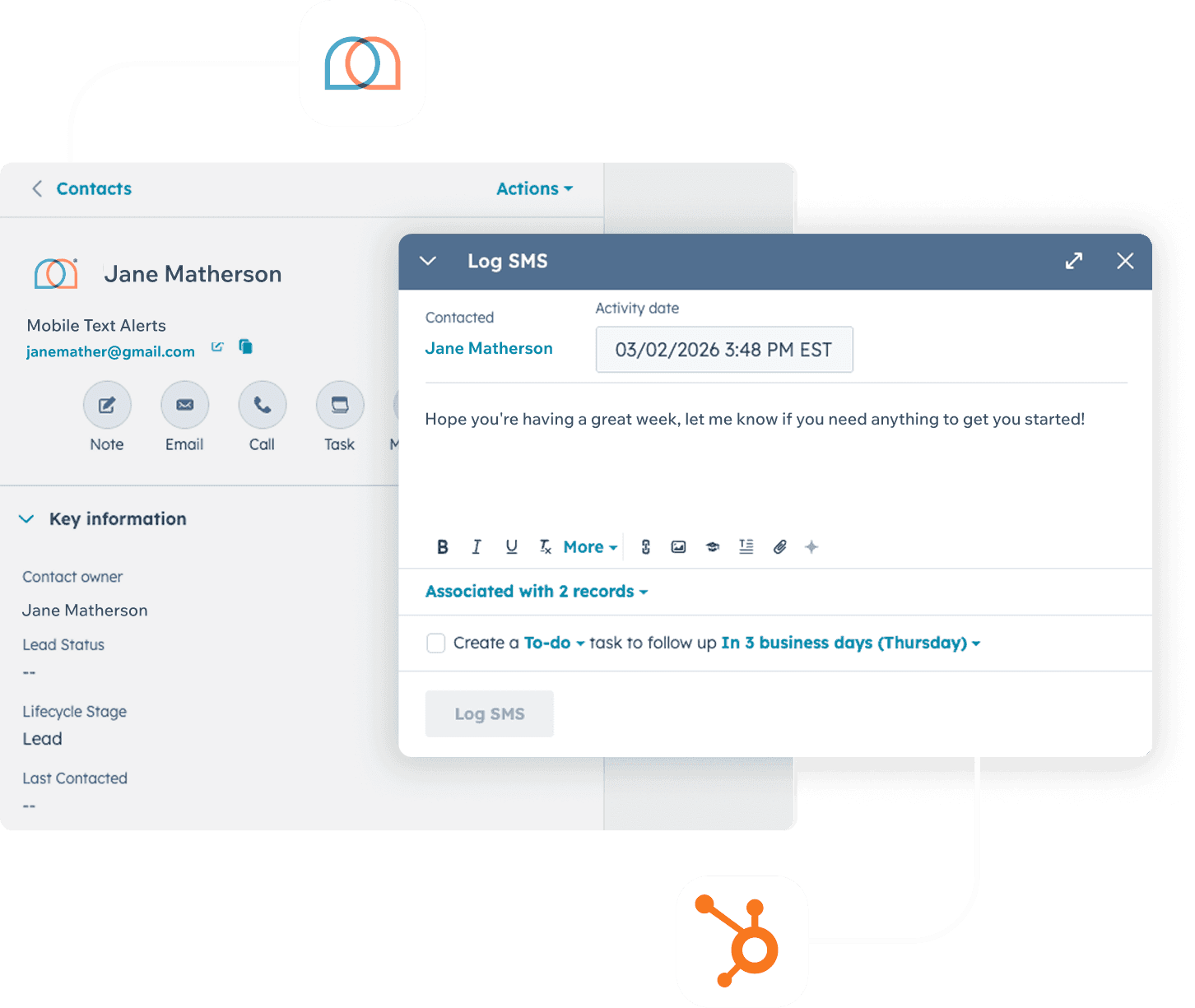
Mobile Text Alerts SMS integration inside HubSpot CRM — showing a contact record with a Log SMS panel open, free for 30 days after install.

Join the 20,000 Companies Who Love Mobile Text Alerts

Roblox logo
Yeti logo
Yamaha logo
Toyota logo
Chick Fil A logo
Kiewit Logo
GE Aerospace Logo
US Army Logo

Stop leaving money on the table every time a lead goes cold.

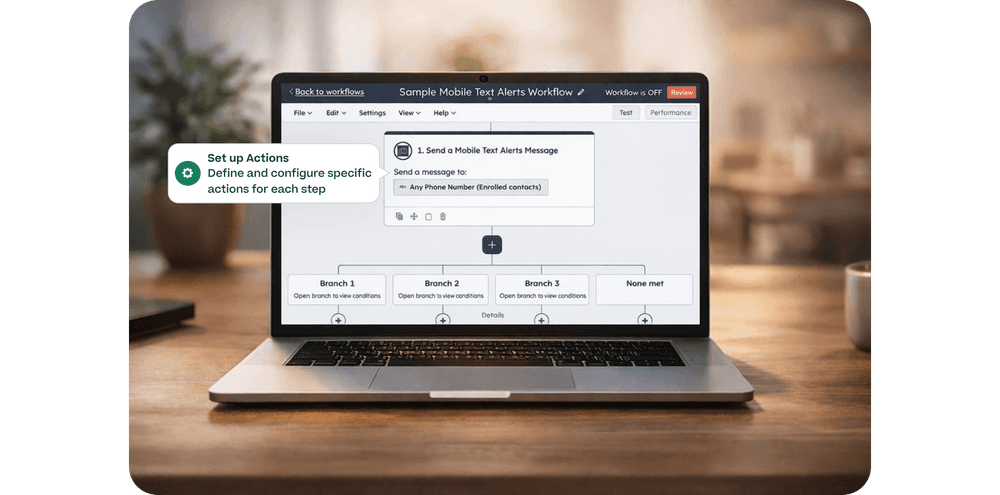
Screenshot of a HubSpot workflow builder showing a Mobile Text Alerts sales follow-up flow with branching logic and action configuration

Integrated Workflows

Create Audience Engagement Automatically

with customized segments and automated workflows.
  • Add SMS to existing HubSpot Workflows
  • Trigger new workflows when contacts send SMS to your business
  • Send or receive messages based on Hubspot tickets, deals, and other data points
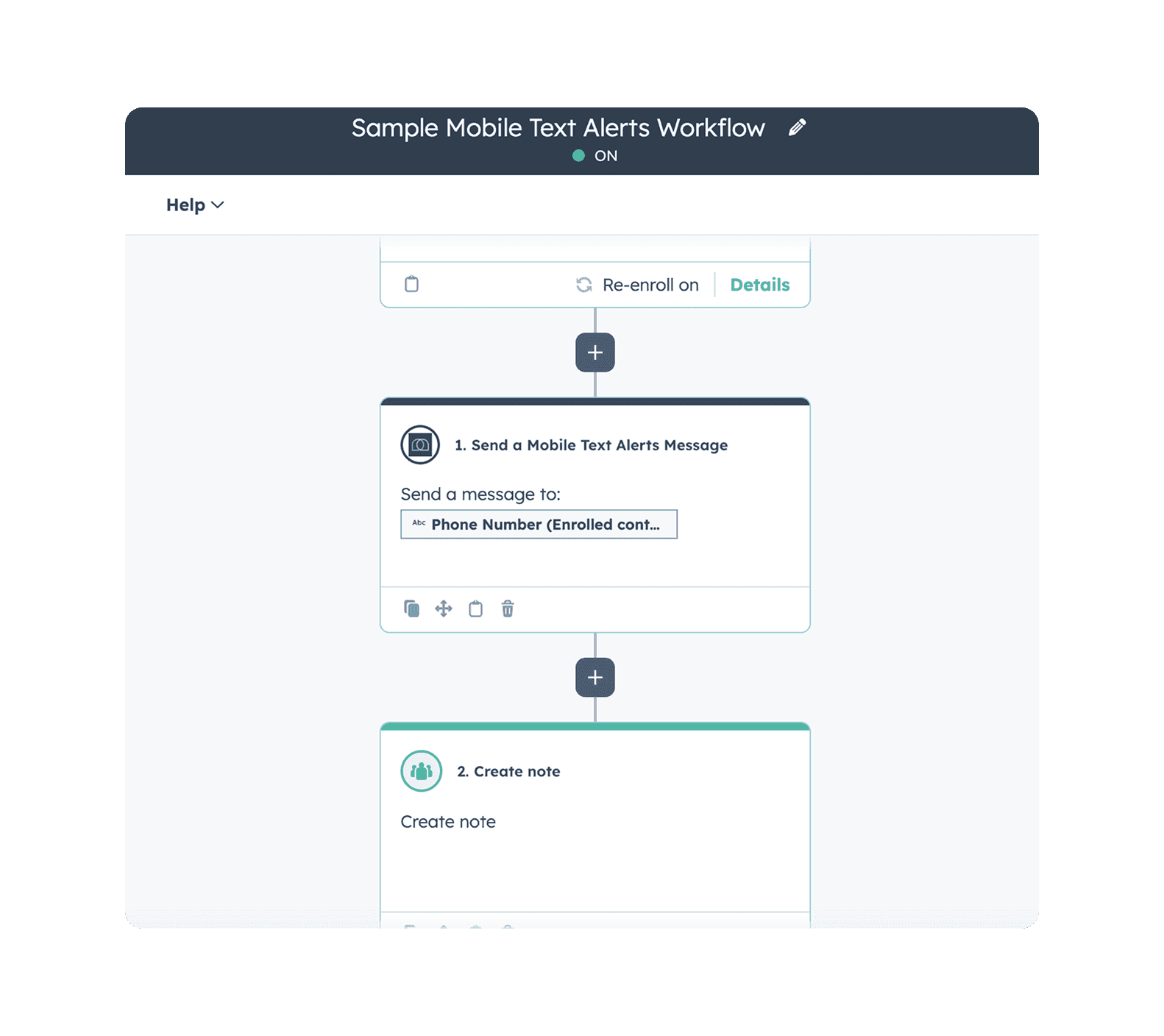
Send automated SMS messages and log notes in HubSpot using a live Mobile Text Alerts workflow with step-by-step action configuration
Get Started

How the Free Messages Offer Works

Install

Install the Mobile Text Alerts app from the HubSpot Marketplace.
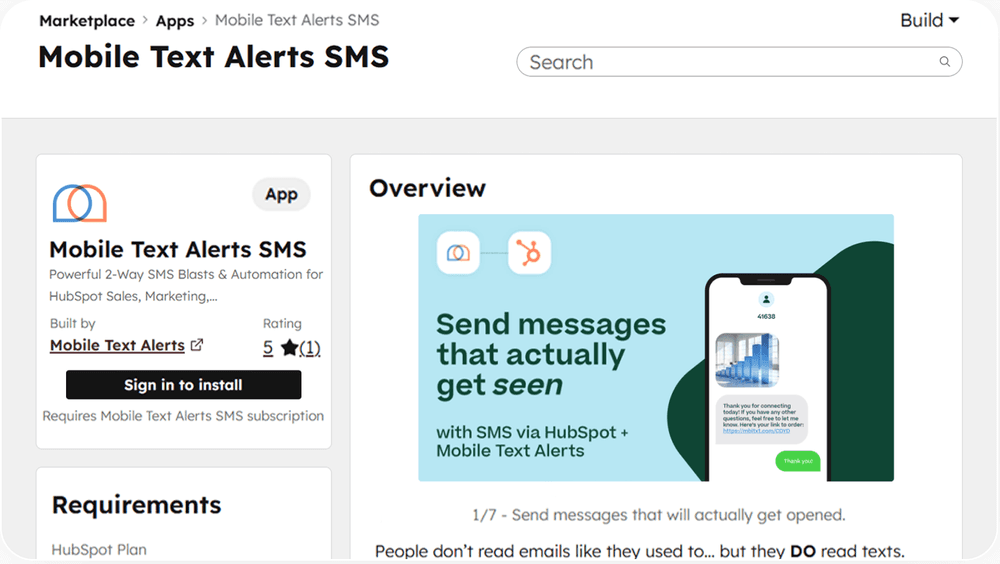
Install the Mobile Text Alerts SMS app from the HubSpot Marketplace to send automated SMS messages that get seen directly through HubSpot

Connect & configure (fast)

Map key fields, choose sending defaults, and set up your first templates/workflows.
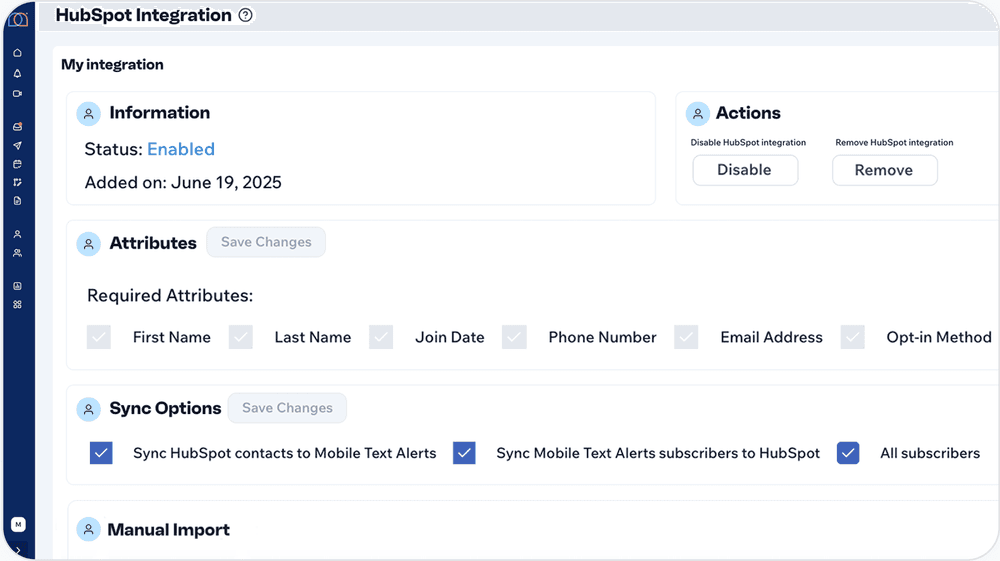
Sync contacts and subscribers between HubSpot and Mobile Text Alerts with two-way integration settings and configurable attribute mapping

Send texts in HubSpot for 30 days

For the first 30 days after install, all messages sent via HubSpot are free. (One-to-one messages and workflow-triggered messages sent from HubSpot.)
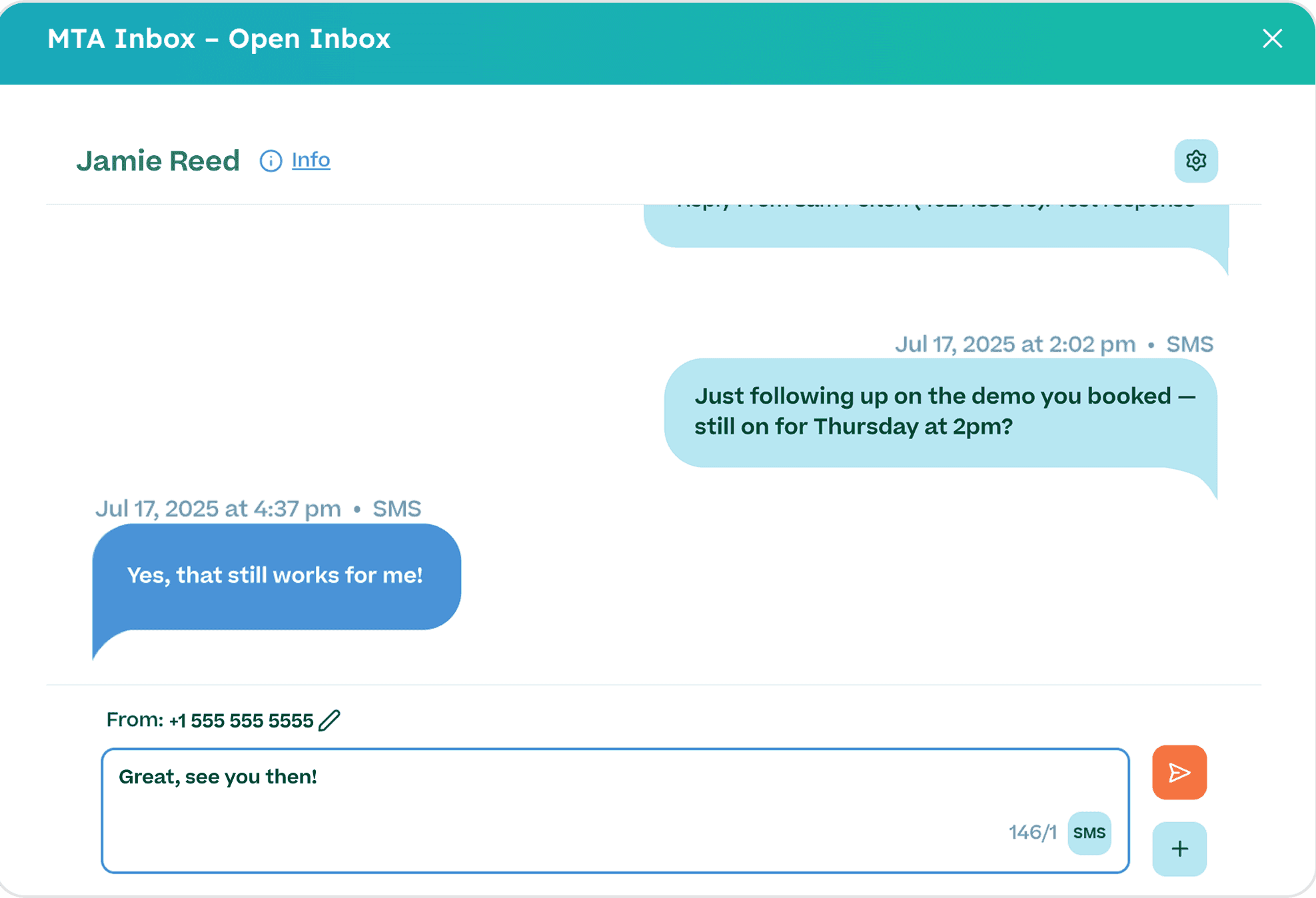
Manage two-way SMS conversations with contacts directly in HubSpot using the Mobile Text Alerts inbox for real-time messaging

Built for HubSpot teams who want results before they spend a dime.

SMS Inside HubSpot records

No tab-switching. Reach contacts and log every conversation right where your team already works.

Workflow Builder Automation

Send personalized, segmented messages automatically — so the right contact gets the right text at the right time, without manual effort.

Full Message Logging

Every text is recorded back into HubSpot, giving your whole team a complete communication history for every contact.

Opt-In Forms

Grow a compliant subscriber list from your existing website and campaigns — no extra tools needed.

White Glove Customer Support

Hands-on help from real experts who know HubSpot and SMS inside and out.

Teams use Mobile Text Alerts to move deals faster (and miss fewer follow-ups)

What to launch in your first 30 days

Speed-to-lead follow-ups

Text new inbound leads instantly so reps reach them while intent is high.

Meeting confirmations + reminders

Reduce no-shows with automatic reminders from HubSpot activity.

Deal stage nudges

Trigger the right message when a deal moves stages (or stalls).

No-response sequences

Automatically follow up if a lead doesn’t reply after X hours/days.

Renewal & payment reminders

Keep accounts on track with polite, timed texts tied to lifecycle stages.

CSAT / review requests

Send post-resolution texts and route responses back to the team.
Camille S.
I love how easy it is for people to opt in and how fast I can send a text alert out. Mobile Text Alerts helped me give my customers an immediate message that I know they'll see faster than an email (if they even check their email). It helped me connect with them and offer deals to help me generate income quickly.

- Camille S.

Frank V.
I love using Mobile Text Alerts because it creates efficiencies for my business. I can create vast amounts of clients and have people opt in and communicate in a way that’s really impossible to do any other way... I’ve seen sales go up exponentially.

- Frank V.

Rachel R.
Easy to use and can communicate quickly… We use it for relaying important information to 60 tenants in my apartment building. This was a big struggle in the last 3 years. This is a HUGE time saver.

- Rachel R.

FAQs

Setup & Getting Started

No—install the app, connect settings, and start sending from HubSpot records and workflows.

Pricing & Trial

You’ll keep your setup and can continue on a paid plan. If you choose not to, you can stop sending—no lock-in.

Compliance & Deliverability

SMS requires consent. Mobile Text Alerts supports opt-in collection and standard unsubscribe handling.

Features & Functionality

Messages initiated inside HubSpot through the Mobile Text Alerts integration (including workflow-triggered texts).

Ready to text from HubSpot on us?

Install the app and get 10 free credits for every HubSpot contact. No commitment, no credit card required to start.